Get Layers You Can Use Right Away
Move, replace, or remove an element in the original design, or reuse it in another project. During the split, AI fills in the background behind objects, so it still looks natural when you move them.

Only have the finished image? Our AI Image Layer Splitter separates the subject, background, text, and other elements into independent layers. Remove an object, swap in a new backdrop, or reuse a product in a new banner without recreating the entire design. No Photoshop skills or paid membership needed.
Split Your ImageResult
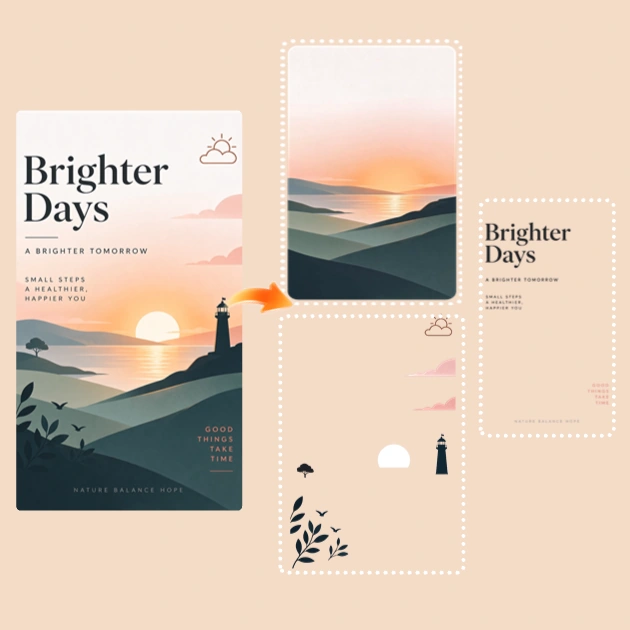
Upload a poster, product photo, or other image in PNG, JPG, or WebP format.
Choose a resolution of 1K, 1.5K, or 2K, then click Split Your Image. AI splits your image into up to 17 individual layers.
Download a layered PSD or save the individual layers as transparent PNGs for further editing.
Get layers you can edit or reuse, choose the download format you need, and delete your files anytime.
Move, replace, or remove an element in the original design, or reuse it in another project. During the split, AI fills in the background behind objects, so it still looks natural when you move them.
Download a layered PSD to keep editing the full design in Photoshop or another compatible editor. If you want to reuse an element elsewhere, choose transparent PNGs. Each layer is saved as a separate file.
Working on a client mockup or an unpublished design? MindVideo AI encrypts your files and stores results for a limited time. You can delete both the uploaded image and the split results at any time.
Use layers from images you already have to create a new ad, update a finished poster, or make an animated intro from a travel photo.
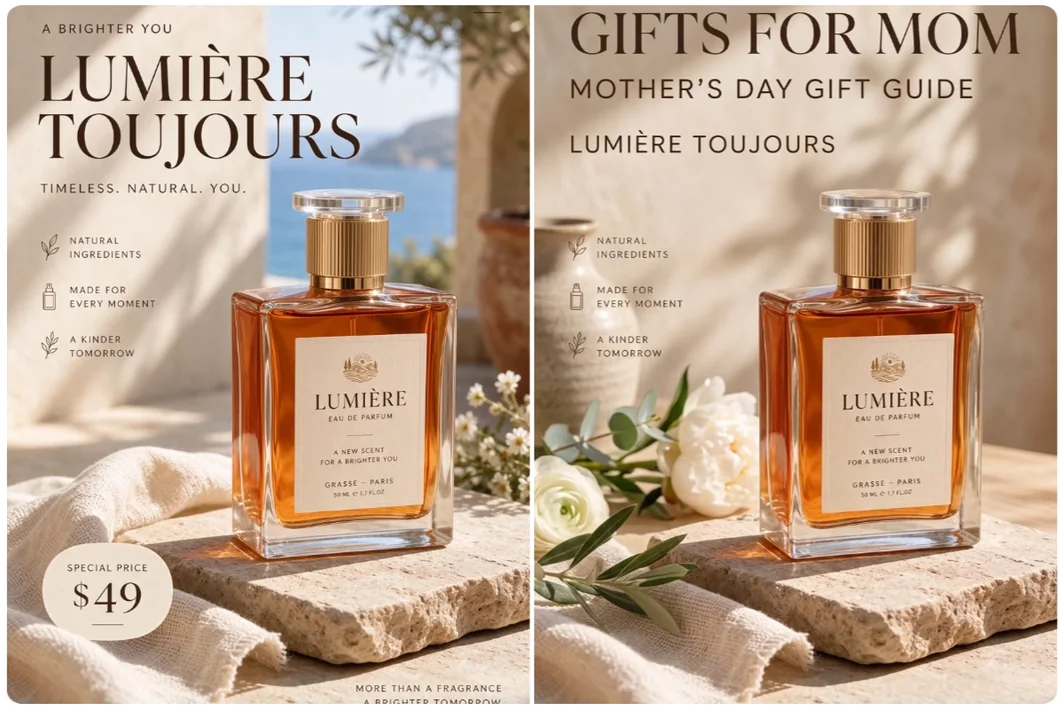
Putting together a Mother’s Day gift guide? Separate a perfume bottle from an existing ad, give it a new background, and add a “Gifts for Mom” headline. You can feature the same product in a new campaign without reshooting it or cutting it out by hand.
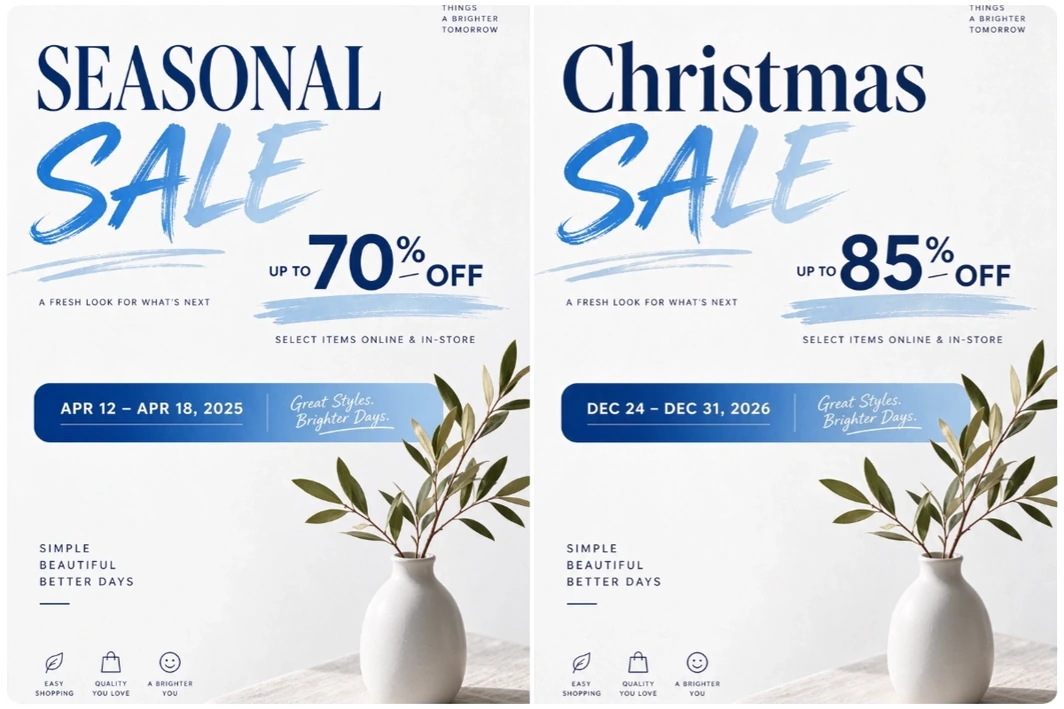
Split a finished poster into layers to update only what’s changed. Hide the old date and add a new one, swap out the discount badge, or replace last week’s offer. You can keep the original layout and background for the next promotion.
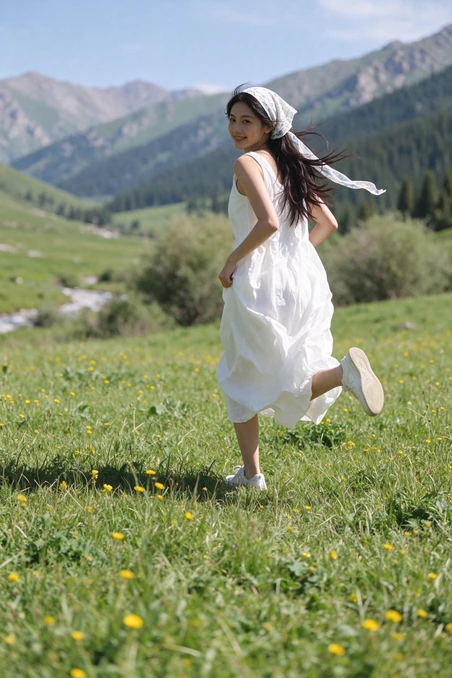
Shrubs and a woman in a white dress slide into a mountain meadow. Their outlines fade as the layers come together. To make an intro like this, split your travel photo into layers, then animate them together in one shot. No manual cutout needed.
An AI image layer splitter is a tool that separates a flat image into individual layers, such as the subject, background, and text. You can move, remove, or reuse each layer on its own.
You can use free credits to split an image without a paid membership. Free downloads include a MindVideo AI watermark. Paid members can download their results without one.
The separated text is saved as an image layer. To change the wording, hide or remove that layer and add new text in your design editor.
Yes. Open it in a browser-based image editor that supports layered PSD files. You can view the layers and work with them individually.
Choose an image with a clearly defined subject and visible edges. If it includes fine details such as hair or overlapping branches, check those edges before reusing the layer.
Yes, if you have a paid membership and the right to use the original image commercially. With a free account, you can use the layers for personal projects.
Split a finished image into layers and take the element you need into your next project.
Split an Image