More Than Just an Age Number
Rather than giving you an age with no explanation, our tool also provides a facial analysis showing which visible features were considered, so you can better understand why the AI thinks you look that age.

Curious how old you look? Upload a photo for an instant apparent age estimate, then see whether you look younger or older than your actual age.
See How Old You Look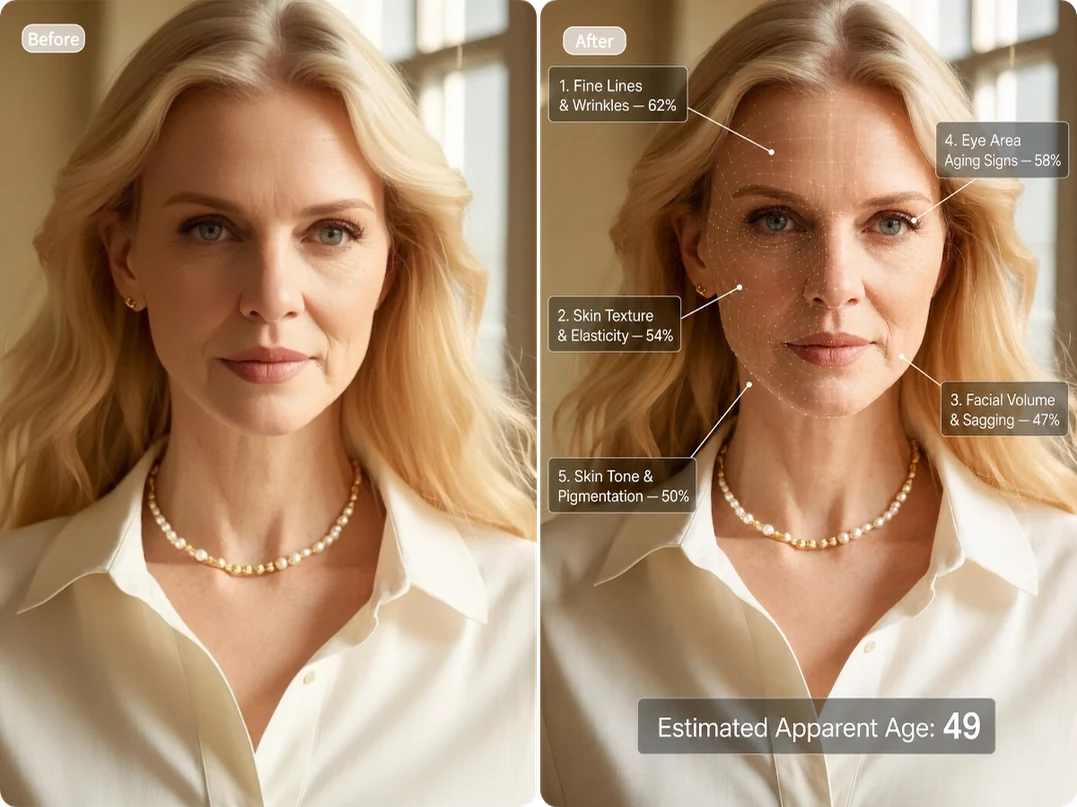
Result
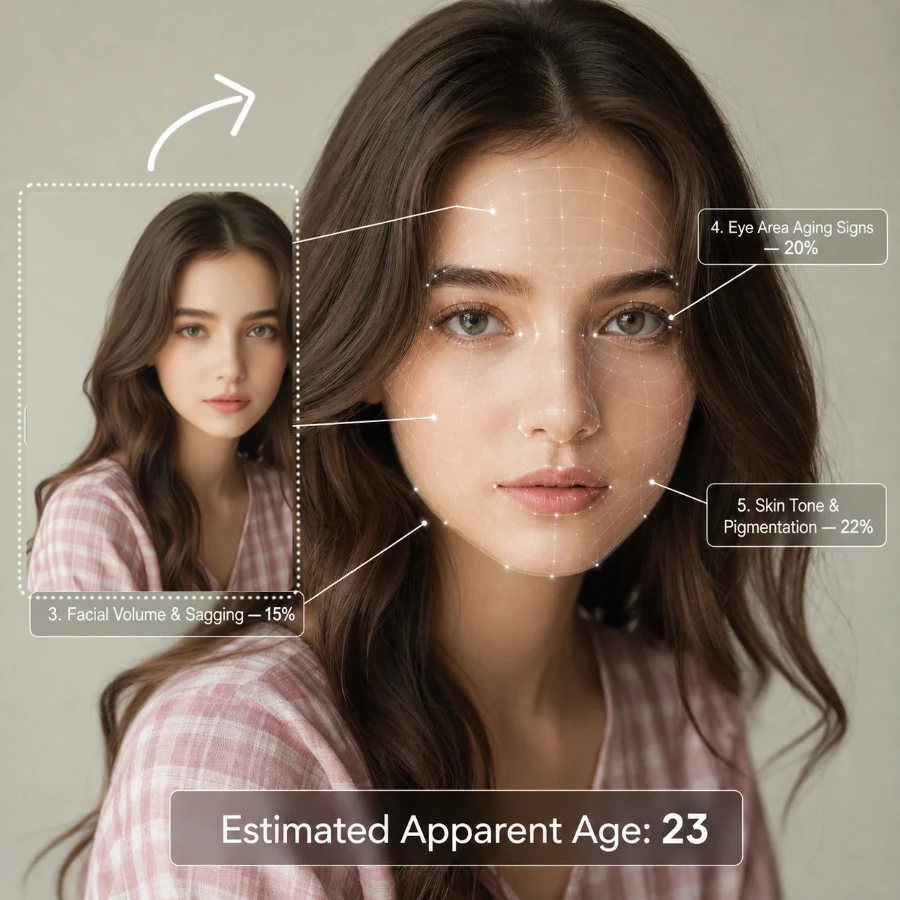
An AI age guesser analyzes visible facial features to estimate how old you appear in a photo. Our tool reviews fine lines and wrinkles, skin texture and elasticity, facial volume and sagging, the eye area, and skin tone and pigmentation.
Each area is scored from 0% to 100%. A lower score means the visible signs of aging are less noticeable, while a higher score means they appear more pronounced. Based on the overall analysis, the tool then estimates your apparent age.
Note: Lighting, camera angle, facial expression, makeup, filters, and image quality can affect the result. This tool is for entertainment only and should not be used for medical assessment or official age verification.
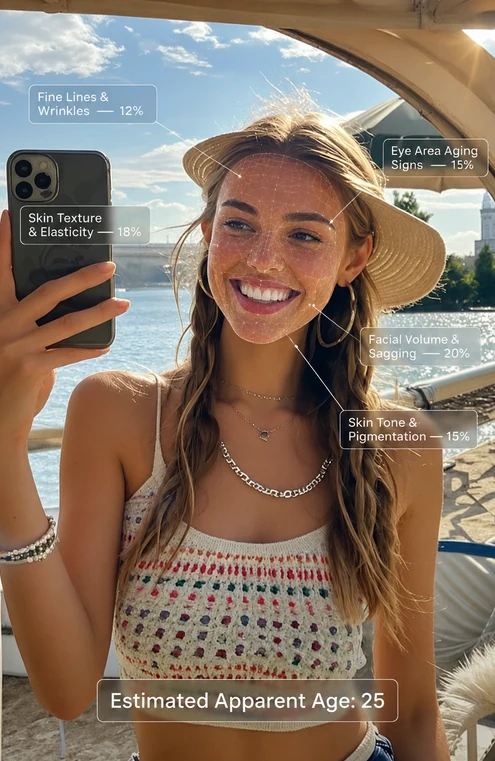
Rather than giving you an age with no explanation, our tool also provides a facial analysis showing which visible features were considered, so you can better understand why the AI thinks you look that age.
Each age test uses only 1 credit. Sign up, check in daily, or invite friends to earn free credits and try more photos without a subscription.
Your photos are processed securely and will not be made public or used to train AI models without your permission. They are also deleted automatically after a limited retention period.
Choose a well-lit photo without harsh shadows or overexposure, so your facial features and skin details are clearly visible.
Use a front-facing photo taken from a natural angle. Avoid extreme close-ups, overhead shots, or shots taken from a very low angle.
Make sure your eyes, cheeks, forehead, and jawline are visible. Remove glasses, masks, and anything else that may hide key facial details.
Use a photo straight from your camera. Light makeup or no makeup works best. Avoid skin smoothing, face reshaping, beauty filters, and heavy retouching.
Find out how old you look in three simple steps. No prompt writing required.
Choose a clear, front-facing photo with good lighting. Avoid glasses, masks, or anything else that may cover key facial features, so the AI can analyze them more accurately.
Click “Generate” to begin. Our AI will analyze your skin texture, fine lines, facial volume, the eye area, and skin tone. It will then estimate your apparent age.
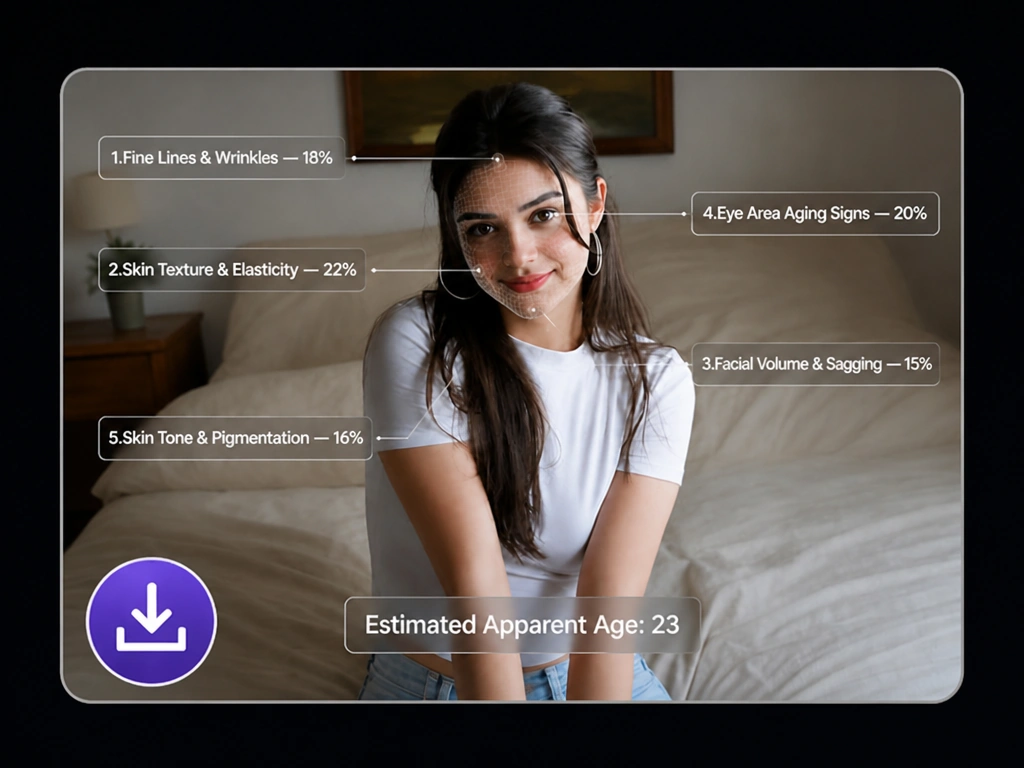
See how old you appear in seconds. You can also upload photos with different expressions, hairstyles, or makeup to compare the results across different looks.
Real feedback from people who tried the AI age guesser.
It guessed I was just two years older than I actually am, which was pretty close. I liked that the result included more than just a number.Megan R.
I tried photos with and without makeup, and the estimates were different. It was interesting to see how much my overall look changed the result.Chloe M.
The facial analysis made the result easier to understand. Most tools I’ve tried simply show an age without explaining anything.Daniel K.
My first result looked a bit too old, but that photo had heavy shadows. I tried a brighter one, and the second result made more sense.Rachel T.
The free credits let me try a few selfies without subscribing, which was all I needed.Jason L.
It didn’t guess my exact age, but I wasn’t really expecting it to. It was still a fun way to see how old I appeared in that particular photo.Nina S.
The AI looks at how old you appear in each photo, not your actual age. Changes in lighting, camera angle, expression, makeup, filters, or image quality can make you look younger or older, so different photos may produce different results.
A recent, front-facing photo taken in even lighting usually works best. Keep your face fully visible, wear little or no makeup, and avoid filters or edits that change your skin or face shape.
Each score shows how noticeable the visible aging signs are in that area of the photo. A lower percentage means they are less apparent, while a higher percentage means they stand out more. The scores are measured separately and do not need to add up to 100%.
No. A photo can only show how old someone appears, not their exact age. The result is intended for entertainment and should not be used for medical or official purposes.
A photo with one clearly visible face works best. With a group picture, the tool may analyze the wrong person or have difficulty reading facial details clearly.
Yes. One test costs 1 credit. You can receive free credits when you sign up and earn more through daily check-ins and friend invitations. No subscription is required.
Your image is processed securely. It will not be made public or used to train AI models without your permission, and it will be deleted automatically after a limited retention period.
See how old you appear and explore the facial analysis behind the result in seconds.
See How Old You Look