Free AI Buzz Cut Filter: See How a Buzz Cut Looks on You

Curious how a buzz cut would look on you? Upload a photo, select the Buzz Cut style, and see the new look while keeping your facial features recognizable.

Try the Buzz Cut Filter

Result

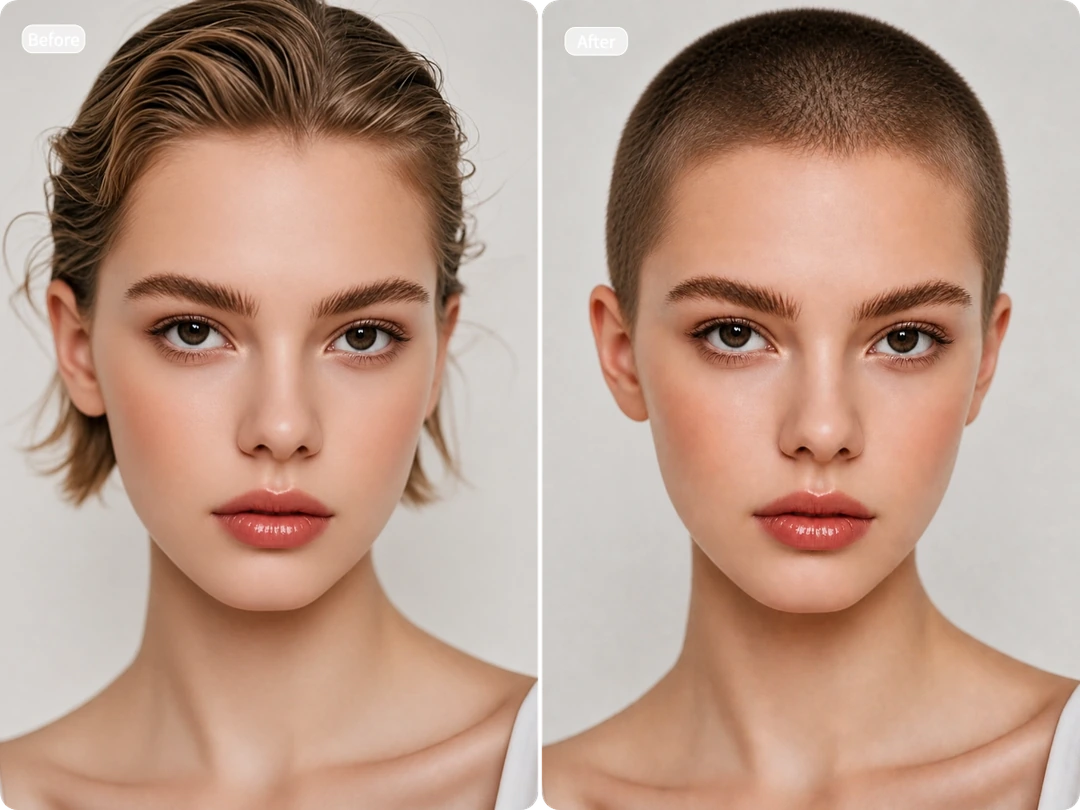
Buzz cut filter result showing a woman transformed from long hair to a short buzz cut

What Is an AI Buzz Cut Filter?

An AI Buzz Cut Filter lets you see yourself with a buzz cut before making the real change. You can try the look on your own photo and see how it fits your face and overall appearance.

MindVideo AI applies the Buzz Cut style while preserving your original facial features and overall look—no prompt writing or manual editing required.

Note: Results are for entertainment and preview purposes only. Photo angle, lighting, image quality, and how clearly your hairline is visible can all affect the result, so the generated image may not exactly match a real haircut.

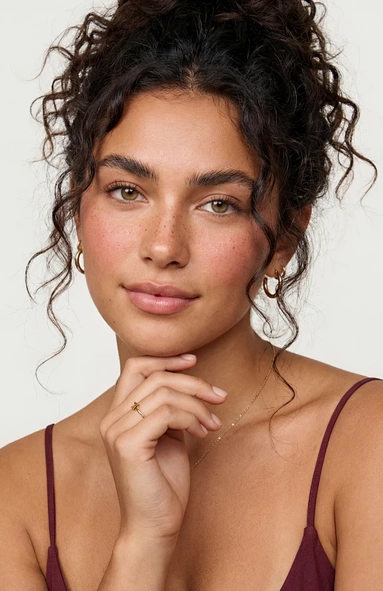
Woman with curly dark hair before applying the buzz cut filter
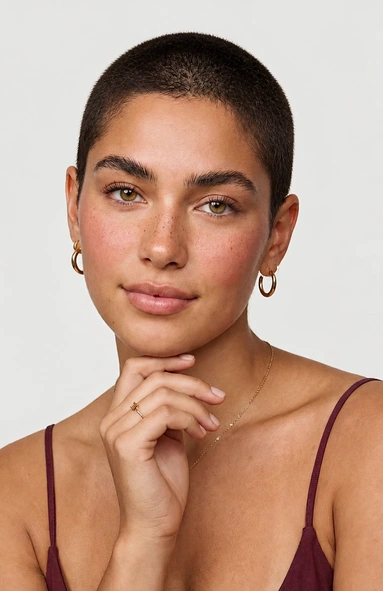
Same woman with a realistic short buzz cut after using the filter

What Can You Do With Our Buzz Cut Filter?

Use it to preview a buzz cut on yourself, prank friends, join social media trends, create barbershop visuals, and more.

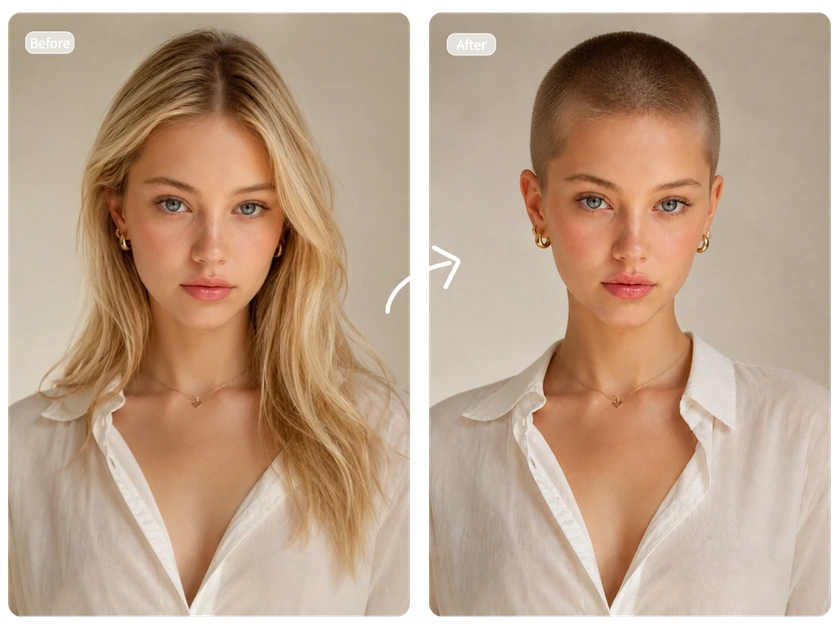
Buzz cut filter before-and-after preview on a blonde woman

Try a Buzz Cut Without the Commitment

Curious enough to try a buzz cut, but not quite ready for the clippers? Try the look on your own photo before visiting a barber. See how it looks on you—no appointment, no real haircut, and no regret if it’s not for you.
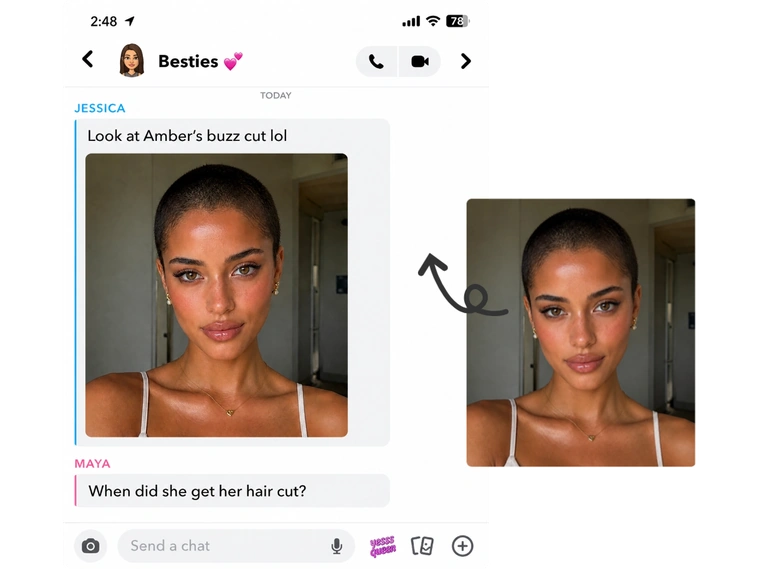
Group chat prank sharing a woman’s realistic buzz cut photo

Prank Your Friends With a Buzz Cut

Turn an ordinary photo into a convincing buzz cut surprise. Use your own photo to fake a dramatic haircut, or give a friend an unexpected new look. Send it to the group chat and enjoy the reactions—all without anyone actually losing their hair.

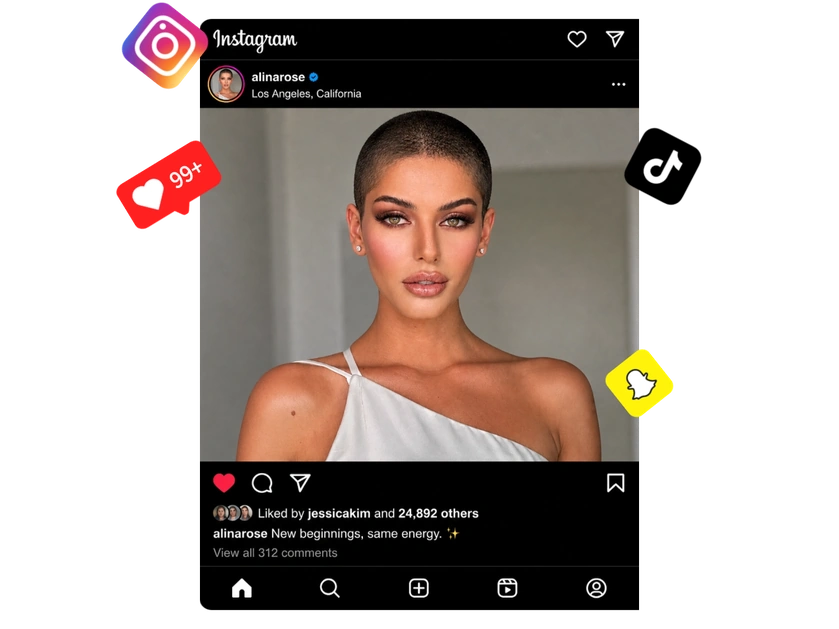
Buzz cut portrait prepared for sharing across social media platforms

Join the Buzz Cut Trend on Social Media

Put your own spin on the Buzz Cut trend. Turn your photo into a bold new look, then share the before-and-after transformation on TikTok, Instagram, Pinterest, or other social platforms to spark reactions, comments, and shares.

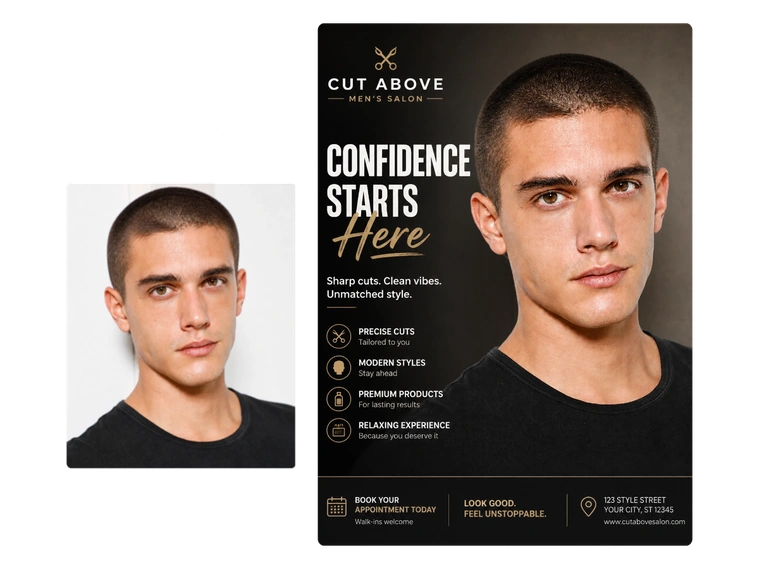
Barbershop promotional design featuring a male buzz cut model

Create Buzz Cut Visuals for Your Barbershop

Turn an existing model photo into a buzz cut promo image for your barbershop in just a few steps. Use the result for posters, in-store displays, or other marketing materials without finding a new model, giving them an actual buzz cut, or arranging another photoshoot.

Why Choose MindVideo AI’s Buzz Cut Generator?

Get recognizable results, simple generation, free access, and private photo processing in one place.

Natural, Recognizable Results

AI matches the lighting, hairline, and facial details to blend the Buzz Cut style into the original image while keeping you recognizable.

No Prompts, No Editing

No prompts, manual editing, or complicated settings required. Just upload your photo, pick Buzz Cut, and generate.

Free Credits to Try

Try this filter without a subscription. Use free credits earned from daily check-ins, referrals, and other rewards to generate your look.

Private and Secure Processing

Your photos are encrypted during processing, never used for model training, and automatically deleted after a short period.

Tips for a More Realistic Buzz Cut Preview

If you’re using the result to decide whether a buzz cut might suit you, a few small photo choices can make the preview more useful and closer to how you actually look.

How to Use the AI Buzz Cut Filter in 3 Steps

Upload your photo, choose the style, and preview your new look.

Upload Your Photo

Upload a clear, front-facing, well-lit photo to our AI buzz cut generator for best results.

Choose the Buzz Cut Style

Select the Buzz Cut hairstyle, then click “Generate” to apply the new look to your photo.

Preview & Download

Get your new look in seconds. Preview and download the image to share on social media or use as a haircut reference.

Try the Buzz Cut Filter

What Users Say About Our Buzz Cut Simulator

Real feedback from people who tried the Buzz Cut Filter.

I’ve been thinking about getting a buzz cut for months but never had the nerve. This gave me a pretty good idea of what I’d look like before actually doing it.
Ethan B.
Honestly, I expected it to change my whole face, but it still looked like me. The hairline blended in better than I thought it would.
Marcus J.
Super easy to use. I uploaded a selfie, picked the buzz cut, and got the result without having to mess around with prompts or editing.
Olivia C.
Tried it on my brother’s photo and sent it to our family group chat. My mom actually thought he shaved his head 😂
Sophie W.
The first photo I used was taken from an angle, so the result looked a little off. I tried again with a straight-on selfie and it looked much better.
Noah P.
I’m still not sure I’m brave enough to get a real buzz cut, but at least now I know it doesn’t look as bad on me as I imagined.
Liam D.

Frequently Asked Questions

Is the AI Buzz Cut Filter really free?

Yes. You can try it without a paid membership. Free credits are available through daily check-ins, referrals, and other rewards, so you can generate a buzz cut look without subscribing first. Additional generations may require more credits.

Will a buzz cut suit me?

The easiest way to get a feel for it is to see the look on your own face. A generated preview can help you judge how shorter hair works with your features, forehead, and overall appearance before you make the cut. Just keep in mind that it’s a visual reference, not a guarantee of how a real haircut will turn out.

How accurate is the AI Buzz Cut Filter?

The result can give you a useful idea of the overall look, but it isn’t an exact haircut simulation. Your head shape, natural hair growth, hair density, photo angle, and lighting can all make the real result look different.

Why does my buzz cut look different in different photos?

Each photo gives the AI different information. Changes in camera angle, lighting, facial expression, visible hairline, or how much your hair covers your face can affect the result. If you’re using the filter to help with a haircut decision, comparing a few clear photos can give you a better overall impression.

Can women use the Buzz Cut Filter?

Of course. A buzz cut isn’t limited to any gender. Anyone curious about very short hair can use the filter to see how the look works with their face and personal style.

Can I use someone else’s photo?

You can use another person’s photo when you have permission to do so. This can be fun for harmless pranks or shared experiments with friends, but it’s best to avoid posting or using someone’s edited image publicly without their consent.

Ready to See Yourself With a Buzz Cut?

Try the look on your own photo before making the real change. Upload your photo and see your Buzz Cut preview in seconds.

Try the Buzz Cut Filter

Join MindVideo AI official community on Discord.