Free AI Portrait to Landscape Converter: Expand Photos Without Cropping

Easily turn vertical photos into landscape images with our AI Portrait to Landscape Converter. It naturally extends the surrounding scene while preserving the original subject, visual style, and key details—without stretching the image. Choose 16:9, 4:3, 3:2, or a custom size for social media covers, website banners, blog headers, and prints.

Convert Portrait to Landscape
Free credits available

What Is an AI Portrait to Landscape Converter?

An AI Portrait to Landscape Converter turns a vertical image into a wider layout by extending the area around the original scene. Instead of cutting away important areas or stretching the entire photo, it creates additional surroundings that match the image’s background, lighting, colors, and overall look.

“Portrait” here refers to the image orientation, not just photos of people. You can upload selfies, product shots, pet pictures, travel photos, artwork, and other kinds of images, and adapt them to square, landscape, or custom wide formats.

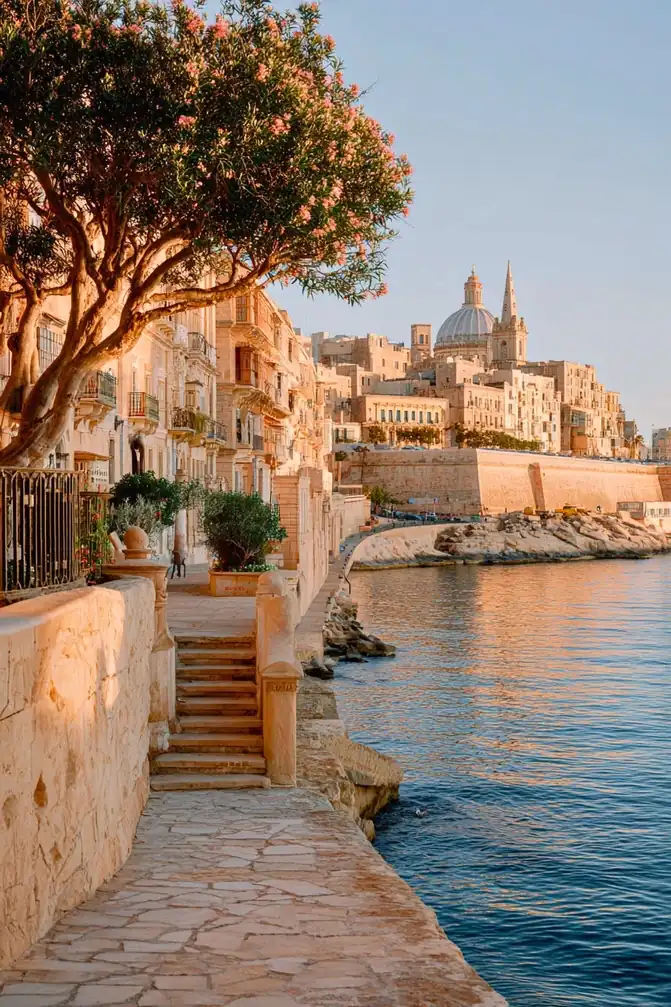
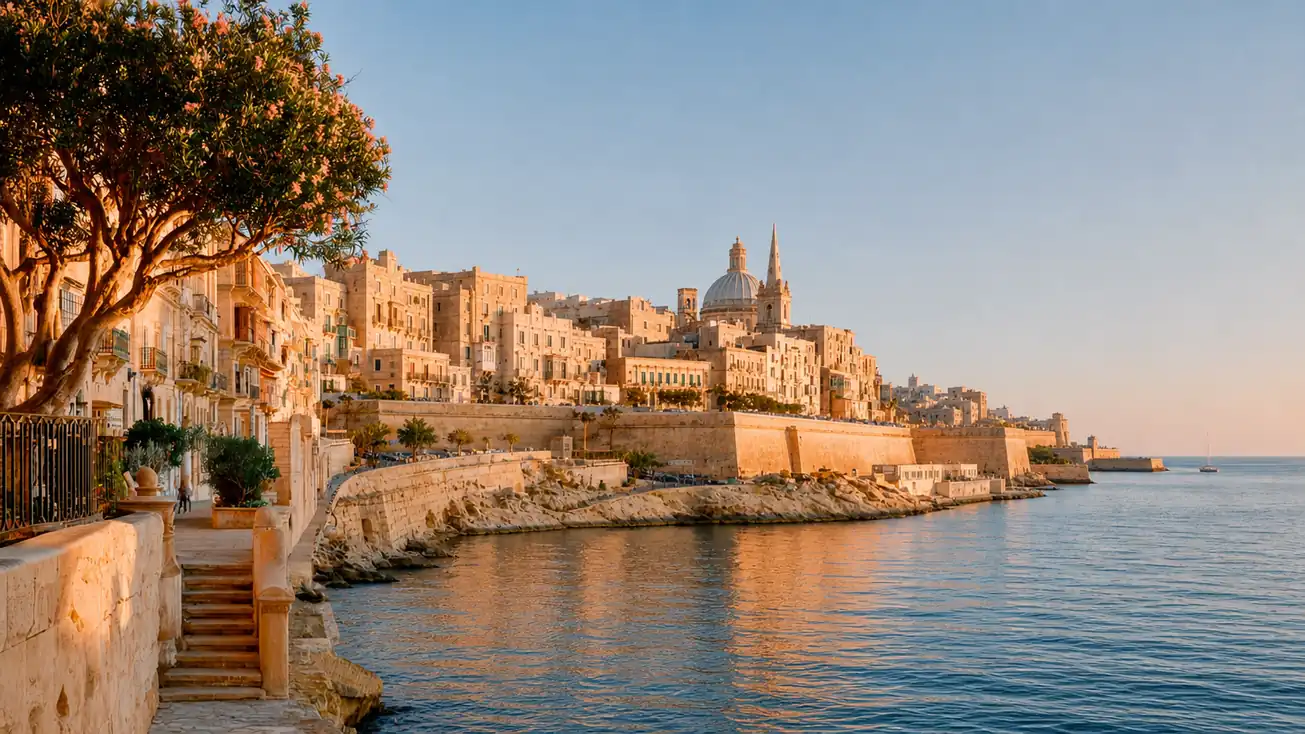
Vertical coastal city photo before expanding the waterfront scene to a landscape layout
Wide coastal city result with the waterfront and open sea extended around the original view

What Can You Create from a Vertical Image with Our AI Converter?

Quickly adapt one image to different layouts without repeatedly cropping the original.

Create Multiple Layouts from One Image with AI

Quickly adapt one image to different layouts without repeatedly cropping the original. A vertical image can be expanded into a 16:9 banner, a 4:3 presentation visual, or another size you need. The tool automatically extends the surrounding scene to fit each layout while keeping the main subject clear and important details intact.
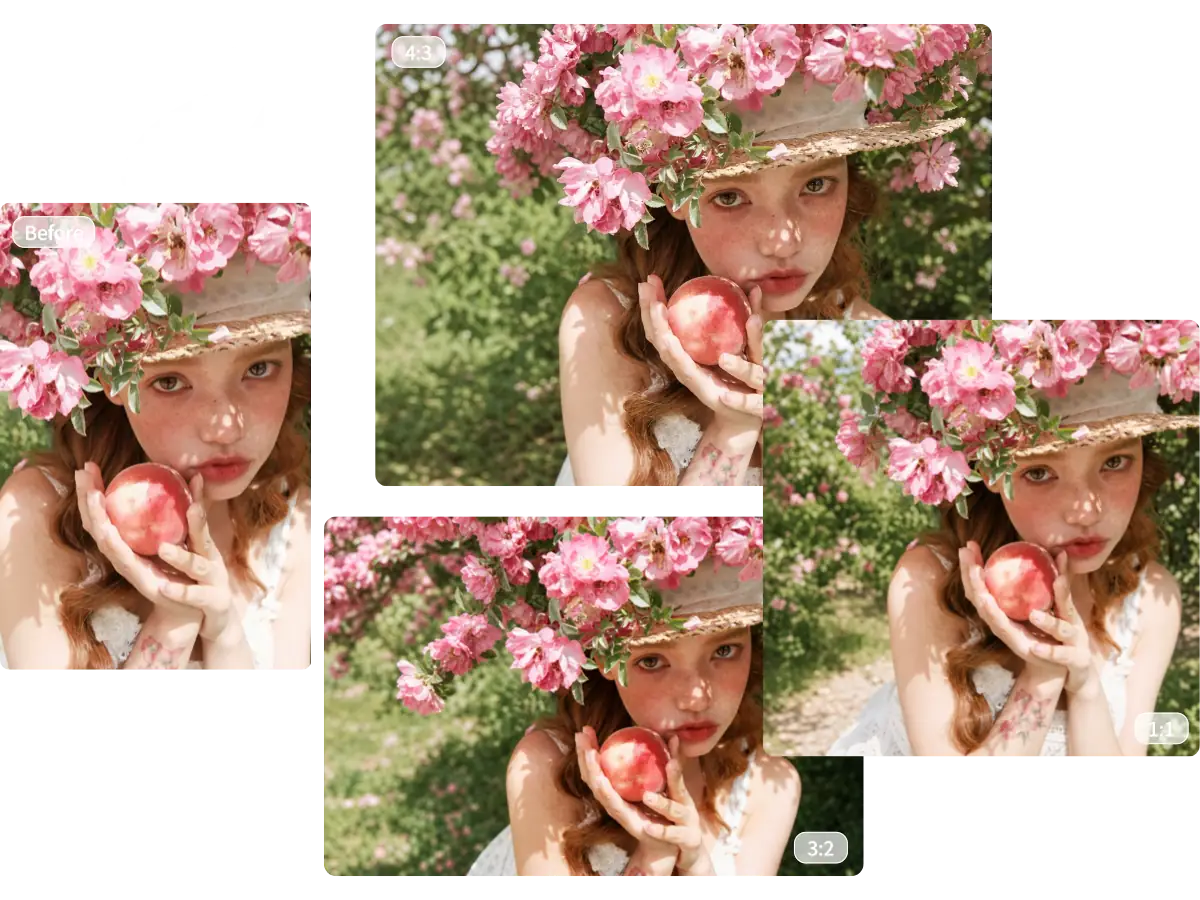
One flower portrait adapted to vertical, square, 4:3, and 3:2 layouts with expanded backgrounds

Adapt Photos for Personal Projects and Creative Sharing

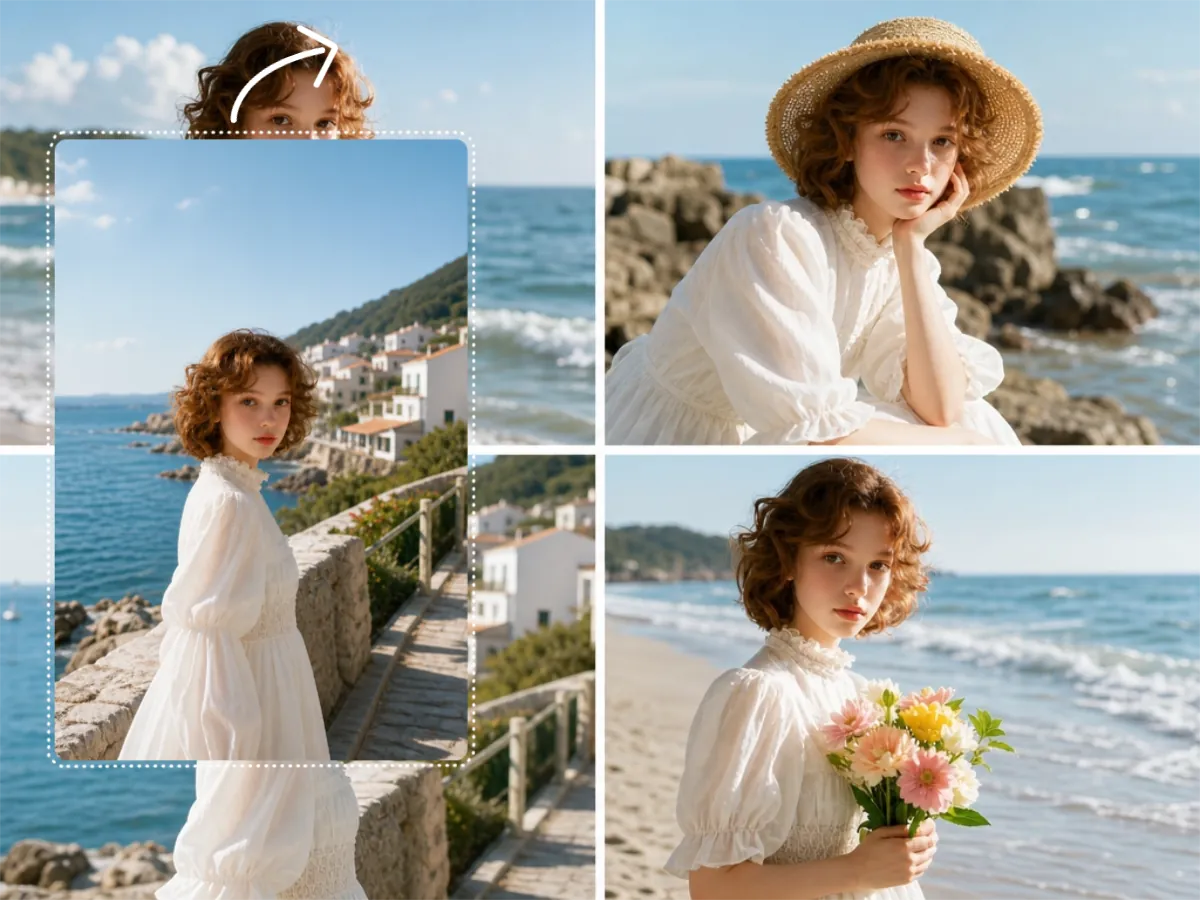
Prepare individual photos in a consistent ratio before arranging them in a neat nine-photo grid post. You can also expand family or travel photos to fit album pages, invitations, and keepsake cards. Make every photo work naturally within the final design, instead of forcing the design around the original image.

Seaside portrait expanded into three compositions for albums, cards, and creative sharing

Keep Marketing Visuals Clear and Consistent Across Channels

Adapt the same image for ads, product listings, promotional banners, email campaigns, and other marketing formats. Keep products, headlines, offers, and event details visible while expanding the surrounding area to fit each layout. Maintain a consistent campaign look across channels without redesigning each version from scratch.

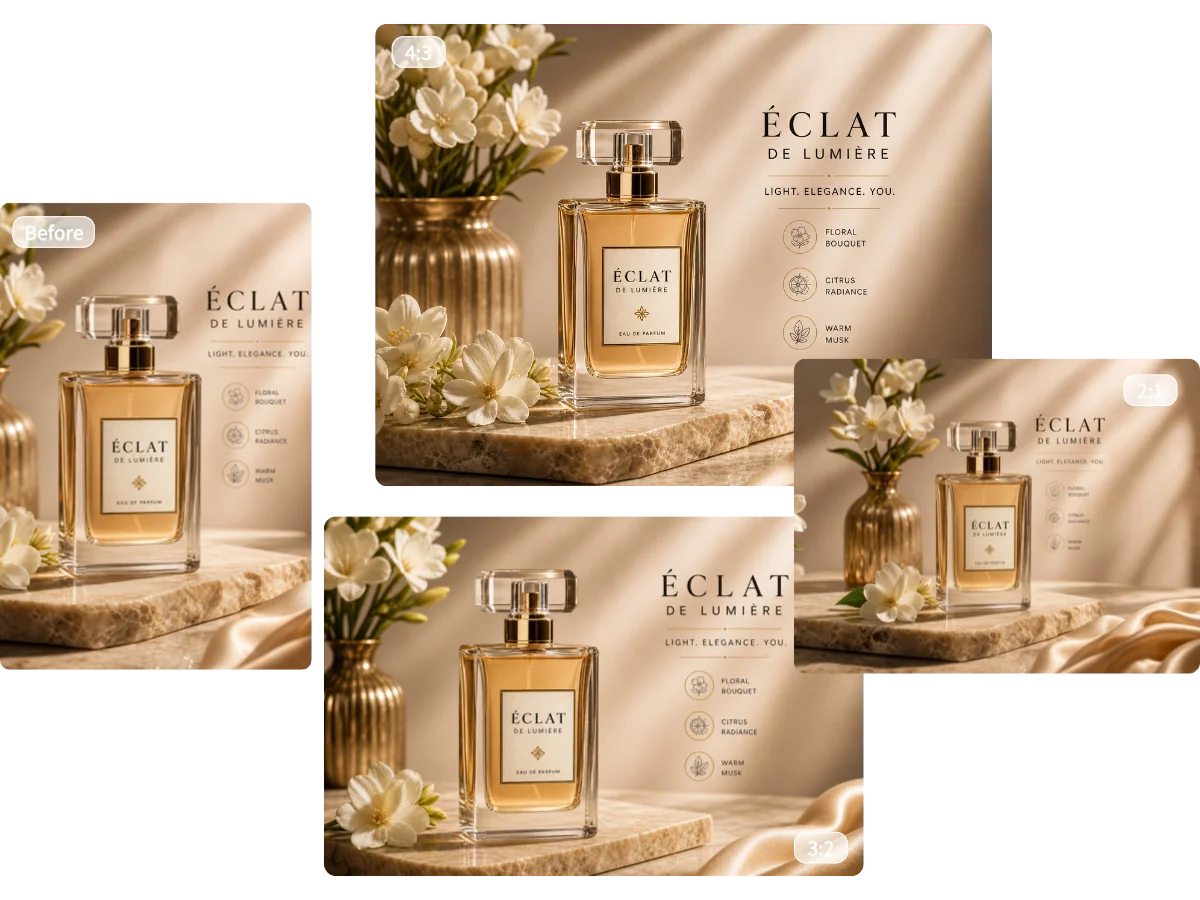
Perfume product visual resized into 4:3, 3:2, and 2:1 marketing layouts without cropping

Adjust Portrait Photos for Social Media Formats

Turn vertical photos into images for feed posts, profile pictures, thumbnails, and channel covers across different social platforms. Switch from a portrait layout to a square or horizontal format based on where the image will be used. No need to crop or redesign it for each placement.

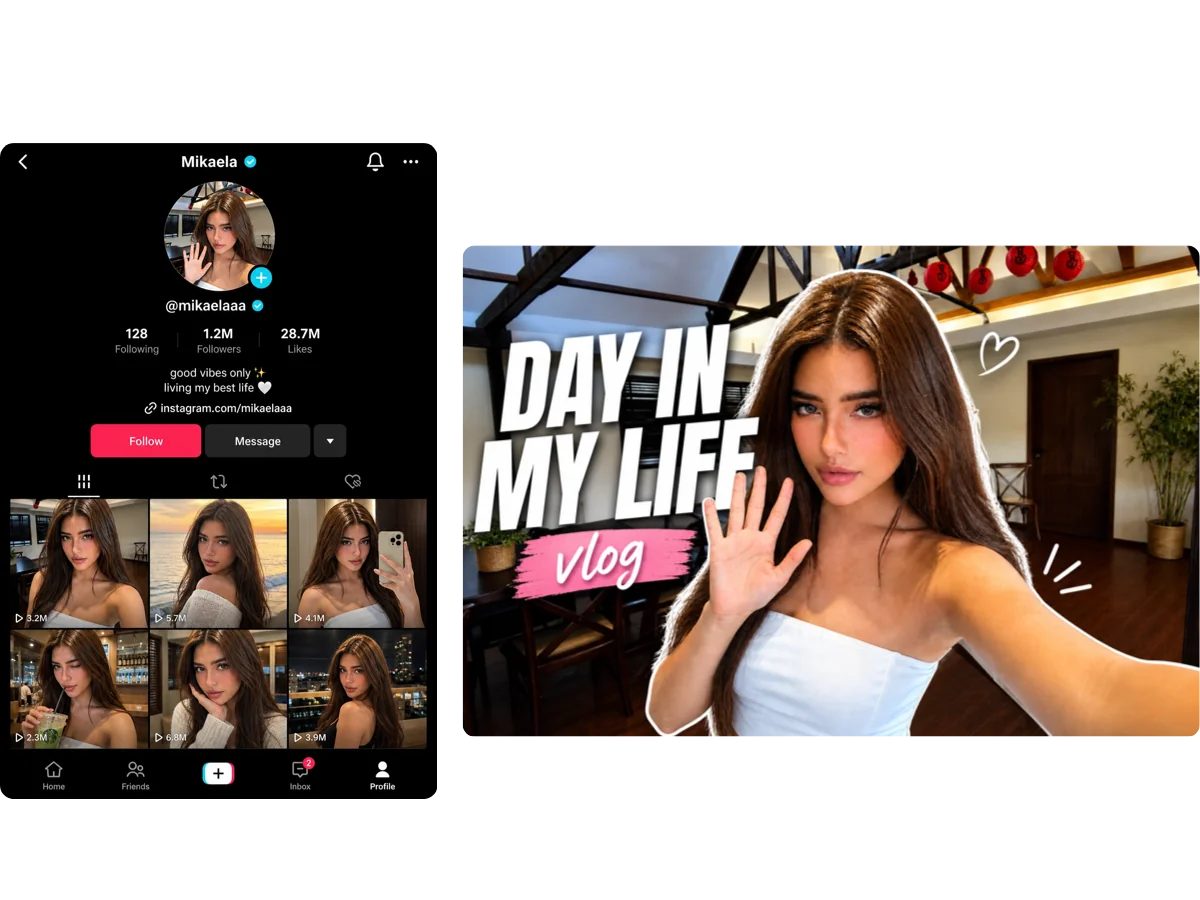
Portrait adapted for a social profile grid and wide vlog thumbnail across social media formats

Convert Vertical Images into Desktop and Tablet Wallpapers

Found an image you love, but it’s too narrow to use as a landscape wallpaper? Extend it for desktops, laptops, and tablets without stretching the visual content or cropping out the parts you like. Enjoy a fuller, more balanced background that fills the screen naturally.

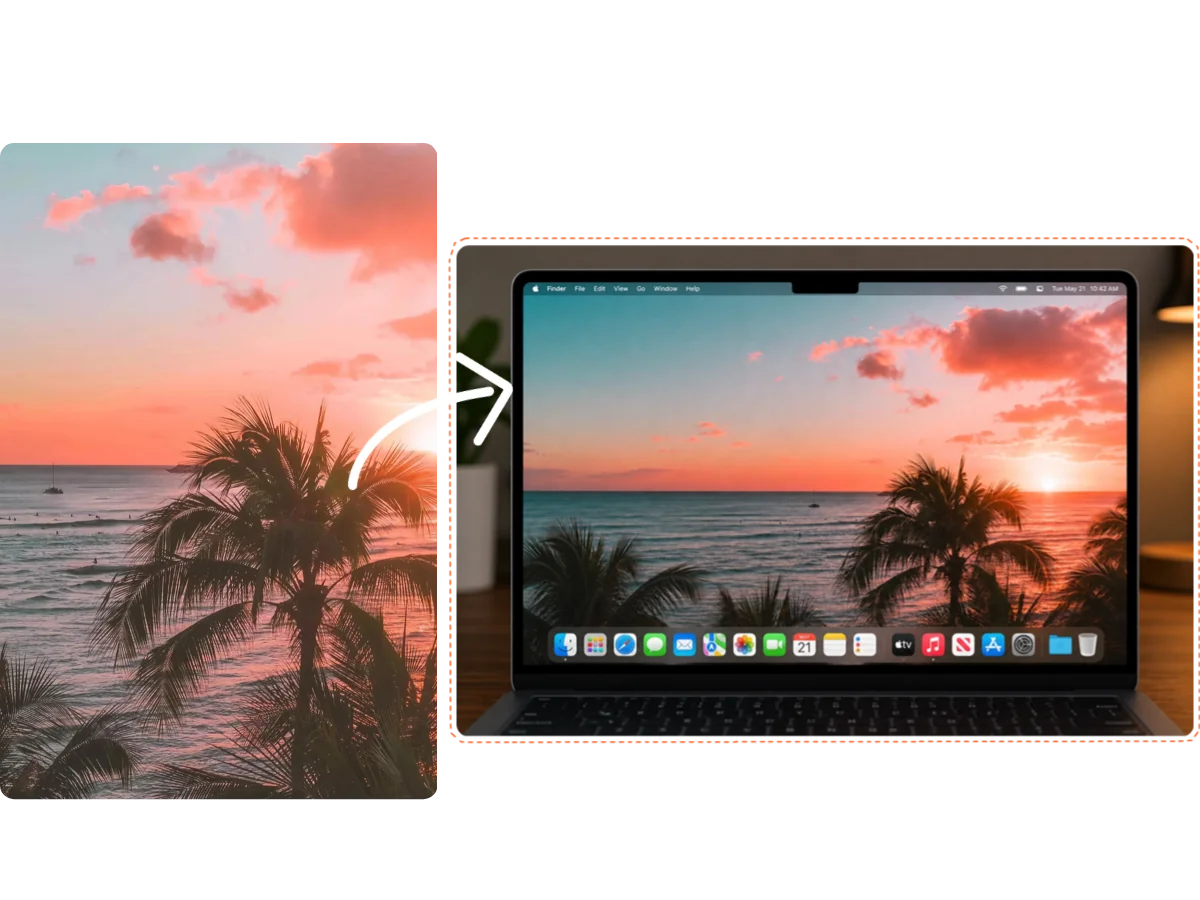
Vertical tropical sunset expanded into a wide desktop wallpaper displayed on a laptop

Why Choose MindVideo AI for Image Expansion

Natural Image Expansion

New areas are generated to match the original background, lighting, colors, and visual style. The result looks like a wider version of the same photo rather than unrelated content added around it.

Preserve More of the Original Image

Our tool preserves as much of the uploaded image as possible and generates only the additional areas needed for the new layout, rather than recreating the entire photo.

Custom Sizes for Any Layout

MindVideo AI supports custom width and height, giving you more control over the final image dimensions beyond preset aspect ratios.

Free to Try & Secure Photo Processing

Try our tool with free credits. Your uploaded photos and generated images are processed securely, never used to train AI models, and not stored permanently.

AI Background Expansion vs. Cropping and Stretching

Cropping removes part of an image, while stretching can distort it. AI background expansion creates the extra space needed for a wider layout while keeping more of the original content.

ComparisonAI Background ExpansionCroppingStretching
How it works Generates new content around the original image Removes parts of the existing image Pulls the existing image to fill a wider layout
Original content Preserves as much of the image as possible Cuts out some areas Keeps the full image but changes its proportions
Result Creates a natural extension of the original scene May lose subjects or background details May make faces, objects, and other elements look distorted

How to Convert Portrait Photos to Landscape with AI

Turn a vertical image into a wider format in just a few simple steps. No manual editing or design experience is required.

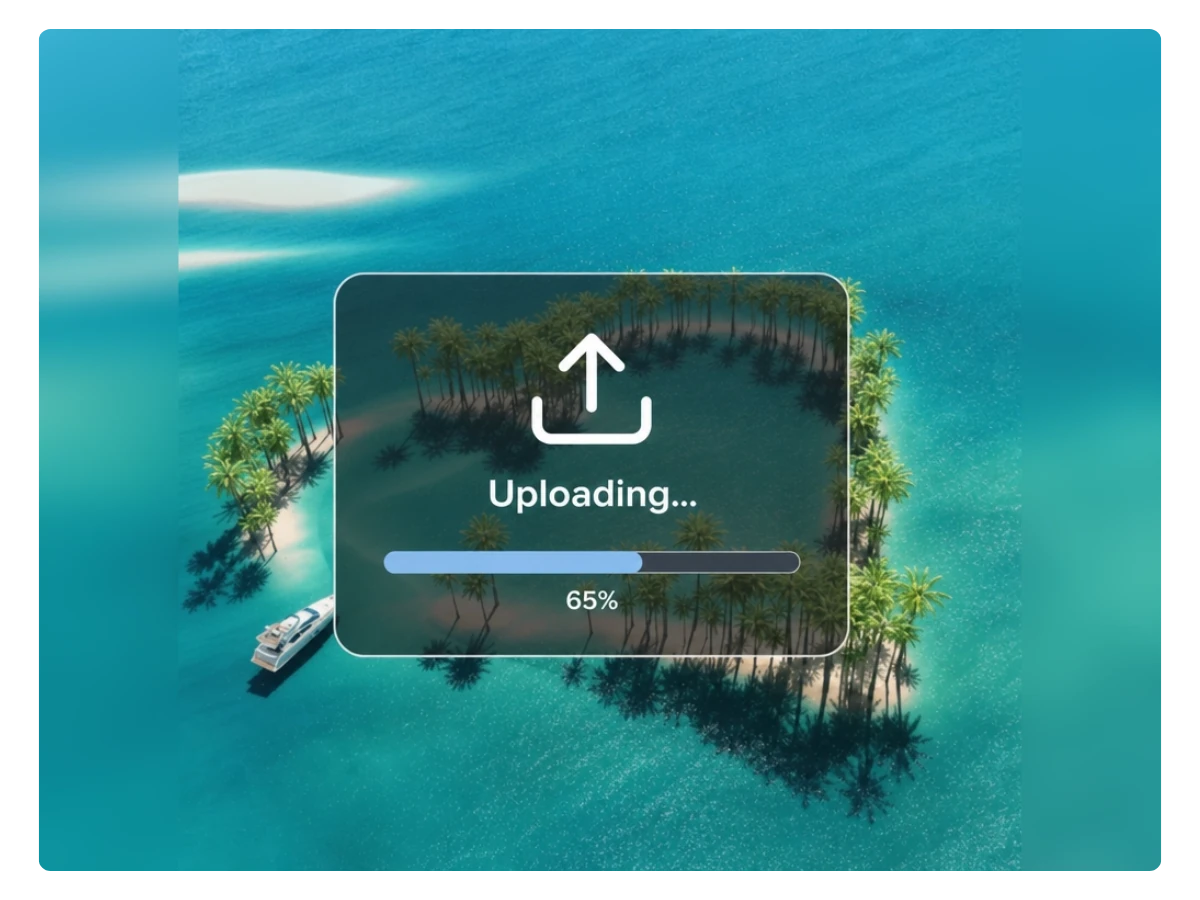
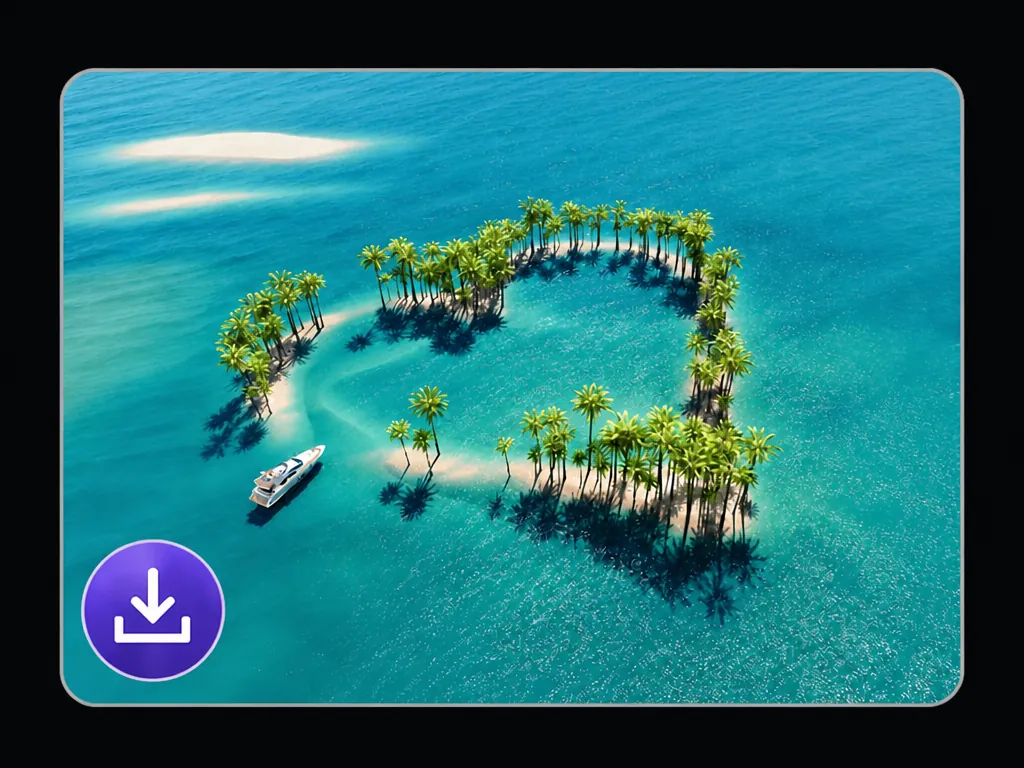
Upload progress for a tropical island photo in the Portrait to Landscape Converter

Step 1: Upload Your Image

Upload the portrait or vertical image you want to expand. JPG/JPEG, PNG, and WEBP files are supported. Use a clear image so the AI can better recognize its lighting, background, subjects, and other visual details.

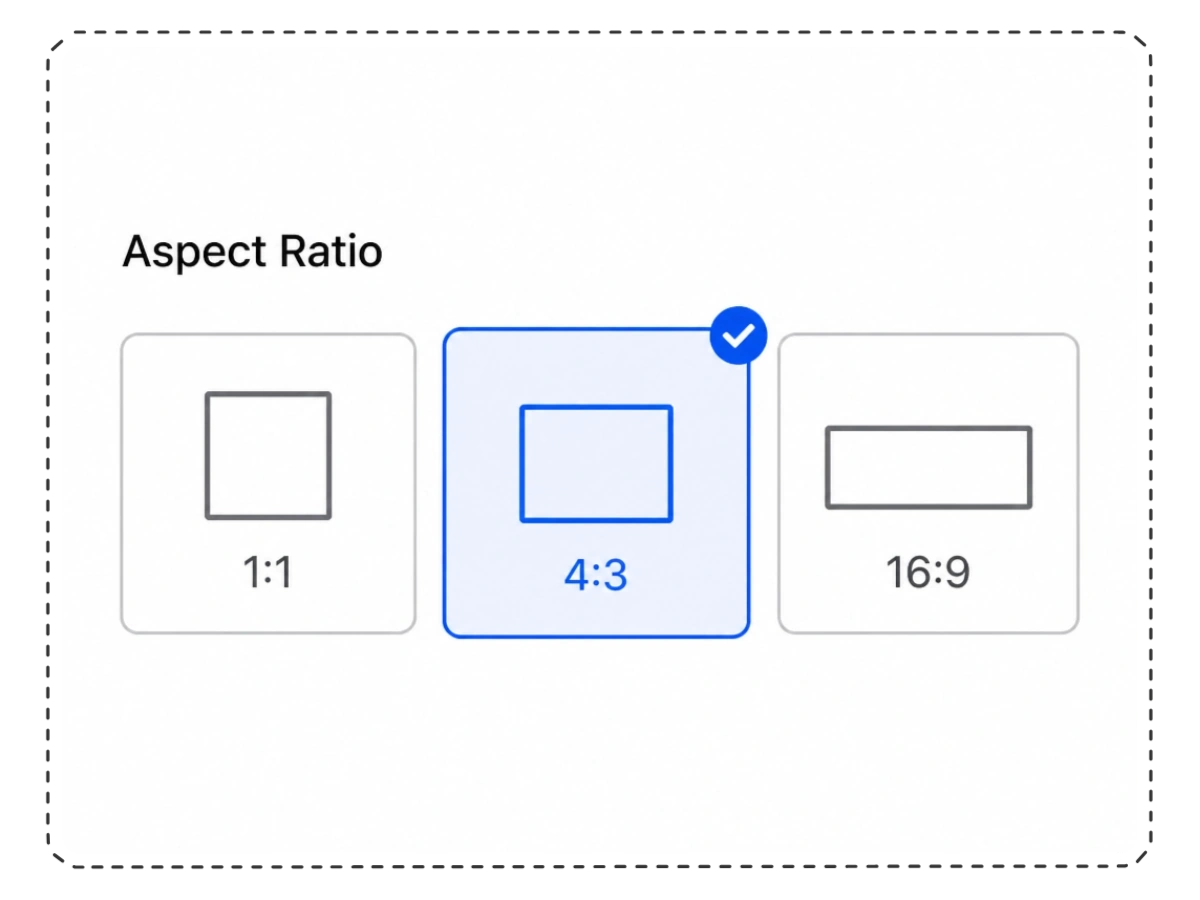
Aspect ratio selector showing 1:1, 4:3, and 16:9 options with 4:3 selected

Step 2: Choose the Output Size

Select a preset aspect ratio, such as 1:1, 3:2, 4:3, or 16:9. You can also enter a custom width and height for the exact image size you need.

Expanded tropical island landscape ready to download after conversion

Step 3: Generate and Download

Click "Generate," and our AI will extend the surrounding scene in just seconds. Preview the result, then download it for social media, creative projects, presentations, or other layouts.

Convert Portrait to Landscape

What Users Say About Our AI Background Extender

Real feedback from users who needed a wider image without awkward cropping or stretching.

Frequently Asked Questions

Can I try this tool for free?

You can try the tool with free credits. Each generation uses credits, and you may be able to earn additional free credits through daily check-ins and friend invitations.

Can I convert a portrait photo to landscape without cropping it?

Yes. The tool expands the space around your image instead of cutting away the original content. It aims to keep as much of the uploaded photo as possible while creating the extra area required for the new format.

How long does it take to convert a vertical photo to horizontal?

Most images are processed within seconds. The exact time may vary depending on the image and current server activity.

Will the AI change people or objects in my original image?

The tool is designed to keep the uploaded image as consistent as possible and mainly generate the new areas around it. Minor changes may still appear near complex edges, detailed objects, or areas that the AI has limited information about.

Can I use the downloaded image on social media or in my projects?

Yes. You can use the finished image for social media, presentations, wallpapers, marketing materials, and personal creative projects. Make sure you have permission to use any people, logos, artwork, or copyrighted content shown in the original image.

Are my uploaded and generated images private?

Your uploaded photos and generated images are processed securely. They are not used to train AI models and are not stored permanently.

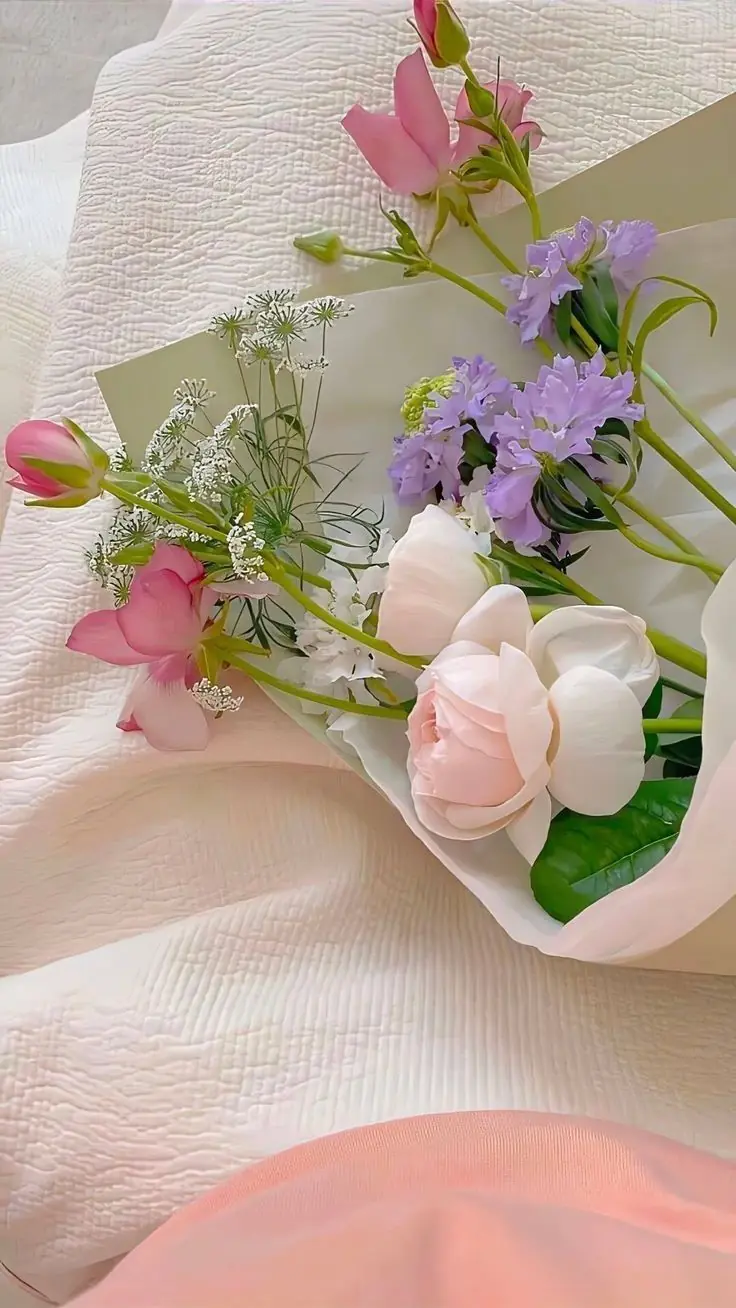
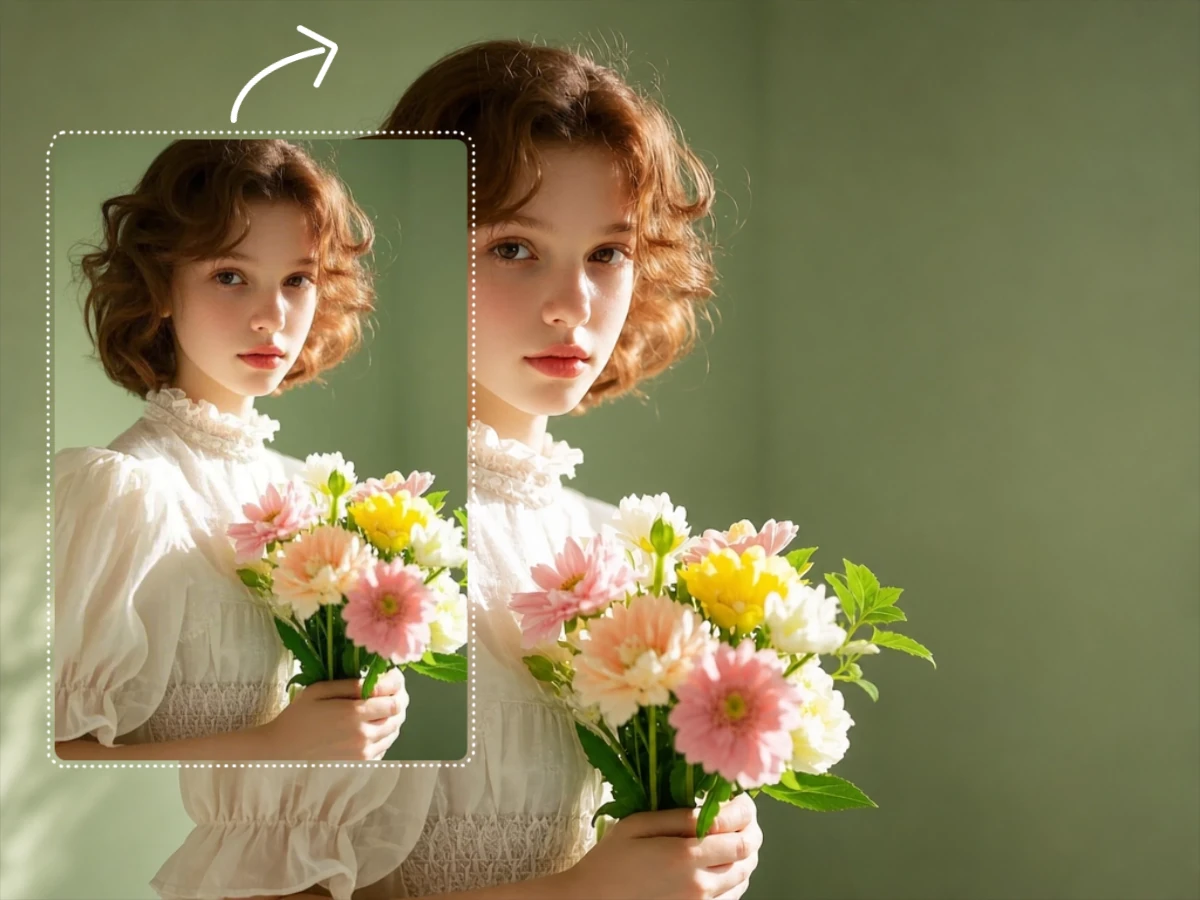
Vertical bouquet photo before the surrounding fabric background is expanded

Keep the Photo You Love. Give It More Space.

Turn a vertical image into a wider layout without cropping or stretching it. Let our AI naturally extend the surrounding scene and create the image format you need.

Expand Your Photo
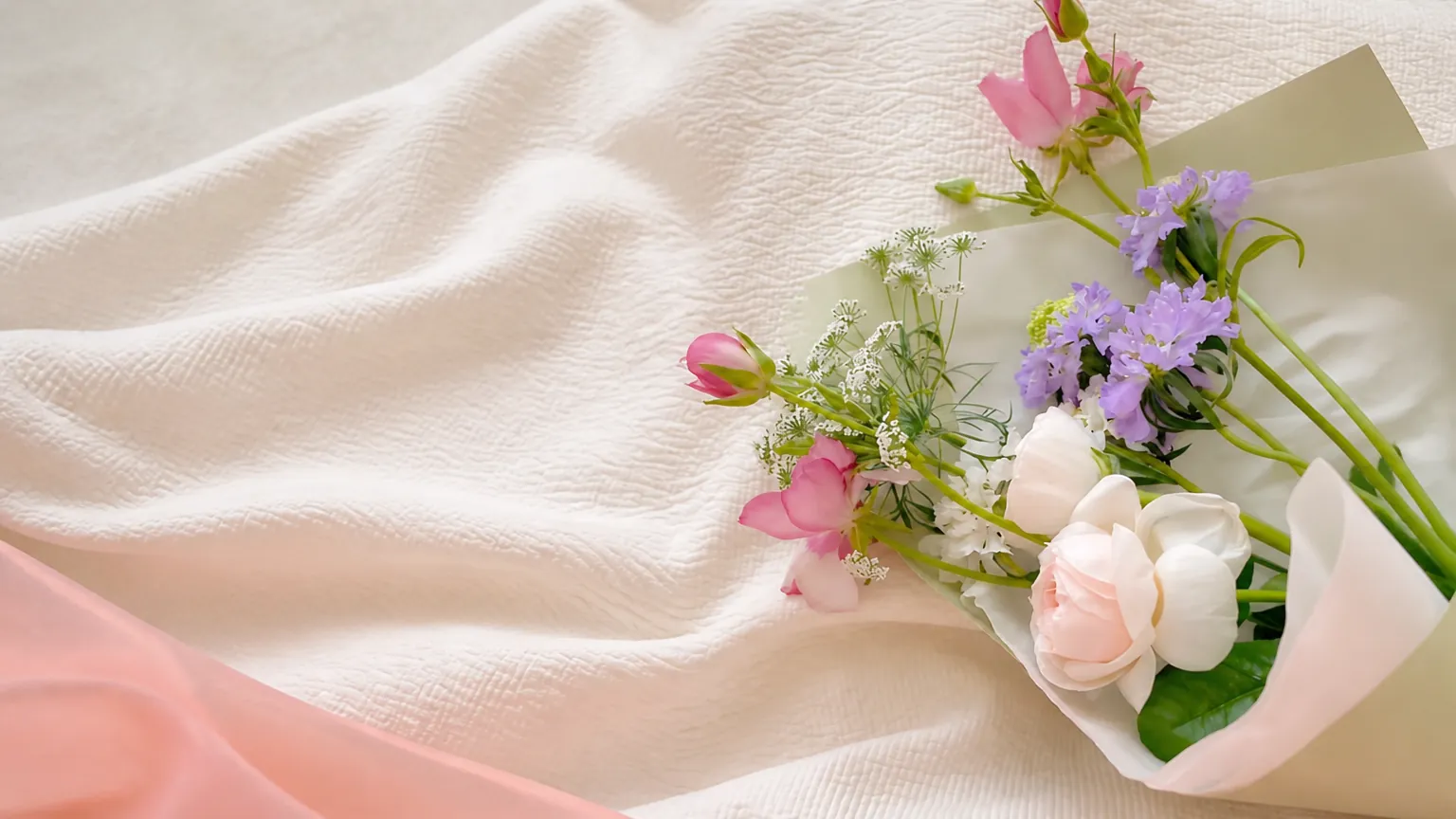
Wide flower bouquet result with the soft fabric background extended across the frame

Join MindVideo AI official community on Discord.