Generate and Edit Images Online with GPT Image 2.6
Easily create new images and make precise edits with GPT Image 2.6 on MindVideo AI. Turn text or reference images into stunning visuals in up to 4K, or directly generate SVG graphics and looping GIFs. Ideal for your designs, brand assets, and personal projects—no paid membership required.
Find Inspiration for Your Own GPT Image 2.6 Creations
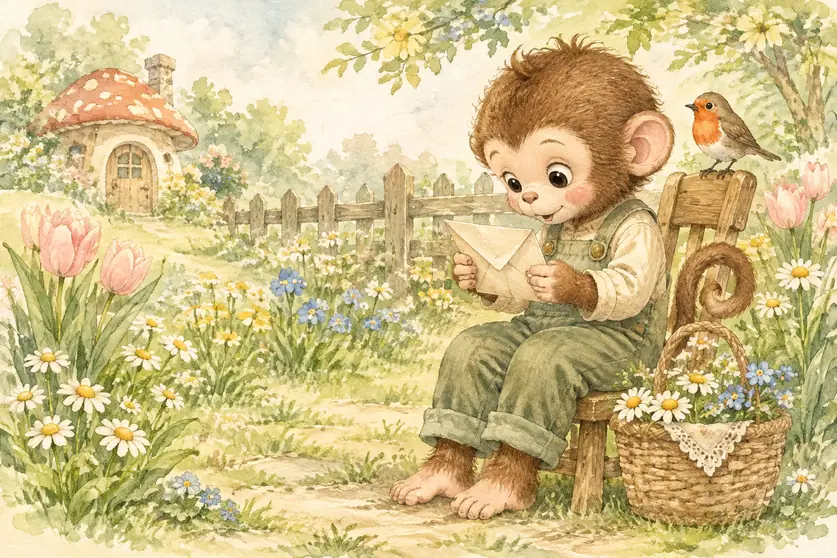
An elegant children’s picture-book spread featuring the little monkey from the reference image, preserving its rounded face, large eyes, brown fur, and curled tail. It wears sage-green overalls over an ivory shirt and sits on a small wooden stool in a spring garden, carefully reading a newly arrived letter. A wicker basket filled with daisies and wildflowers rests beside its feet. A robin perches on the back of the stool, surrounded by blooming chamomile, blue forget-me-nots, and pale pink tulips. A low wooden fence and a tiny mushroom cottage appear in the distance. Use transparent watercolor washes combined with delicate colored-pencil linework, visible natural paper grain, and softly bleeding painted edges. A gentle palette of cream, fresh green, pale yellow, and blush pink. Rich but clearly organized details, with a quiet, tender, curious mood. Position the character on the right, leaving softly painted garden space on the left.
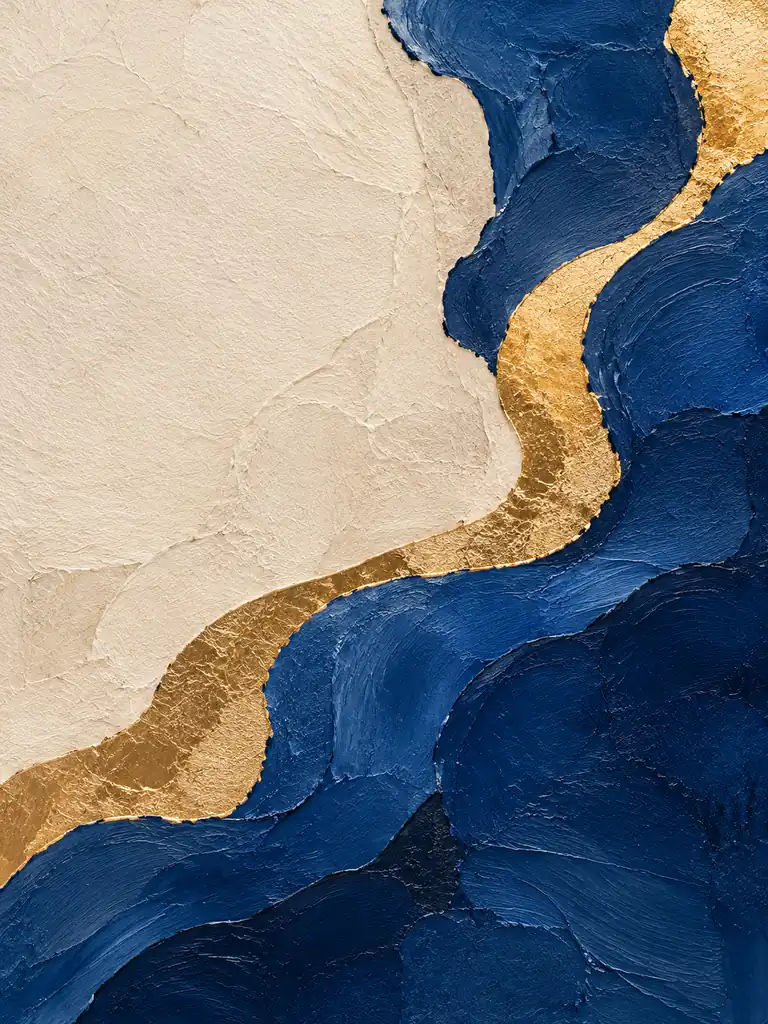
A sophisticated abstract art poster suitable for a contemporary interior. Use large fields of deep ultramarine blue and warm ivory, crossed by an irregular golden curve flowing from the lower left toward the upper right, like a river moving through an abstract landscape. Combine realistic handmade paper collage, impasto paint, and small accents of gold leaf. The blue areas show delicate palette-knife marks, the ivory areas retain visible cotton-paper fibers, and the gold has softly reflective, subtly broken surfaces. Keep the composition asymmetrical yet balanced, with natural organic edges and approximately one-third of the image reserved as light negative space. Restrained, elegant, gallery-quality visual character, without scattered small elements or excessive decoration. Present the artwork straight-on like a high-resolution scan, under even soft lighting that reveals its surface textures. No frame or interior setting.
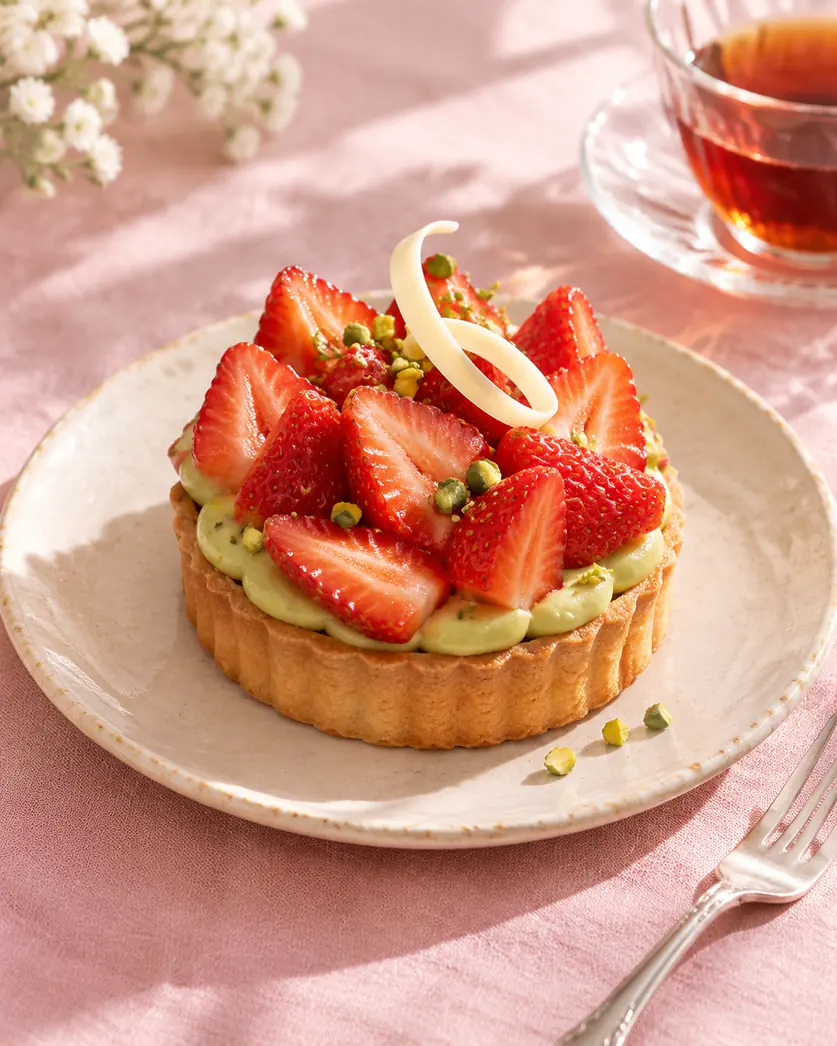
An elegant food editorial photograph of a strawberry and pistachio French pastry centered on a handmade pale beige ceramic plate. The dessert has a crisp tart shell, a layer of pale green pistachio cream, and neatly arranged fresh strawberry slices, finished with a few crushed pistachios and one delicate white chocolate decoration. Place the plate on a blush-pink linen tablecloth, with a silver dessert fork beside it. Let part of a clear glass cup of black tea enter naturally at the edge of the frame. Soft window light from the side and slightly behind reveals the juicy strawberries, silky cream, and flaky texture of the tart shell, with light, natural shadows. A refined, fresh palette of strawberry red, pistachio green, blush pink, and ivory. Photograph from a 45-degree overhead angle with moderately shallow depth of field, keeping the entire dessert clearly defined. Minimal, carefully styled props and a clean composition.
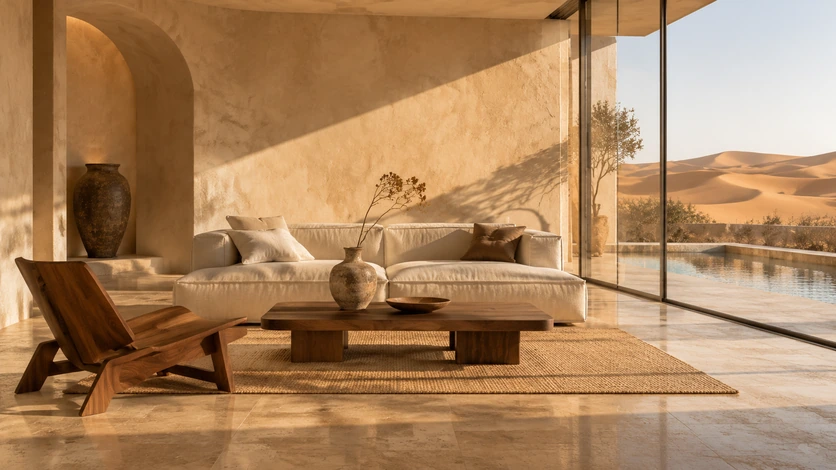
A photorealistic architectural interior image of a luxury desert retreat suite with a warm minimalist design. Include curved sand-colored lime-plaster walls, natural travertine flooring, a low linen sofa, a dark walnut coffee table, and one sculptural wooden lounge chair. Keep the furniture selection restrained and the layout spacious. A full-height glass wall on the right opens toward a private terrace and a narrow reflecting pool, with rolling golden dunes beyond. Low evening sunlight casts long, clearly defined shadows across the floor, while the pool adds subtle reflected ripples. Style the room with one handmade ceramic vessel and a single dried botanical stem, emphasizing natural material textures. A cohesive palette of creamy ivory, sandstone, and walnut brown. Realistic global illumination, preserved highlight detail, and soft shadows. A 24mm architectural photography perspective with straight vertical lines.
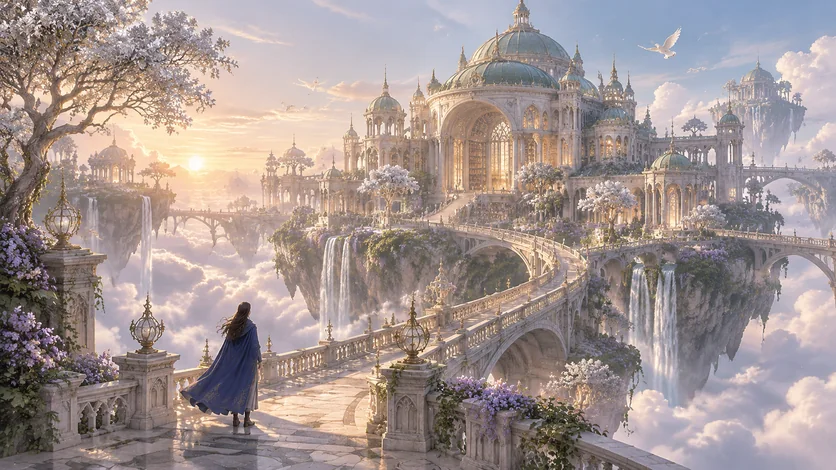
An intricate, grand-scale fantasy environment concept painting of an ancient library floating above a sea of clouds. Build it from ivory stone, verdigris domes, and slender arched windows, with trailing vines and small waterfalls descending from its foundations. Several floating islands are connected by curved stone bridges, supporting silver-leaved trees and pale violet flowers. In the foreground, a traveler in a deep blue cloak stands at the entrance to a bridge, seen from behind, gazing toward the library. Keep the traveler small to establish the monumental scale. Golden morning sunlight streams through the mist and illuminates the edges of the domes. The distant sky transitions from pale peach to soft blue, with a few white birds in flight. Refined digital painting, believable architectural structure, concentrated detail around the focal building, softened distant forms, and clear atmospheric perspective. An elegant palette of ivory, verdigris, lavender, and sunrise gold.
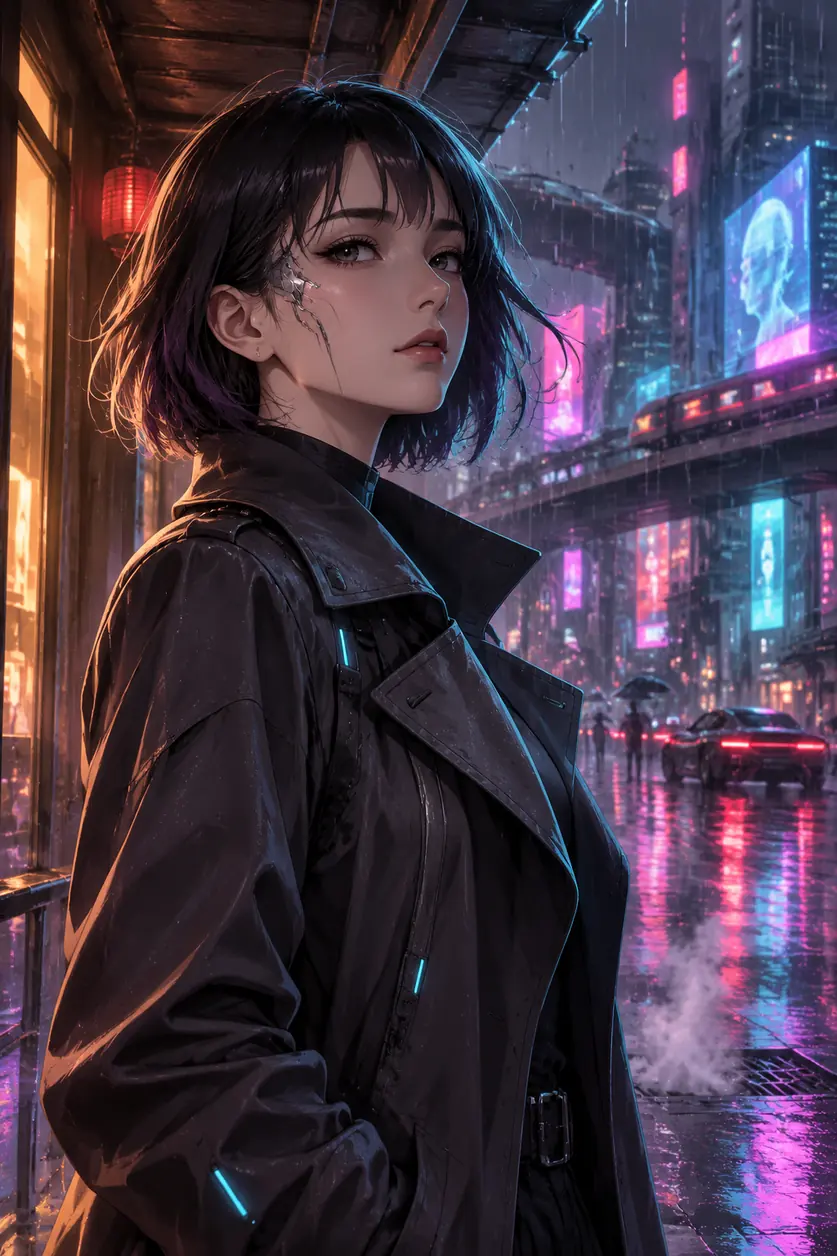
A cinematic cyberpunk anime portrait of a woman, with a sleek chin-length black bob, subtle violet highlights, and a beautifully tailored charcoal trench coat featuring understated futuristic seams and faint cyan luminous accents. She stands beneath a metal awning on a rainy futuristic city street at night, her body turned slightly sideways, looking past the camera into the distance with a calm, resolute expression. A small silver cybernetic implant traces her temple, adding a restrained technological detail without obscuring her natural features. Wet pavement reflects burgundy-red, electric cyan, and magenta neon lights. Layered high-rise buildings, elevated walkways, passing vehicles, and holographic displays dissolve into atmospheric background bokeh, with no readable signage. Warm amber window light illuminates one side of her face, while cool cyan rim light outlines the opposite cheek, hair, and shoulder. Refined anime facial proportions, expressive eyes, delicate linework, crisp cel-shaded forms blended with soft painterly gradients, carefully rendered hair strands, and detailed fabric folds. Fine rain streaks and drifting steam add depth without obscuring the subject. Sophisticated, moody, cinematic atmosphere; avoid photorealistic skin and exaggerated cartoon proportions. An 85mm portrait-lens-inspired perspective, shallow depth of field, waist-up framing, and the subject placed on the left third, leaving atmospheric neon-lit street space on the right.
What Is GPT Image 2.6?
GPT Image 2.6 is an AI image model developed by OpenAI. It creates new visuals from text or reference images and edits existing photos based on your instructions.
Explore its key features below.
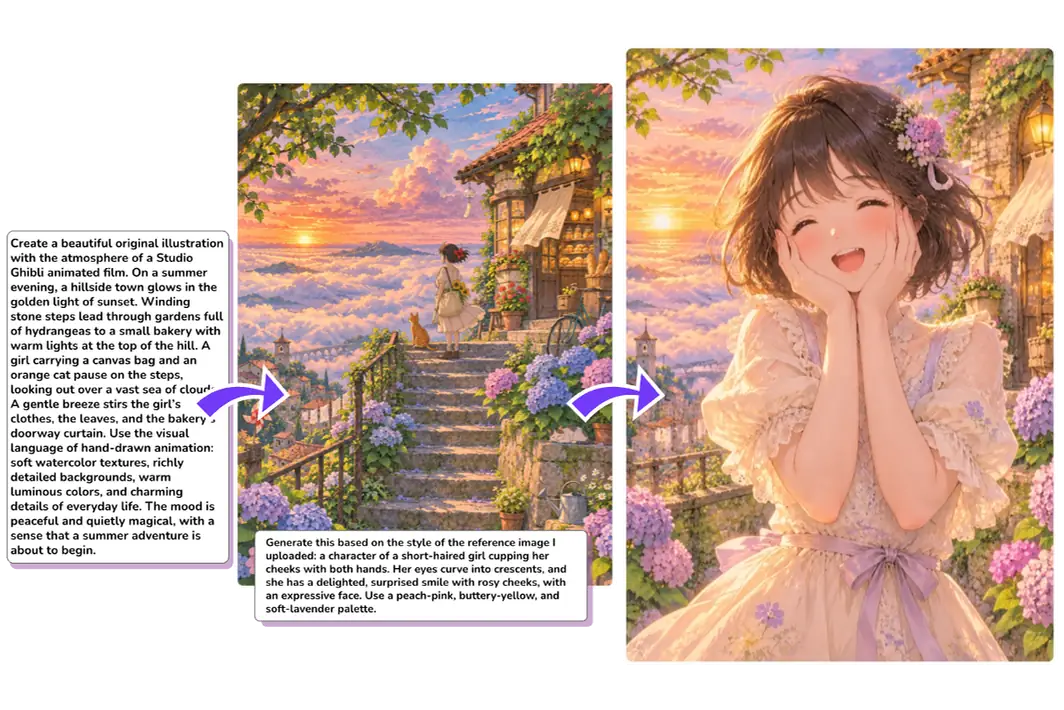
Generate Images from Text or References
Bring your imagination to life with GPT Image 2.6. Create images from a text description or take inspiration from the composition or style of existing photos. You can also combine elements from multiple references into a new image. No drawing experience needed.
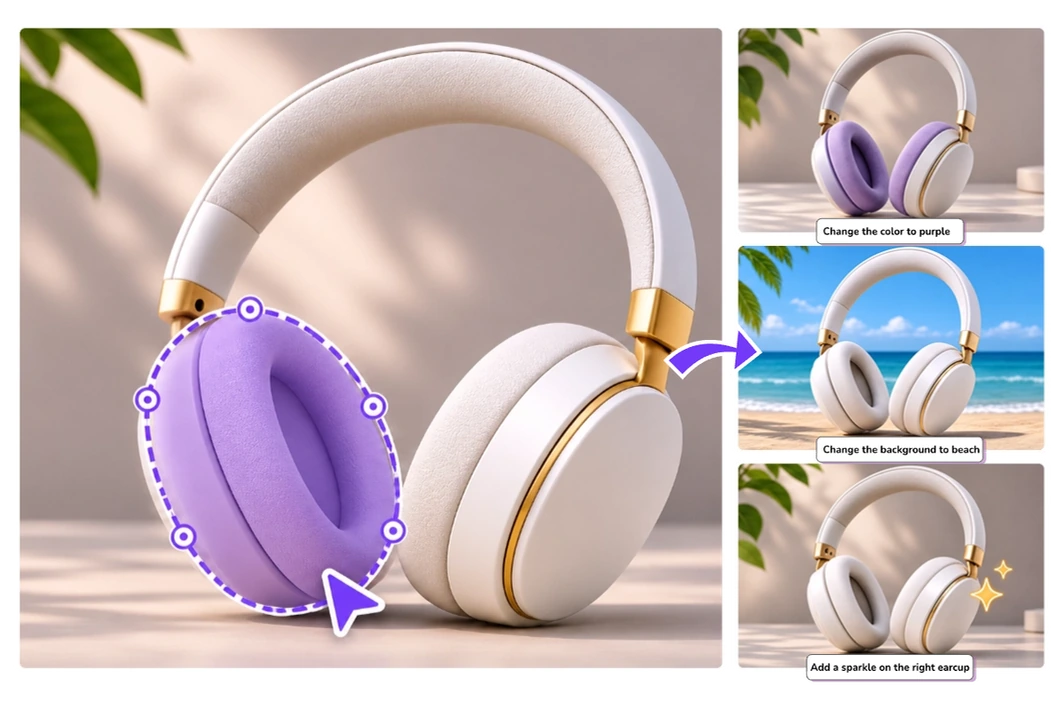
Edit Existing Images Without Starting Over
Update the pictures you already have with ease. Change colors, backgrounds, or other elements with a simple description. For precise edits, mark the area and describe what you want to change. AI preserves the surrounding details, so you don’t have to rebuild the whole design.
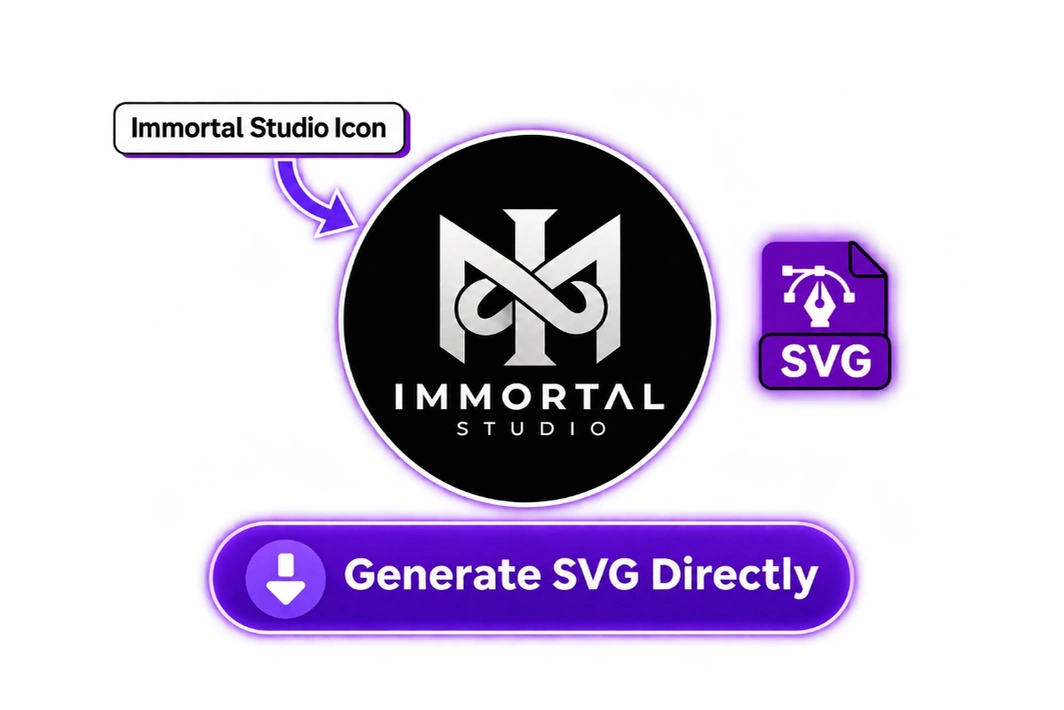
Generate Custom SVG Logos and Icons Directly
Tired of seeing the same icons everywhere, or looking for a logo that fits your project? Create a custom design from your own ideas. Describe the shapes, colors, and style you want, and get an SVG file directly—no manual PNG conversion or design skills required.
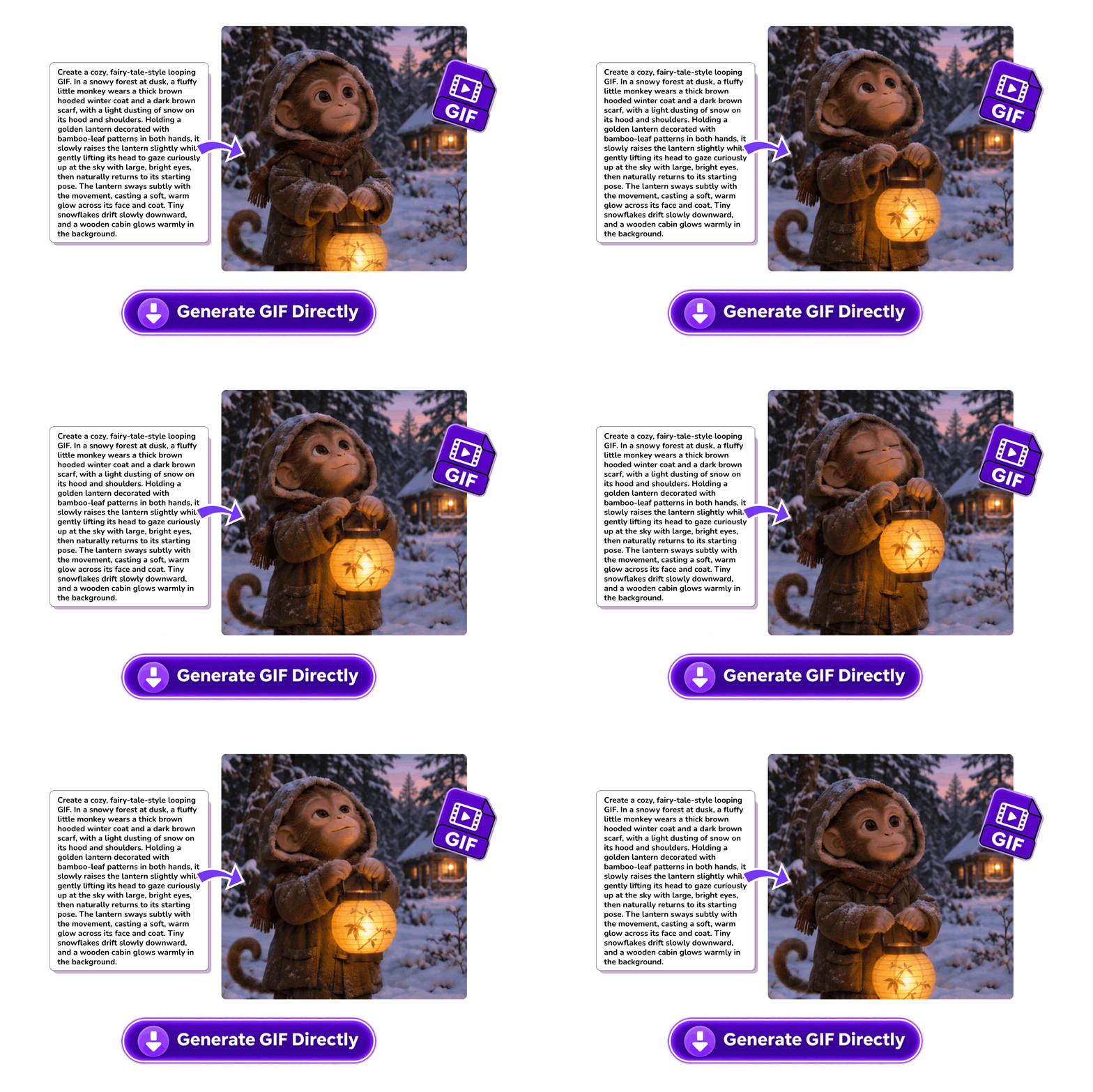
Turn Text Descriptions into Personalized GIFs
Create custom and playful GIFs from a simple description. Describe the character, expression, and movement you want, and let AI create the animation. Get a ready-to-use GIF without drawing individual frames or stitching images together by hand.
Why Create and Edit Images with GPT Image 2.6?
The model combines faster generation with detailed images and consistent edits. It also plans complex scenes and layouts, so you can create eye-catching visuals with greater control.
Generate Images 50% Faster
Explore different styles and compare designs with less waiting. According to OpenAI, image generation is 50% faster, giving you more time to refine colors, composition, and other details.
Keep Key Details Consistent Across Edits
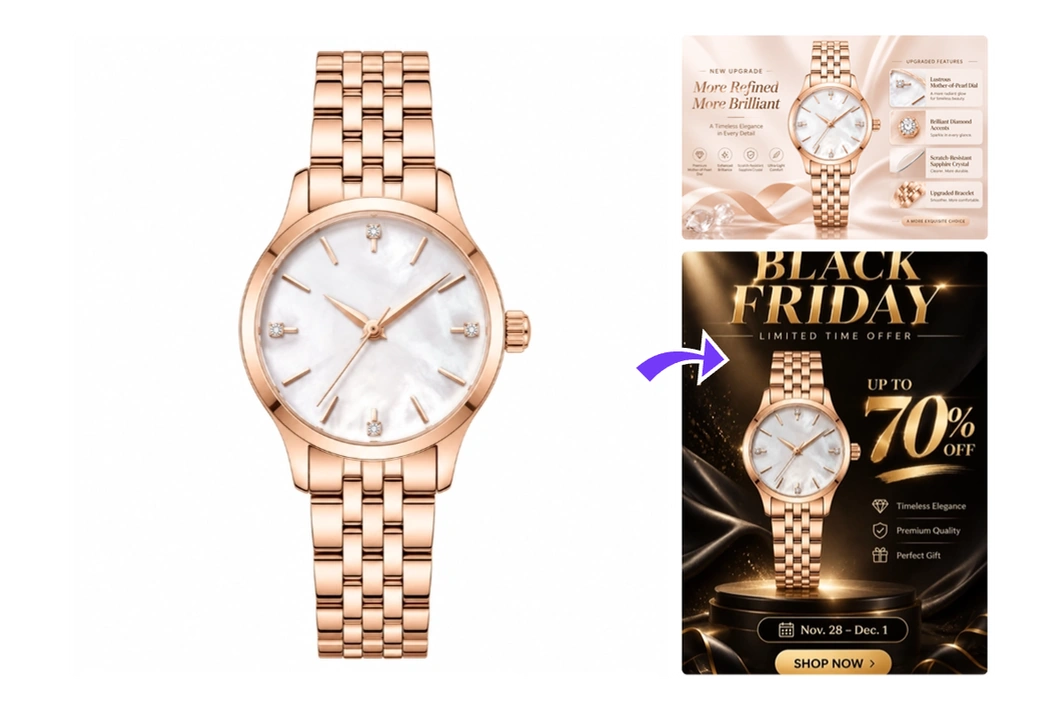
Keep characters, products, and brand details consistent through multiple rounds of edits. Adjust backgrounds, colors, or smaller elements while keeping the subject recognizable.
Generate Images Directly in Up to 4K
Need images that look sharp at larger sizes? Create visuals directly in up to 4K, with rich textures and fine details. No need to switch tools for upscaling.
Understand and Plan Complex Scenes
AI interprets detailed instructions and plans how characters, objects, and text fit together. Bring the different parts of your scene into a balanced composition that matches your vision.
GPT Image 2.6 Sunburst vs. Flare: Which Should You Choose?
Choose Sunburst for detailed compositions and precise edits, or Flare for fast image creation and everyday changes. Both work with text and reference images.
Compare Sunburst and Flare by priority, image editing, and recommended uses.
What matters to you
Sunburst
Flare
Your main priority
Fine detail and precise refinements
Fast, high-quality image creation for everyday needs
Editing the same image
Repeated refinements where fine details matter
Quick updates to colors, backgrounds, and other elements
Recommended for
Detailed compositions, product edits, and final refinements
Creative variations, poster layouts, and product visuals
How to Use GPT Image 2.6 on MindVideo AI
Create or edit an image online in three simple steps.
1
Step 1. Choose Flare or Sunburst
Select GPT Image 2.6 on MindVideo AI. Pick Flare for quick results or Sunburst for detailed images and precise edits.
2
Step 2. Enter a Prompt or Upload Images
Describe your idea or upload reference images. Include details about the subject, style, background, and action. For image editing, explain the changes you want to make.
3
Step 3. Generate, Edit, and Download
Click Generate and let AI create your image. Make further edits if needed, then download it for social posts, ads, or personal creative projects.
Create product visuals, imaginative artwork, design mockups, and illustrated stories from your ideas or existing images.
GPT Image 2.6 for Product and Marketing Visuals
Refresh product images and marketing materials for e-commerce product pages, campaign banners, email graphics, and promotional posters. Update backgrounds, text, or layouts while keeping product details, brand colors, and visual style consistent. Get fresh visuals for each channel without starting every design from scratch.
Bring Ideas to Life with the AI Image Generator
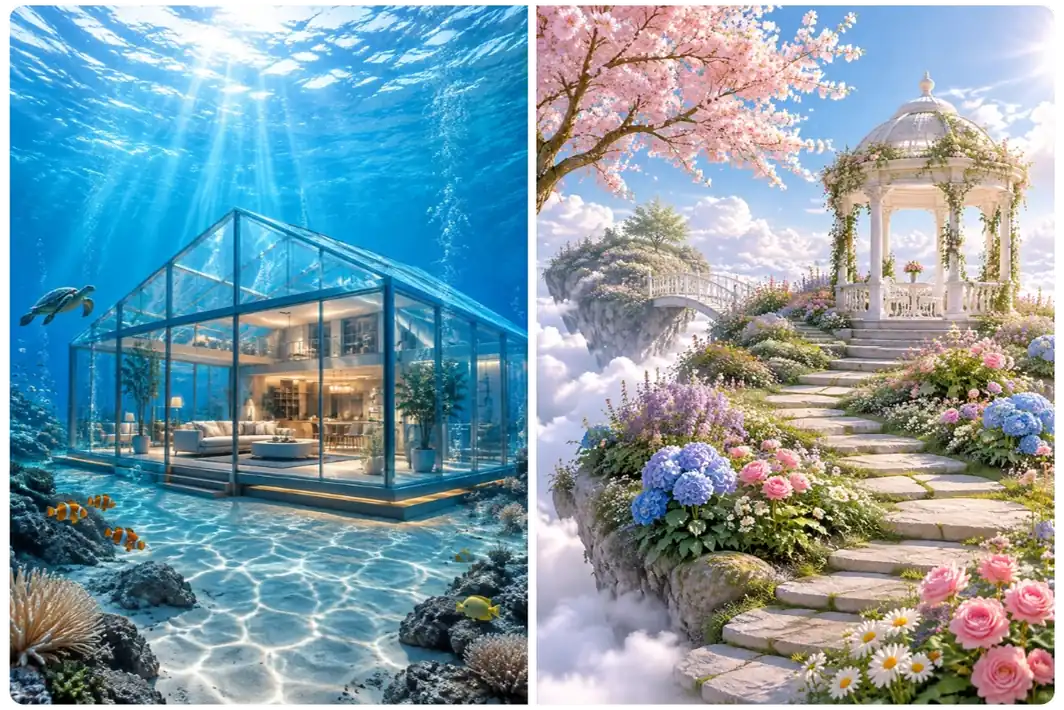
Dream up a garden in the clouds or a glass house beneath the sea. AI turns a simple description into artwork you can share online, send to friends, or use in your own designs. Skip the manual drawing and Photoshop work, and focus on exploring your ideas.
Design Posters, Infographics, and UI Mockups with AI
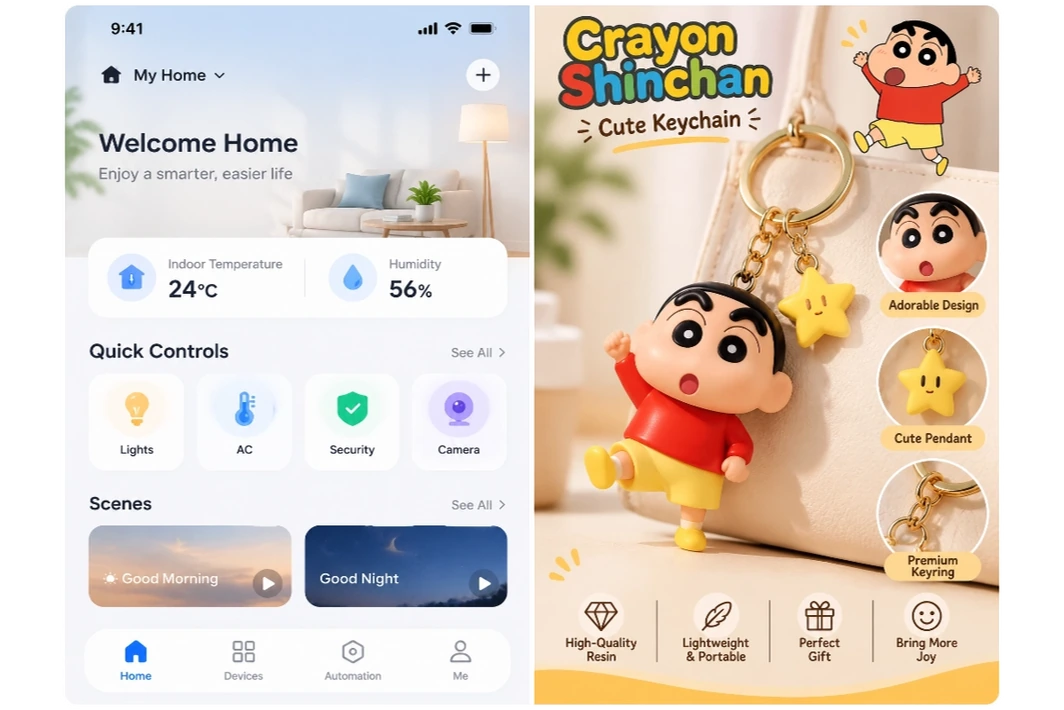
Turn event details into a poster, visualize a process with an infographic, or preview an app screen before development. AI organizes your text and graphics into a layout you can refine. Create professional designs with ease, even if you’re a beginner.
Create Comics and Storyboards with Consistent Characters
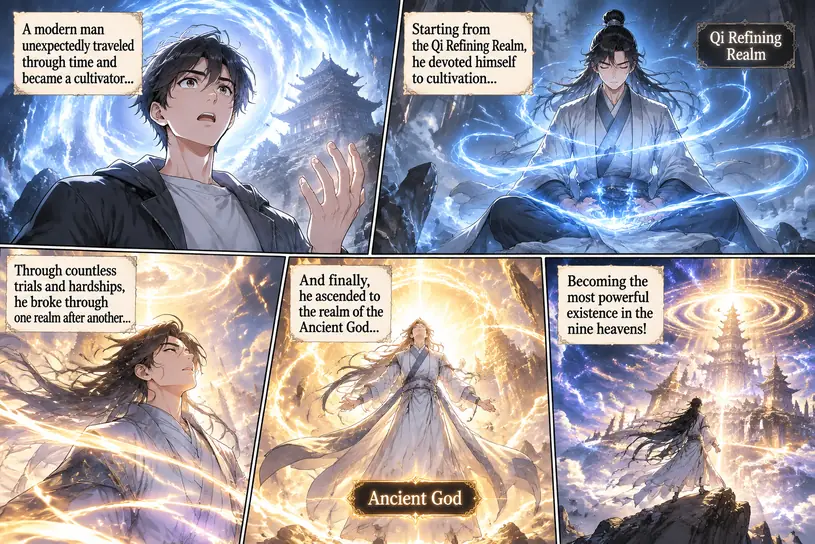
Use character references to create comic panels, story illustrations, and storyboards with GPT Image 2.6. Keep your character’s facial features, hairstyle, and other defining details consistent across scenes. Save time on repetitive drawing so you can focus more on developing your story.
GPT Image 2.6 FAQs
Is GPT Image 2.6 free to use on MindVideo AI?
Yes. You can generate and edit images with free credits; no paid membership is required. Earn credits by signing up, checking in daily, sharing, or inviting friends. Each generation or edit uses credits.
Will my downloaded images have a watermark?
Images generated by free users include a watermark. Paid users can download their results without a watermark.
Can I use the images for ads, product listings, or client work?
Paid users can use their images for ads, product listings, client projects, and other commercial work. Free users can download, further edit, and share images for personal, non-commercial use. Make sure you have permission to use any photos, logos, or other reference materials.
Can I generate SVGs or GIFs from an uploaded image?
You can use a reference image and describe the movement you want to create an animated GIF. Currently, SVG generation works with text prompts only.
Why did AI change details I wanted to keep?
AI may reinterpret parts of the image when making a change. State both what to change and what to keep, and mark only the target area for local edits. If details drift after several edits, return to the original image or a version you’re happy with.
What if the text in my image is incorrect?
Ask AI to replace the incorrect text and include the exact wording in quotation marks. Specify where it should appear and what should stay unchanged. Check spelling, numbers, and small text before publishing.
Are my uploaded photos private?
Your uploads and generated images are handled securely, kept private, and not used to train AI models. Files are stored for a limited time and deleted automatically, so download any results you want to keep.