AI Video Translator: Translate Videos into 175+ Languages

Translate your video while preserving the speaker’s voice. Just upload an existing video and let AI handle dubbing and lip sync—no re-recording needed.

Translate Your Video
Start with free credits and translate online.

What Is an AI Video Translator?

An AI video translator is a tool that converts the spoken language in a video into another language using AI. It can translate speech and create dubbed audio in the target language.

With MindVideo AI, you can:

  • Translate into 175+ Languages
  • Preserve the Speaker’s Voice
  • Sync Lip Movements
  • Handle Multiple Speakers

Translate Videos for Every Audience

Translate Product Videos for Global Markets

Turn product demos, launch videos, ads, and brand content into multiple language versions. Adapt the same campaign for different markets while keeping product information and brand messaging consistent. Reach new markets faster and keep localization costs under control.
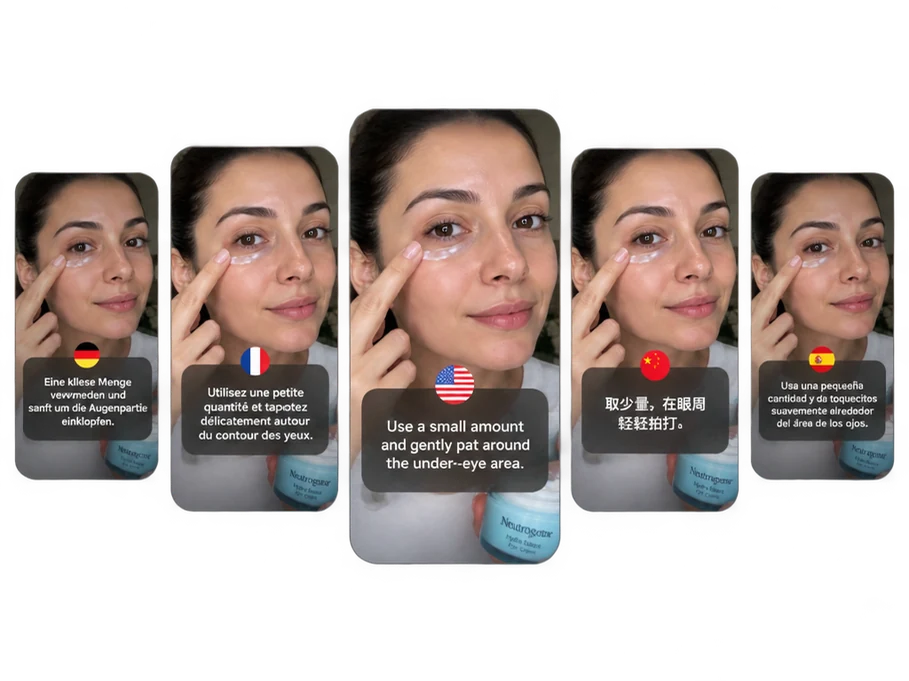
Multilingual skincare product demos showing AI video translation with localized captions

Create Multilingual Videos for Social Media

Create localized versions of your existing TikToks, Instagram Reels, YouTube Shorts, and other social videos for audiences who speak different languages. Share them across platforms to expand your audience and drive more engagement.

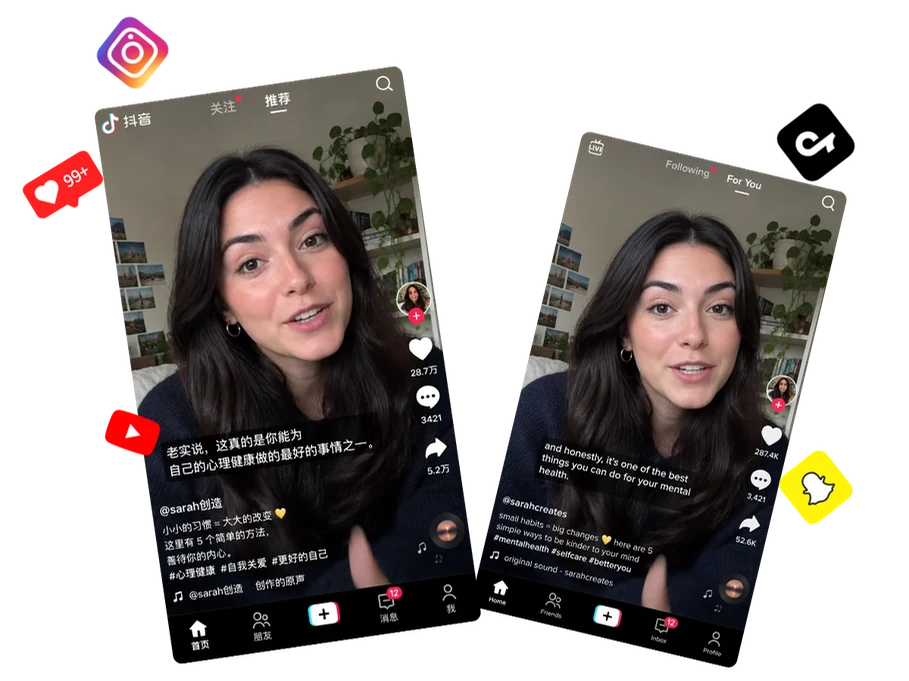
AI video translator examples with localized captions for TikTok, Instagram, and YouTube

AI Video Translation for Training and Education

Offer lectures, tutorials, and course videos in the languages learners are most comfortable with. Learning in a familiar language makes lessons easier to follow and understand. They can focus more on the ideas, explanations, and skills being taught.

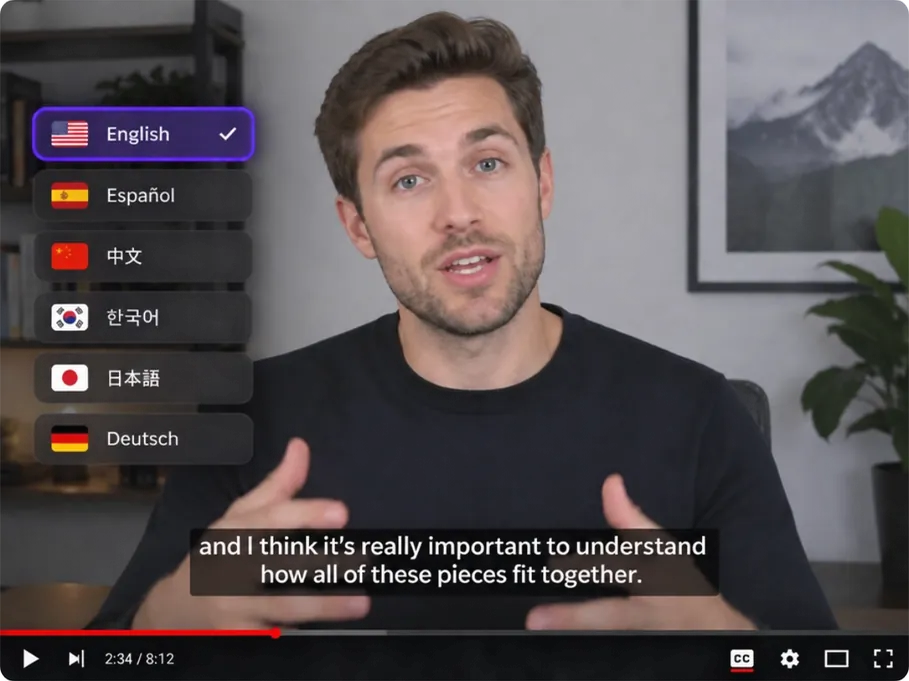
Training video with subtitles and a language menu for AI video translation

Localize Podcast and Interview Videos with AI

Translate podcasts, interviews, and panel discussions for audiences around the world. Preserve the flow of the conversation and keep each speaker easy to recognize, making the full discussion clear and easy to follow from start to finish.

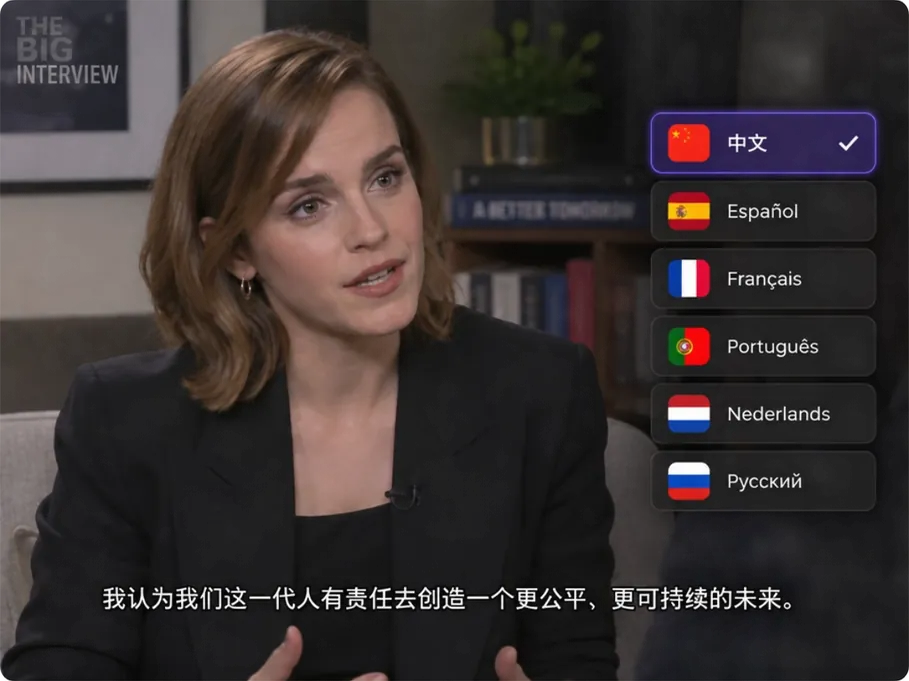
Interview video with translated subtitles and a menu of target languages

Why Choose MindVideo AI for Video Translation?

Translate Videos into 175+ Languages

Translate spoken content in your video into 175+ languages, including English, French, German, Korean, Chinese, and more. The translated audio is generated automatically, so you don’t need to edit it manually.

AI Dubbing with Your Original Voice

Translate your video without changing the speaker’s voice. AI creates smooth, natural dubbing while keeping the original tone and vocal character. Across different languages, the speaker still sounds like the same person.

Lip-Synced Video Translation

AI adjusts the speaker’s lip movements to align with the translated speech. The result looks convincing, as if the speaker is actually speaking the new language rather than having a separate voice-over added afterward.

Translate Videos with Multiple Speakers

AI automatically recognizes different speakers in the video and keeps their voices distinct throughout the translation. Instead of blending everyone into one voice, it keeps multi-speaker conversations clear and easy to follow.

How to Translate a Video with AI in 3 Steps

1

Step 1: Upload Your Video

Choose the video you want to translate. MindVideo AI supports MP4, MOV, and WEBM files.

2

Step 2: Choose a Language

Select your target language from 175+ available options, and AI will automatically handle the translation, dubbing, and lip sync.

3

Step 3: Translate and Download

Click to start translating. Once it’s ready, download it and use it for social media, marketing campaigns, or other projects.

Translate Your Video

Frequently Asked Questions

Is the AI Video Translator free to use?

You can start with free credits, and no paid membership is required. You can get free credits by signing up, checking in daily, inviting friends, and other available ways to earn credits.

How long can my video be?

MindVideo AI currently supports videos up to 1 minute long and 5 GB in size. For longer videos, you’ll need to shorten the clip before uploading it.

What type of video works best for AI translation?

Videos with clear, audible speech usually give the best results. Heavy background noise, very fast speech, or unclear dialogue can make speech recognition and translation less accurate.

Will background music and sound effects be changed or removed?

No. Background music, ambient sound, and sound effects remain in the video while the spoken content is translated.

Is my uploaded video private?

Yes. Uploaded videos are processed privately and are not made public or used for model training. Files are automatically deleted after 24 hours.

What if the language I want isn’t available?

If your target language doesn’t appear in the language list, it isn’t currently available in MindVideo AI. You can contact us at [email protected] and let us know which language you’d like to use.

Create Your Next Language Version with AI

Use your existing video to create content for another language audience. Keep the speaker recognizable and let AI take care of the translation and voice.

Get Started
Trusted by 7,409+ users who have used our AI video translator

Join MindVideo AI official community on Discord.