Resize Videos for Social Media
Already have a video you want to post elsewhere? Resize it to 9:16 for TikTok, Reels, and Shorts, 16:9 for YouTube, 4:5 for Instagram feed posts, or 1:1 for square content instead of re-editing it from scratch.
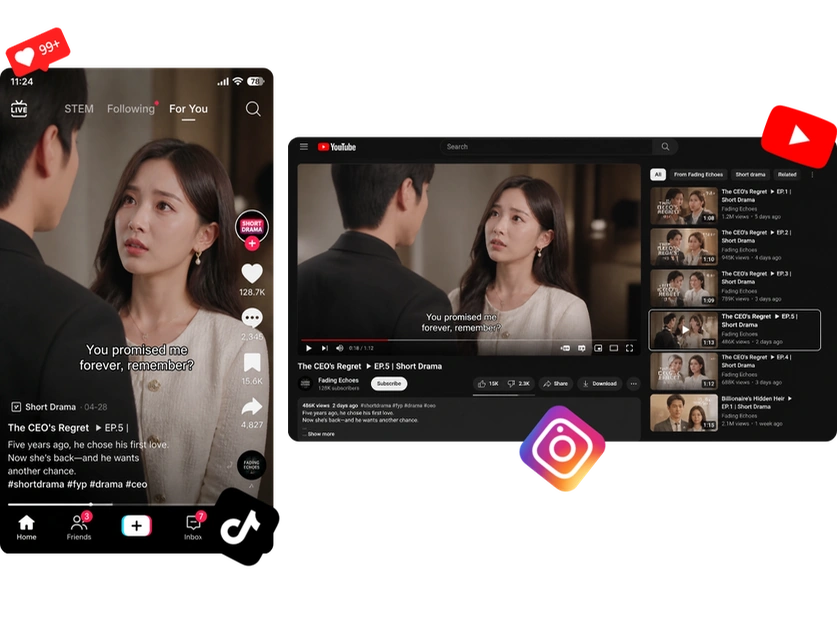

Resize your video without cropping out people, products, or other important details. AI recenters your footage and generates matching content to fill the new frame. Choose from 9:16, 1:1, 4:5, 16:9, and more — no membership required.
Resize Your Video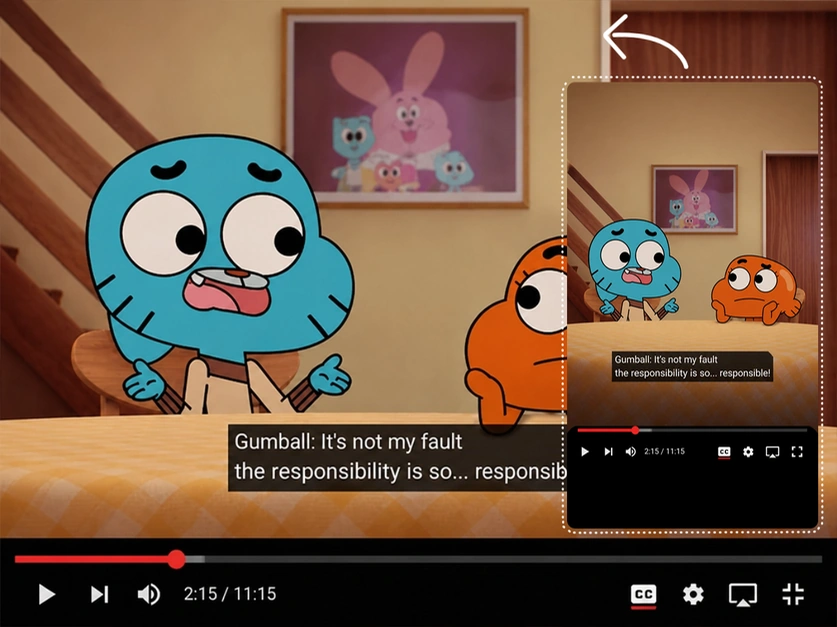
An AI video resizer is a tool that changes a video's aspect ratio without cropping the original footage. It preserves the existing scene while creating the extra visual space needed for the new frame.
Our tool repositions your footage and extends the frame with generated visuals that match the surrounding scene, helping your video fit the new composition naturally.


Adapt one video to multiple formats without re-editing from scratch.
Already have a video you want to post elsewhere? Resize it to 9:16 for TikTok, Reels, and Shorts, 16:9 for YouTube, 4:5 for Instagram feed posts, or 1:1 for square content instead of re-editing it from scratch.
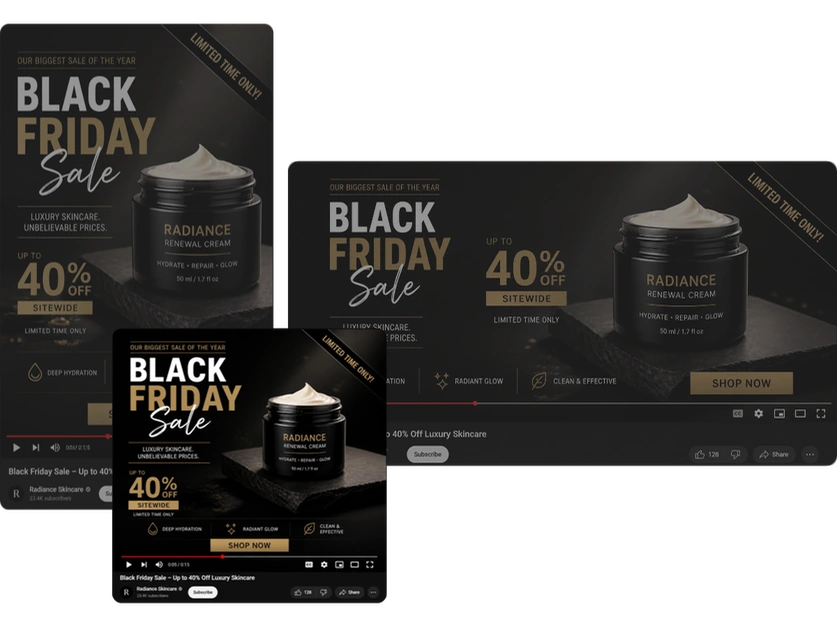
Turn one product video into multiple versions for ads, product pages, and regional campaigns. Save time by reusing the same creative across different formats. Reach more channels and markets without producing a separate video for each one.
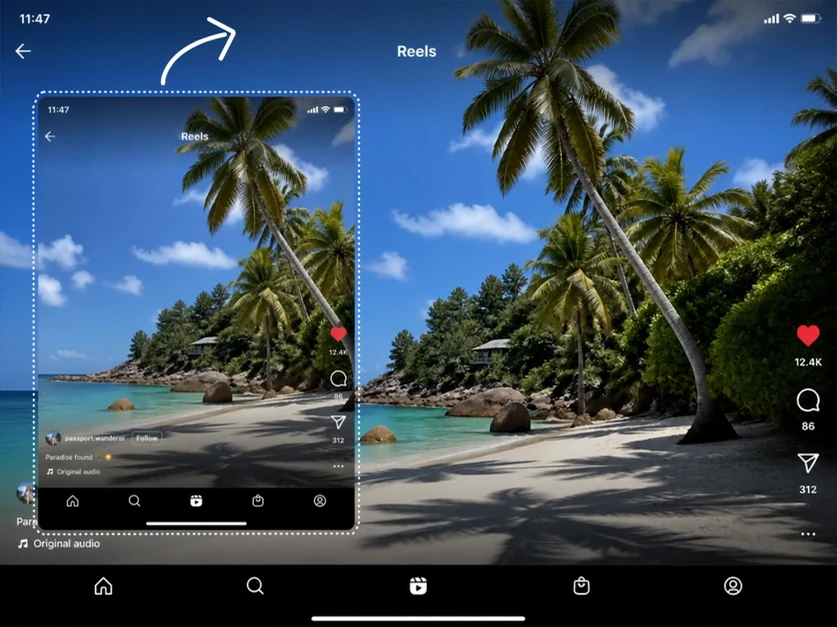
Turn phone-shot vertical videos into widescreen content for YouTube, websites, presentations, or other larger horizontal displays. Instead of adding black bars or a blurred background, fill the extra space with visuals that match the original scene.
Convert interviews, educational content, training clips, or explainer videos into vertical format while keeping speakers and presenters well positioned in the frame. Make the final video feel balanced and easier to watch on mobile.
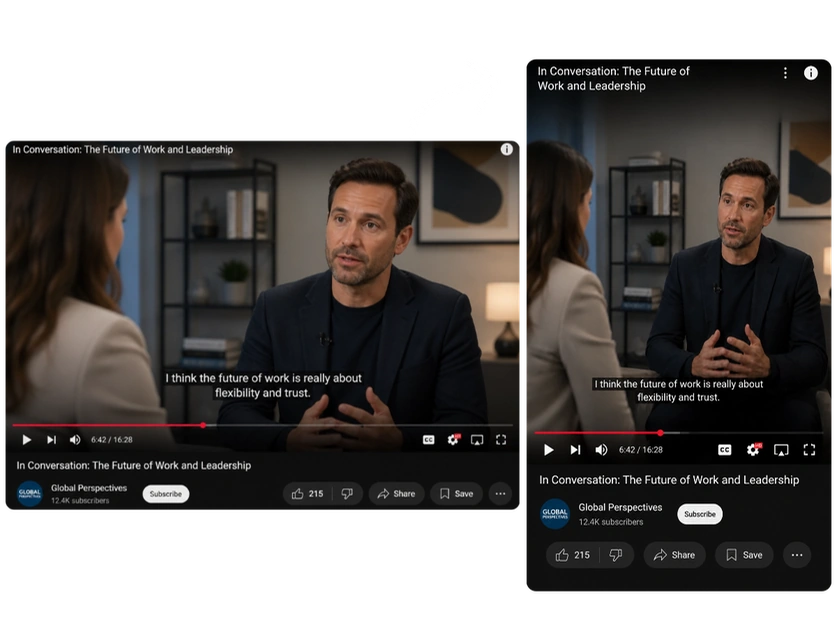
Change the aspect ratio without cropping away the original scene. Keep the main subject, background, colors, and other details in view.
AI-generated areas match the original scene and blend in seamlessly, so the resized video looks like it was shot that way from the start.
Use our Video Resizer without buying a membership or paid plan. Earn free credits through registration, daily check-ins, invitations, and other activities.
Resize videos up to 60 seconds long with up to 1080p output. Get a clear result that is ready for sharing or further editing.
Resize your video to any aspect ratio in just a few simple steps. No manual editing or design experience is required.
Upload the video you want to resize. MindVideo AI supports videos up to 60 seconds long.
Select the aspect ratio you need, including 1:1, 4:5, 5:4, 9:16, 16:9, or another available format.
AI adjusts the composition and fills the newly exposed space. Export the result in 720p or 1080p.
Real feedback from users who resized their videos without cropping or stretching.
No. The tool does not simply stretch your original footage to force it into a new aspect ratio. It adjusts the composition and expands the frame instead, helping people, products, and other objects keep their natural proportions.
Videos with a clear subject and a relatively consistent scene usually give the AI more context to work with. Clear footage also makes it easier to extend backgrounds and surrounding areas in a visually consistent way.
Yes, but the result can depend on how complex the movement is. Fast motion, several moving subjects, or frequent camera changes can be more challenging than a steady shot with a clearly visible subject.
No. Resizing creates a new version for the aspect ratio you choose, so you can keep the original footage and use it again for other formats.
You do not need to buy a membership or paid plan to use the Video Resizer. Free credits are available through registration, daily check-ins, invitations, and other activities, but the number of credits needed for a resize may be higher than what you can earn right away.
If you're using free credits, your resized video will include a watermark. Members can download watermark-free videos for a cleaner final result.
Keep more of your original footage while adapting it to the format you need. Let AI reshape the frame and fill the extra space for a more natural result.
Start Resizing