1
Upload Your Audio
Choose the audio file you want to separate. Common audio formats such as MP3, M4A, and WAV are supported.

Upload audio and let AI isolate voice from mixed background audio. Get separate voice and background tracks to clean up interviews, replace narration, or prepare audio for further editing. Start with free credits—no paid membership required.
Separate Voice NowAn AI Voice Separator is an AI-powered tool that identifies voice within mixed audio and separates it from the rest of the sound.
Instead of simply removing unwanted audio, it keeps both sides as separate voice and background tracks—with no complex manual audio editing required.
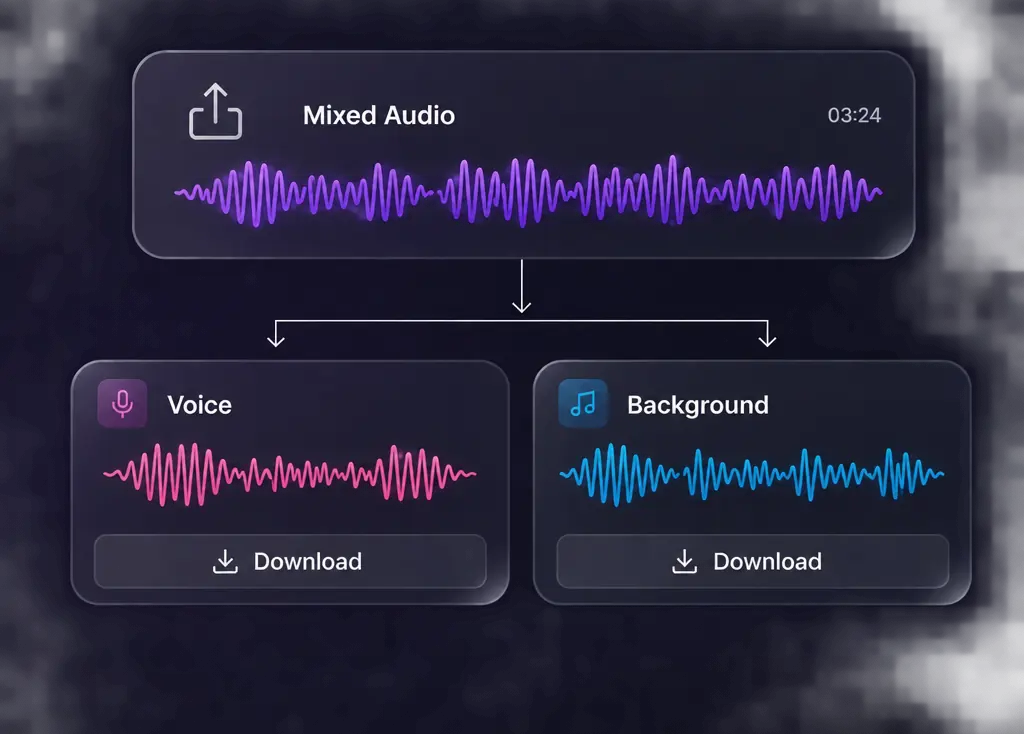
Separate voice and background audio in just a few simple steps. No audio editing skills or paid plan required.
Choose the audio file you want to separate. Common audio formats such as MP3, M4A, and WAV are supported.
Select the format you want for the separated tracks. Available options include AAC, MP3, WAV, M4A, and FLAC.
Click to start, and the results will be ready in minutes. Download either track or keep both for voiceover replacement or further editing.
Isolate voice from unwanted background sounds in podcast or interview recordings. Get a clean track ready for publishing and give your audience a polished listening experience.
Extract dialogue from finished film or short-drama clips as a standalone voice track. Reuse the lines in trailers, recaps, or promos without carrying over the original background audio.
Use the isolated voice track for transcription or subtitle generation. Less background interference helps improve recognition accuracy and reduce manual correction time.
Keep the original background audio while separating out the existing voice. Add new narration or translated dialogue without rebuilding the full soundtrack.
Separate voice from background audio without noticeable bleed or obvious artifacts. Get two clean, usable tracks while keeping the voice natural and clear.
Isolate the voice even when the background includes music, ambient sound, wind, echo, and other surrounding sounds.
No subscription required. Use free credits for everyday voice separation, and only pay when you need more than your free credits cover.
Your uploads stay private from start to finish. Files are never made public or used for model training, and they are automatically deleted within 24 hours.
Choose AI Voice Separator for general recordings with mixed background audio. For songs, use AI Vocal Remover, which is optimized to separate singing vocals from instrumental music.
| Feature | AI Voice Separator | AI Vocal Remover |
|---|---|---|
| Best for | Podcasts, interviews, dialogue, voiceovers, and mixed audio | Songs and music tracks |
| Output | Voice track + background track | Vocal track + instrumental track |
| Separates from | Music, ambience, wind, echo, and other non-voice sounds | Instrumental music |
| Songs | Supported | Optimized for songs |
| Common uses | Voice isolation, dubbing, transcription prep, dialogue reuse | Karaoke, covers, remixes, acapella |
The tool separates human voice from background audio rather than splitting individual speakers. If several people are speaking, their voices remain together in the voice track.
No. Music, wind, echo, ambience, and other non-voice sounds are grouped together in one background track, while the voice is isolated separately.
Yes. It also works with songs. For music-focused tasks, however, AI Vocal Remover is specifically optimized to separate singing vocals from instrumental tracks.
Yes. Severe distortion, poor-quality audio, or heavy overlap between voice and background sound can make separation more challenging and affect the final tracks.
Noise removal focuses on reducing unwanted sound. Voice separation creates two usable outputs instead: a voice track and a background track containing the remaining non-voice audio.
Upload your audio and get separate voice and background tracks in minutes.
Separate Voice Now