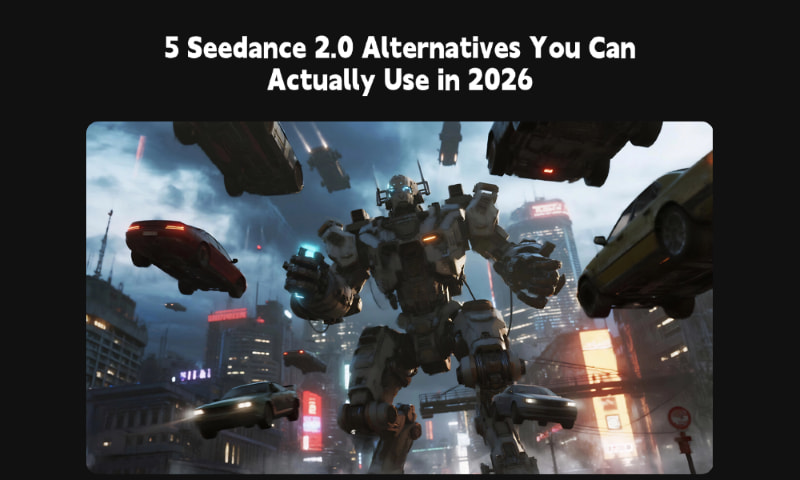
5 Seedance 2.0 Alternatives You Can Actually Use in 2026 (Tested)
If you’re searching for a “Seedance 2.0 alternative,” you probably ran into the same problem most people do: Seedance 2.0 is hard to access (or not available in your region), and even when you find it, pricing and access rules vary by platform.
Seedance 2.0 was officially unveiled by ByteDance in February 2026 and is positioned as a multimodal video model (text, images, audio, and video references). But recent reports suggest its global rollout has faced delays amid copyright-related scrutiny—so “just use Seedance” isn’t a practical answer for many creators right now.
In this guide, we compared 5 usable alternatives you can try today—MindVideo 3.0, Sora 2, Veo 3.1, Kling 3.0 Omni, and Wan 2.6—using the same prompts and a consistent checklist: prompt adherence, motion realism, visual texture (plastic/CG look), character consistency, and native audio support (where available).
How We Tested (Quick and Repeatable)
We generated short clips on each model using the same prompt (dance motion, complex camera move, multi-shot consistency, and a dialogue scene where supported). We kept default settings whenever possible and noted limitations like region access, max duration, resolution options, and whether native audio is available.
Important: Results can vary by platform, plan, and rollout stage. We list official specs where available and label subjective scores (⭐) as “our test impressions,” not universal truth.
Prompt:
[Camera Equipment] Professional camera shooting,
[Video Style and Type] Professional photography style (pro style), creative product brand promotion type,
[Video Music] Dynamic and energetic electronic rhythm music,
[Video Effects] CGI realistic flames and sparks, dynamic falling object effects (chips covered with chili powder falling like rain),
[Video Content] Centered extreme spicy potato chip package. Explosive flames and sparks erupt from the top. Quick cuts to close-ups of a man and woman in a blurred modern office. CGI flames above their heads, showing exaggerated "spicy shock" expressions. Shallow depth of field, fixed camera, rapid cuts.Chili-covered chips fall like rain. Employees appear immersed in a “spicy fantasy dimension.” A supervisor enters, asking about work progress. A male employee casually offers a falling chip. After eating, flames burst above the supervisor’s head.
Quick Comparison of Seedance 2.0 Alternatives
Check out this comparison table to help you make a quick decision:
|
Comparison Dimension |
Seedance 2.0 |
MindVideo 3.0 |
Sora 2 |
Veo 3.1 |
Kling 3.0 Omni |
Wan 2.6 |
|
Availability |
Waitlist |
Public access |
Region-limited |
API/Public access |
API/Region-limited |
API/Region-limited |
|
Input Mode |
Text/Image/Audio/Video |
Text/Image |
Text/Image/Video |
Text/Image/Video |
Text/Image/Audio/Video |
Text/Image/Video |
|
Duration |
5/10/15s |
5/10/15s |
Up to 25 sec |
4/6/8s + extend |
About 5-10 sec |
About 5-15 sec |
|
Prompt Comprehension |
⭐⭐⭐⭐ |
⭐⭐⭐⭐ |
⭐⭐⭐⭐ |
⭐⭐⭐⭐ |
⭐⭐⭐ |
⭐⭐ |
|
Physics/Movement |
⭐⭐⭐⭐ |
⭐⭐⭐⭐ |
⭐⭐⭐⭐⭐ |
⭐⭐⭐ |
⭐⭐⭐ |
⭐⭐ |
|
Video Resolution |
720P |
720P |
720P |
Up to 4K |
720P |
Up to 1080P |
|
Subject Consistency |
⭐⭐⭐⭐ |
⭐⭐⭐⭐ |
⭐⭐⭐⭐ |
⭐⭐⭐ |
⭐⭐⭐ |
⭐⭐ |
|
Native audio output |
Yes |
No |
Yes |
Yes |
No |
Yes |
Note: Specifications may vary depending on platform access, model version, and official updates. Data is based on publicly available documentation and product testing.
Best Pick (if you need an option that’s easy to access): MindVideo 3.0
MindVideo 3.0 is a video model launched by MindVideo, an integrated AI generation platform. Its core capabilities—including high character consistency, smooth motion, realistic physics, and precise understanding of complex prompts—are on par with Seedance 2.0. Additionally, there are no membership restrictions, allowing every creator to try it out.
Why is MindVideo 3.0 the best alternative?
1. Open to Everyone: While Seedance 2.0 is only available on a limited number of platforms, any user on the MindVideo platform can use MindVideo 3.0. No membership is required—as long as you have enough points, you can use it.
2. Affordable Pricing: Generating a 5-second video with MindVideo 3.0 models costs just 30 points. New members receive free points upon sign-up, and additional points can be earned through daily check-ins and referrals. For subscribers, the lowest monthly plan starts at just $9.90.
3. Capabilities on Par with Seedance 2.0:
● Natural and fluid motion: Dance and athletic movements lack any robotic feel and feature precise joint physics simulation
● Strong character consistency: Facial features, clothing, and hairstyles remain consistent across shots
● Adaptability to multiple styles: Supports style-specific prompts for realistic, anime, and 3D cartoon styles
● Precise prompt understanding: Accurately interprets even complex multi-shot prompts
Limitations to know
● It currently focuses on text + image prompting. If you rely heavily on video or audio references, you may prefer tools that support those inputs.
● Some premium outputs (like watermark removal) may be tied to subscription plans rather than credits alone.
Pricing note: MindVideo uses a credit system. Costs vary by model, duration, and queue time. For the latest numbers, check the pricing page and credit rules inside the product.

How to Create Videos with MindVideo 3.0 (3 Simple Steps)
Step 1: Upload Images and Enter Prompts
Drag and drop character or scene reference images (PNG/JPG supported; currently, up to 2 images are supported). Then enter action prompts, such as: “A man in black dancing hip-hop, with a rotating camera shot and neon lighting effects.”
Step 2: Generate
Click the “Generate Video” button. The average wait time is 5–10 minutes, though this may vary depending on network conditions and the number of users online.
Step 3: Download
Download the 720p MP4 file directly. Currently, free users can download a version with a watermark, while paid users can download a watermark-free version. Users can publish their creations to the MindVideo Creation Center, or share them via a link to social media platforms or their team collaboration spaces.
💡 Tip:
● Beginners can use the “Creation Center” to copy prompts for quick generation—simply copy the prompt from an existing video and replace the reference image to generate a new video.
● Prompt template (copy/paste): Subject + outfit + action + camera move + setting + lighting + style + mood
Example: “A man in a black hoodie does a hip-hop routine, smooth footwork, handheld orbiting camera, neon street at night, wet pavement reflections, realistic style, energetic mood.”
Other Seedance 2.0 Alternatives
To help you make a better choice that meets your needs, we’ve also tested other popular models and selected the following as alternatives to Seedance 2.0.

Sora 2: Best for Physics + Native Audio
Sora 2 is OpenAI’s flagship video model with synchronized dialogue and sound effects, and it’s known for strong motion realism. Access may depend on your plan and rollout stage, so availability can be the main bottleneck.
Key features
● Strong prompt adherence and physically plausible motion
● Native audio (dialogue + ambient + effects)
● Character / cameo workflows with explicit consent controls
Pros
● High-quality cinematic output, especially for realistic motion
● Official tooling and documentation are improving quickly
Cons
● Access can be limited (invites/plan gating may apply)
● Depictions of real people are tightly restricted and require consent-based flows; public figures are not supported

Veo 3.1: Best for Start/End-frame Control and Editing Workflows
Veo 3.1 is an AI video generation model launched by Google. As an upgraded version of Veo 3, it not only offers basic text-to-video, image-to-video, and video editing capabilities, but also supports uploading start and end frames to generate videos—similar to Seedance 2.0—giving users greater control over their videos. This feature is ideal for creating transition videos and extending clips.
Key Features
● Supports multiple image and video inputs
● Native audio generation, including dialogue, ambient sounds, and sound effects
● Multi-camera storytelling with high character consistency
● Accurate understanding of complex prompts
Pros
● First-frame / last-frame control for tighter narrative direction
● Supports audio and high-resolution outputs (availability depends on platform)
● Strong for “transition shot” and “extend a scene” workflows
Cons
● Short single-shot durations (you’ll often build longer videos by extending in steps)
● Audio quality can vary by interface and plan

Kling 3.0 Omni: Best for A Multimodal Generation
Like Seedance 2.0, Kling 3.0 Omni is a multimodal AI video generation model that supports text, image, video, and audio inputs. Compared to simple video generation models, it outperforms others in creative content creation and professional pre-production for film and television.
Key Features
● Multimodal input

creates high-quality videos from simple text prompts or images within minutes.Try it now!
contact
[email protected]


Video Models
Templates
All Tools
- AI Age Guesser
- AI Baby Generator
- AI Face Shape Detector
- AI Baby Podcast Generator
- Draw On Video
- AI Headshot Generator
- AI Buzz Cut Filter
- Retro Game Art Generator
- AI Celebrity Selfie Generator
- Portrait to Landscape
- Golden Ratio Face Calculator
- AI Image Combiner
- AI Character Swap Video
- AI Video Face Swap
- AI Product Video Maker
- Talking Pet
- Lip Sync
- AI Avatar
© 2026 MindVideo.All rights reserved.
