
Top 8 AI Headshot Generators in 2026: Tested and Compared
Introduction
As AI headshot generators become more common, creating a professional headshot no longer always requires booking a photo studio. Users can upload one or more photos and get headshots for LinkedIn, resumes, company profiles, or personal branding. However, the tools that rank highly in search results differ greatly in both how they work and the results they produce. Some platforms are dedicated professional headshot services that ask users to upload several photos and then deliver dozens or even hundreds of results after a processing period. Others are instant headshot generators that usually need only one photo and can create a headshot in seconds or minutes. The first type gives users more options, while the second is easier to try, but neither approach automatically produces better results.
For users, the real question is not which tool creates the most images or works the fastest. It is whether:
- The generated headshot still looks like them;
- The skin, hair, clothing, and background look natural;
- The result is ready for a professional setting;
- The number of photos, waiting time, and cost are reasonable for getting one usable headshot.
An image can look realistic without accurately keeping the person's facial features. A platform may also deliver hundreds of headshots, while only some are suitable for direct use. This makes it difficult to choose a tool based only on official samples, output volume, or generation speed. To compare these differences more clearly, we selected eight highly ranked AI headshot generators that represent different product types and completed the full process from uploading photos to receiving the final results. The goal of this article is not to name one tool as the absolute best for everyone. Instead, we evaluate how these popular AI headshot generators performed in our tests and help readers choose a suitable option based on budget, time, output needs, and use case.
How We Tested These AI Headshot Generators
To make the test results more useful, we did not rely on the official sample images shown by each platform. We uploaded our own photos, completed the setup process, and reviewed the final results.
Our test included two types of tools:
- Professional headshot service: Requires several uploaded photos and delivers a full batch of professional headshots after the model processes them.
- Instant headshot generator: Usually requires one photo and creates one result at a time, making it easy to switch styles or try again.
Because the two types of tools have different input requirements, we did not force every platform to use the same number of photos. For instant generators, we used the same source photo. For professional headshot services that required multiple uploads, we used several photos of the same person. To reduce the effect of style differences, we chose more formal options such as LinkedIn, ID Photo, and Professional whenever possible.
What We Evaluated
- Facial likeness: We compared each generated headshot with the original person, including face shape, eyes, nose, mouth proportions, and overall identity. A more polished image does not always mean the tool kept the person's real features accurately.
- Realism: We checked whether the skin, hair, clothing, background, and lighting looked natural. We also looked for clear AI issues such as unusual hands, incorrect body proportions, poor edges, or overly smooth skin.
- Value for money: We considered the starting price, free credits, number of results, and how many images were actually usable. For batch services, we looked at how many delivered images were worth keeping. For instant tools, we considered whether the free allowance was enough to test the service and how much repeated generations would cost.
Each category was rated on a five-point scale, with 5 being the highest score. We calculated the overall rating using the following weights:
- Facial likeness: 40%
- Realism: 35%
- Value for money: 25%
In addition to the scores, we recorded each tool's workflow, style options, free-trial terms, and any clear problems in the generated results. Our final ratings are based on our own testing, not the platforms' marketing claims or official examples.
The Top AI Headshot Generators at a Glance
Professional AI Headshot Services
- Aragon - Best for quickly getting a complete set of professional headshots
- BetterPic - Best for users who want a large pool of headshot options
Instant AI Headshot Generators
- GoStudio - Best for quickly trying many professional headshot styles
- MindVideo AI - Best for creating a natural professional headshot from one photo
- Adobe Firefly - Best for users who want more control over customization
- LockedIn - Best for quickly creating a basic professional headshot
- NoteGPT - Best free trial without sign-up
- HeadshotMaster - Best for trying different styles repeatedly for free
AI Headshot Generator Comparison Table
Note: Prices, free-use limits, and plan details reflect what was shown during our test and may change over time.
| Tool | Type | Best for | Input and output | Generation or delivery time | Free trial | Starting price | Facial likeness | Realism | Overall rating |
|---|---|---|---|---|---|---|---|---|---|
| GoStudio | Instant generator | Individuals who want fast results and many style options | Upload 1 photo; 1 image per generation | About 1 minute | 10 credits after sign-in, usually enough for 1 image | From $3.90/month | 5/5 | 5/5 | 4.7/5 |
| Aragon | Professional service | Individuals or teams that need a batch of professional headshots quickly | Upload 6-10 photos; receive 40-100 images | 15-45 minutes | No free trial | Personal: from $35; teams: from $45/person | 5/5 | 4/5 | 4.5/5 |
| MindVideo AI | Instant generator | Individuals who value facial likeness and a simple workflow | Upload 1 photo; 1 image per generation | About 1-2 minutes | 17 credits after sign-up; 3 credits per image; free results have a watermark | From $16.90/month | 5/5 | 5/5 | 4.5/5 |
| Adobe Firefly | Instant generator | Users who want highly customized, non-template results and have prompt-writing experience | Upload 1 photo; 1 image per generation | Within seconds | Free daily generations; sign-in required to download | From $9.99/month | 5/5 | 4/5 | 4.2/5 |
| LockedIn | Instant generator | Individuals who want a basic professional headshot quickly | Upload 1 photo; 1 image per generation | Within seconds | Free daily generations; sign-in required | From $54.99/month | 4/5 | 4/5 | 4.0/5 |
| NoteGPT | Instant generator | Users who want a free trial without signing in | Upload 1 photo; 1 image per generation | Within seconds | 2 free images per day; no sign-in required | From $9.99/month | 3/5 | 5/5 | 3.8/5 |
| BetterPic | Professional service | Users who want many headshot options and are willing to select the best results | Upload 8 photos; receive 20-120 images | 1-2 hours | No free trial | Personal: from $39; teams: from $49/person | 3/5 | 4/5 | 3.5/5 |
| HeadshotMaster | Instant generator | Users who want to try different styles many times for free | Upload 1 photo; 1 image per generation | Within seconds | Unlimited free generations in Standard mode | $9.99 for 250 credits | 2/5 | 3/5 | 3.0/5 |
The Top 8 AI Headshot Generators in 2026
Top Professional AI Headshot Services
Aragon - Best for Quickly Getting a Complete Set of Professional Headshots
Overview
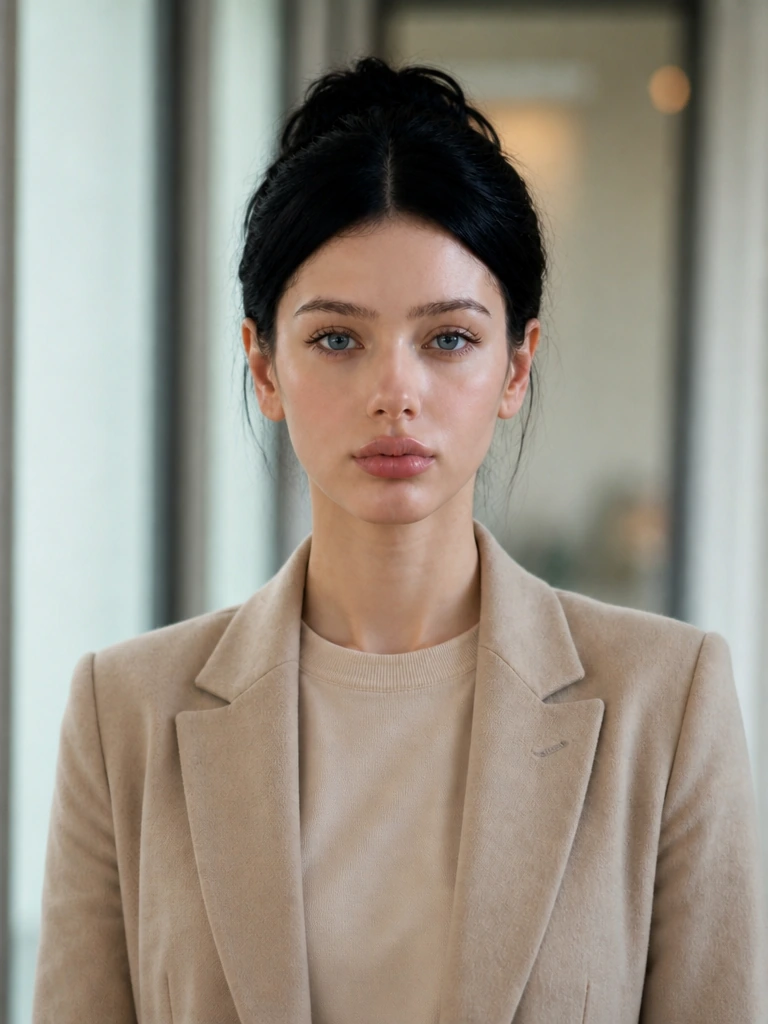
Aragon can generate a batch of headshots in a relatively short time and does a good job of keeping the person's face shape and main facial features. Skin, hair, and formal clothing generally look natural, and some images are clear and polished enough to use directly. However, quality varies across the batch. Some photos look refined, while others have problems such as unusual hands, unnatural poses, or incorrect body details. Users can select a number of usable images, but they should not expect every result to be ready to use. The setup process is detailed, with options for profession, age, hairstyle, clothing, body type, and background, but it takes more time than an instant single-photo tool. Aragon is suitable for individuals or teams that want several headshots for LinkedIn, company profiles, or personal branding.
Key Information
- Best for: Individuals and teams that need a complete set of professional headshots
- Starting price: Personal plans start at $35; team plans start at $45 per person
- Photos required: 6-10
- Results delivered: 40-100
- Turnaround time: 15-45 minutes
Pros
- Keeps facial features well and maintains a strong likeness
- Delivers 40-100 headshot options in 15-45 minutes
- Offers many choices for profession, clothing, background, and personal features
Cons
- Image quality is not fully consistent, and photos with hands or complex poses may contain errors
Ratings
- Facial likeness: 5/5
- Realism: 4/5
- Value for money: 4/5
- Overall rating: 4.4/5
BetterPic - Best for Users Who Need a Large Number of Headshots
Overview
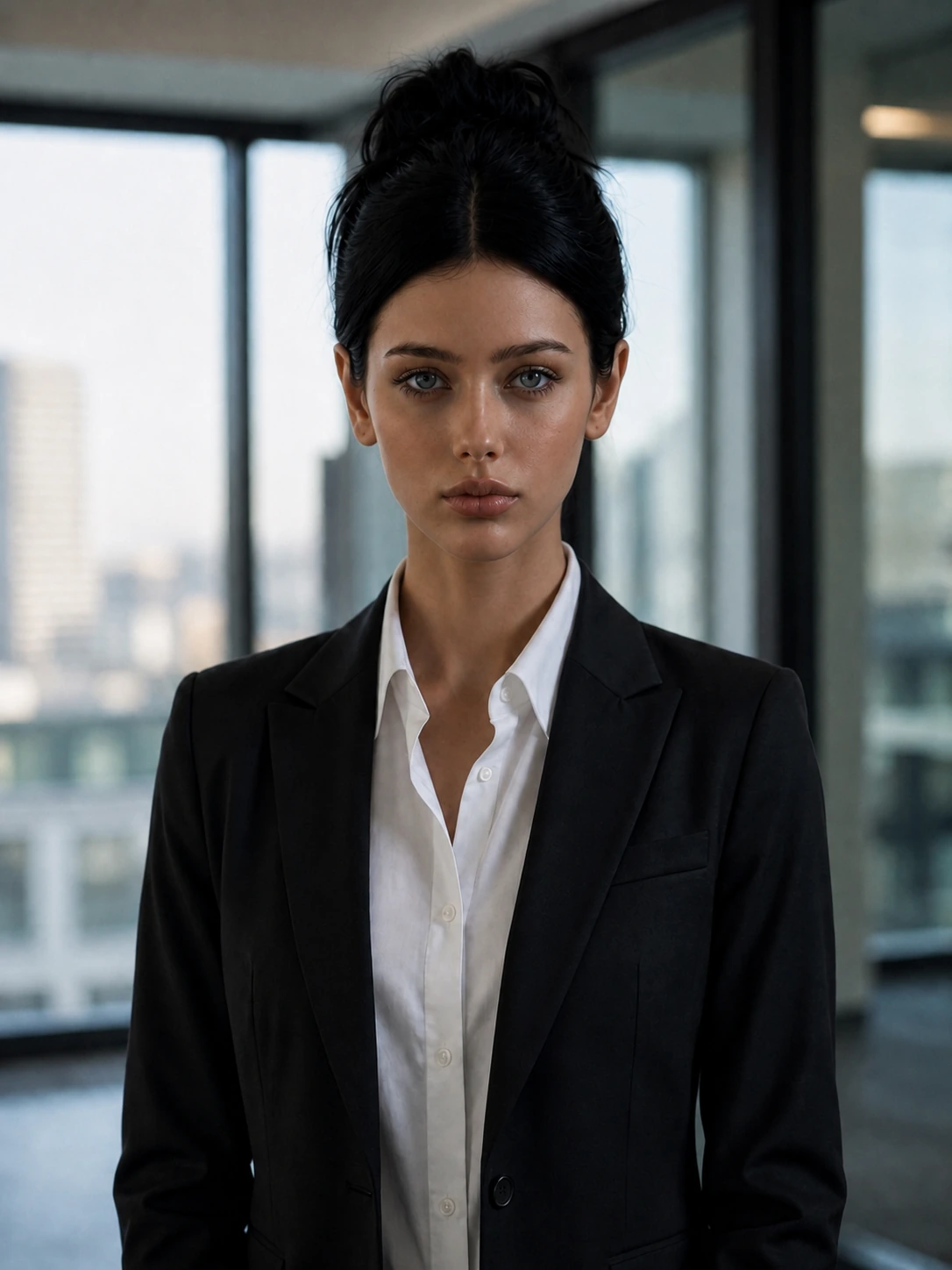
BetterPic offers controls for clothing, background, makeup, and glasses, and can deliver 20-120 images in one order. Image clarity and overall finish were average in our test. The results kept some of the person's main features, but facial likeness was only moderate. Some images made the person look slimmer than in the original photo, and the skin tone could appear slightly darker. Areas outside the face, including the hands, neck, and chest, sometimes looked unnatural. BetterPic produces a large number of images, so users can select the better ones, but a larger batch does not always mean more usable choices. It is better suited to users who need many headshots at once.
Key Information
- Best for: Users who want a large number of headshots in one order
- Starting price: Personal plans start at $39; team plans start at $49 per person
- Photos required: 8
- Results delivered: 20-120
- Turnaround time: 1-2 hours
Pros
- Delivers 20-120 headshots in one order
- Includes options for background, clothing, makeup, and glasses
Cons
- Facial likeness is average
- Hands, neck, and body proportions are not always handled consistently
Ratings
- Facial likeness: 3/5
- Realism: 4/5
- Value for money: 3/5
- Overall rating: 3.4/5
Top Instant AI Headshot Generators
GoStudio - Best for Quickly Trying Many Professional Headshot Styles
Overview
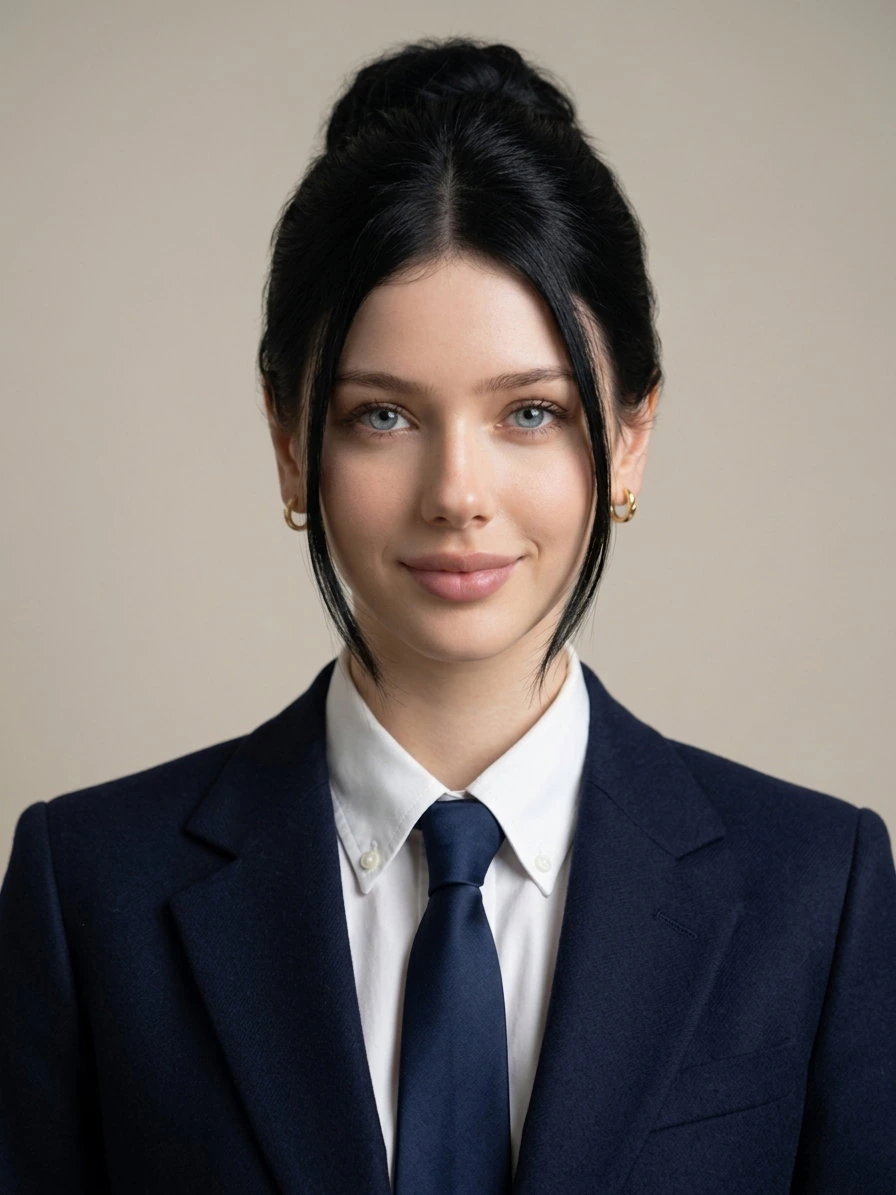
GoStudio did a good job of keeping the person's face shape, facial proportions, and overall identity. Skin and hair looked fairly natural, and the lighting matched the formal clothing and background well. The result had a complete professional headshot composition without clear facial distortion or obvious cut-and-paste effects. Our single test image was usable as it was. The tool also offers more than 40 styles grouped by gender and creates results quickly. However, the 10 free credits given to new users are usually enough for only one generation in the lowest-cost mode. GoStudio is suitable for individuals who want to try different clothing and professional looks quickly while keeping a clear likeness.
Key Information
- Best for: Quickly trying different professional headshot styles
- Starting price: From $3.90 per month
- Photos required: 1
- Generation time: About 45 seconds
- Free trial: 10 credits after sign-in; different modes cost 6, 8, or 16 credits
Ratings
- Facial likeness: 5/5
- Realism: 5/5
- Value for money: 4/5
- Overall rating: 4.8/5
Pros
- Strong facial likeness and realistic image quality
- Fast generation
- More than 40 styles grouped by gender
Cons
- Free credits are usually enough for only one image, so trying more styles requires a paid plan or extra credits
MindVideo AI - Best for Creating a Natural Professional Headshot from One Photo
Overview
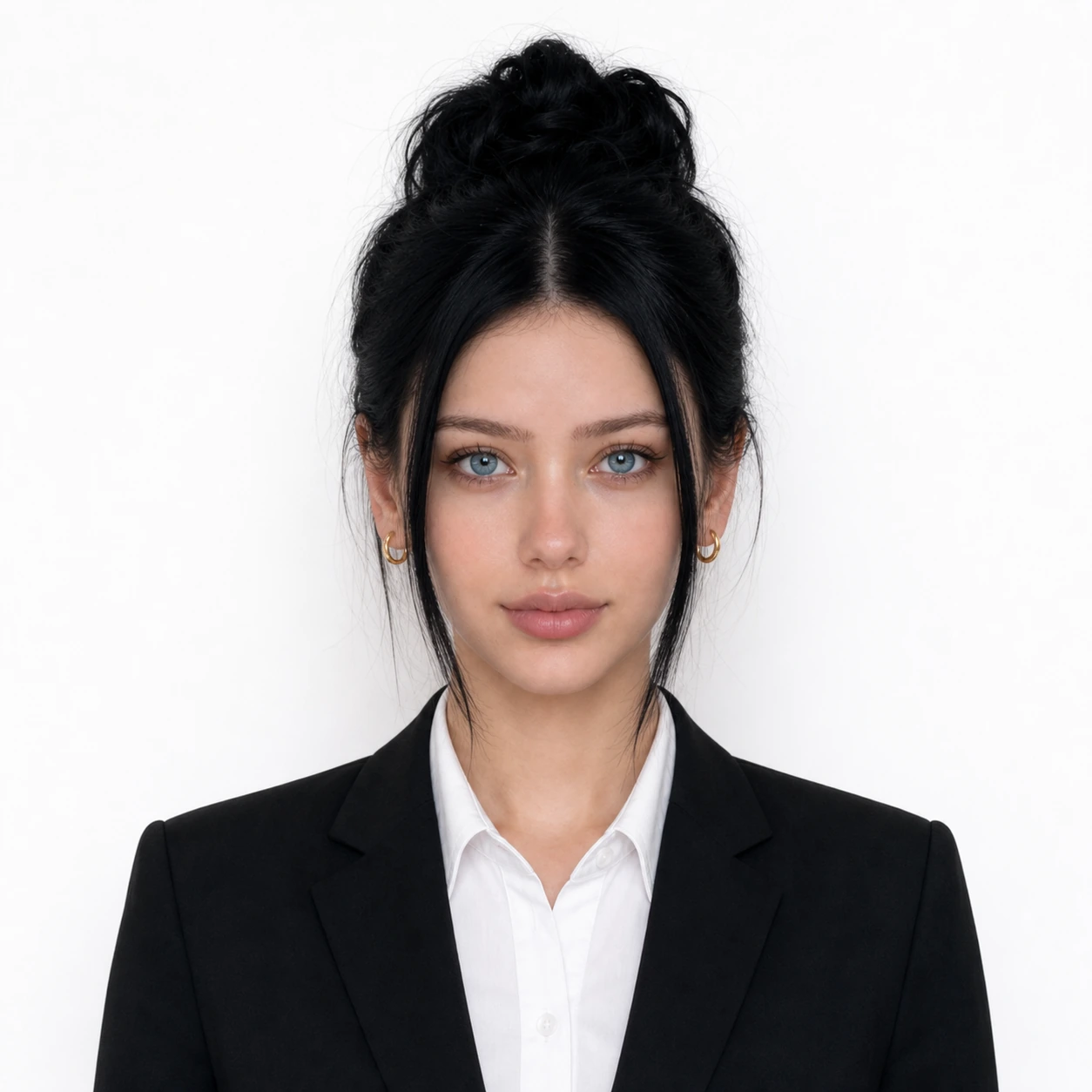
MindVideo AI offers six styles covering business, smart-casual, ID photo, and everyday professional looks. Its main advantage is that it keeps the person's face shape and key facial features well. The results also looked realistic in our test, with fairly natural handling of skin, hair edges, clothing, and background. The image looked close to a studio-style photo of the same person and could be used for a standard professional profile. However, free results include a watermark. The tool currently supports only a 1:1 output ratio, so it is best suited to individuals who do not want to write prompts and need only one or a few professional headshots.
Key Information
- Best for: Quickly creating a recognizable professional headshot from one photo
- Starting price: From $16.90 per month; annual billing works out to $9.90 per month
- Photos required: 1
- Generation time: About 1-2 minutes
- Free trial: 17 credits after sign-up; each image costs 3 credits
Ratings
- Facial likeness: 5/5
- Realism: 5/5
- Value for money: 4/5
- Overall rating: 4.8/5
Pros
- Requires only one photo and has a simple workflow
- Keeps facial features and personal identity well
- Six styles cover business, ID photo, and smart-casual needs
Cons
- Free results include a watermark
- Generation is slightly slower than some instant tools, and the output ratio cannot be changed
Adobe Firefly - Best for Users Who Want More Customization
Overview
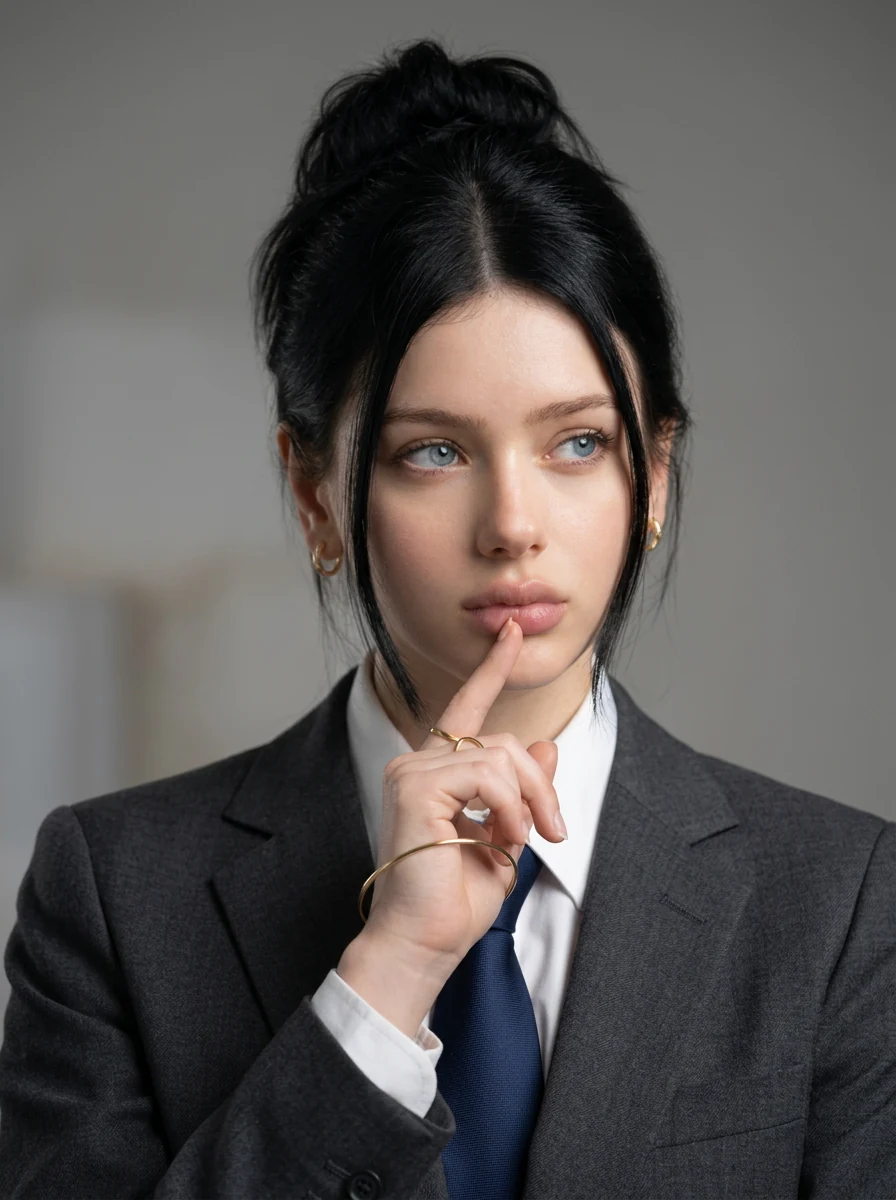
Adobe Firefly lets users describe clothing, background, and professional mood with a prompt instead of choosing only from fixed templates. It also does a good job of keeping the person's main facial features and identity. However, with the default prompt, the result looked more like the original photo with different clothing and a new background. Users need to describe the lighting, composition, clothing, and background in more detail to get a result that fits LinkedIn or a resume. The process itself is not difficult, but Adobe Firefly requires more prompt-writing experience than tools with preset styles. It is better suited to users who are familiar with generative AI and want more control over the final image.
Key Information
- Best for: Customizing clothing and backgrounds with prompts
- Starting price: From $9.99 per month
- Photos required: 1
- Generation time: Within seconds
- Free trial: Free daily generations are available; sign-in is required to download
Ratings
- Facial likeness: 5/5
- Realism: 4/5
- Value for money: 4/5
- Overall rating: 4.4/5
Pros
- Keeps facial features well
- Allows users to adjust clothing, background, and mood through prompts
- Offers free daily generations without a watermark
Cons
The default prompt may not produce a ready-to-use result, and better results can require prompt-writing skills and several attempts
LockedIn - Best for Quickly Creating a Basic Professional Headshot
Overview
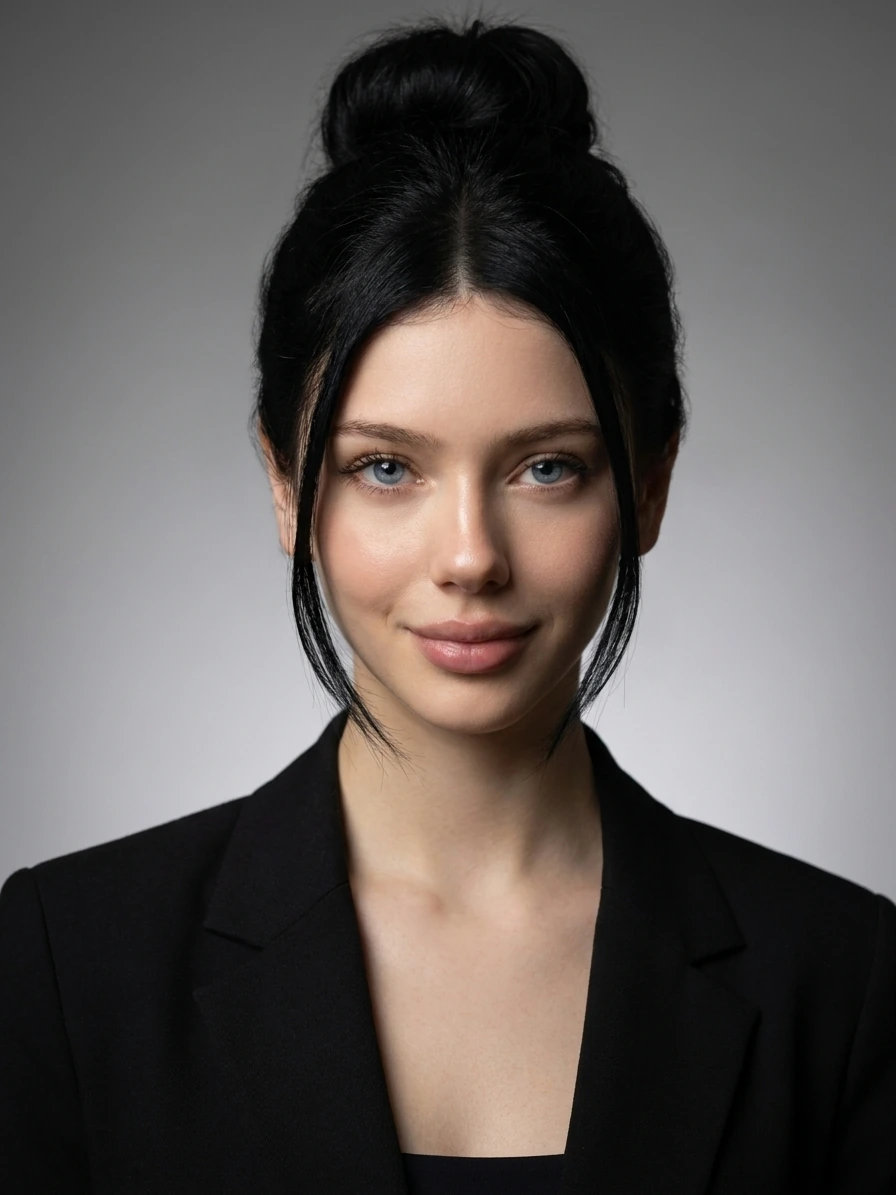
LockedIn keeps most of the person's facial features, and the face shape and key features do not shift too far from the original. However, fine details are less accurate, and some facial features may look slightly beautified or standardized. The skin, hair, background, and formal clothing generally work well together. The result can be used for basic social or professional profiles, although a closer look may still reveal an AI-generated feel. LockedIn offers only four styles, so the choice is limited, but the process is simple for users who do not want to spend time adjusting settings. It is suitable for people who need a quick, basic smart-casual headshot and do not need many style options.
Key Information
- Best for: Quickly creating a basic professional headshot
- Starting price: General plan: $54.99 per month
- Photos required: 1
- Generation time: Within seconds
- Free trial: Free daily generations are available; sign-in is required
Ratings
- Facial likeness: 4/5
- Realism: 4/5
- Value for money: 2.5/5
- Overall rating: 3.6/5
Pros
- Simple workflow and fast generation
- A balanced level of facial likeness and overall realism
- Offers free daily generations
Cons
- Paid plans cost much more than most instant headshot tools
- Only four styles are available
NoteGPT - Best Free Trial Without Sign-Up
Overview
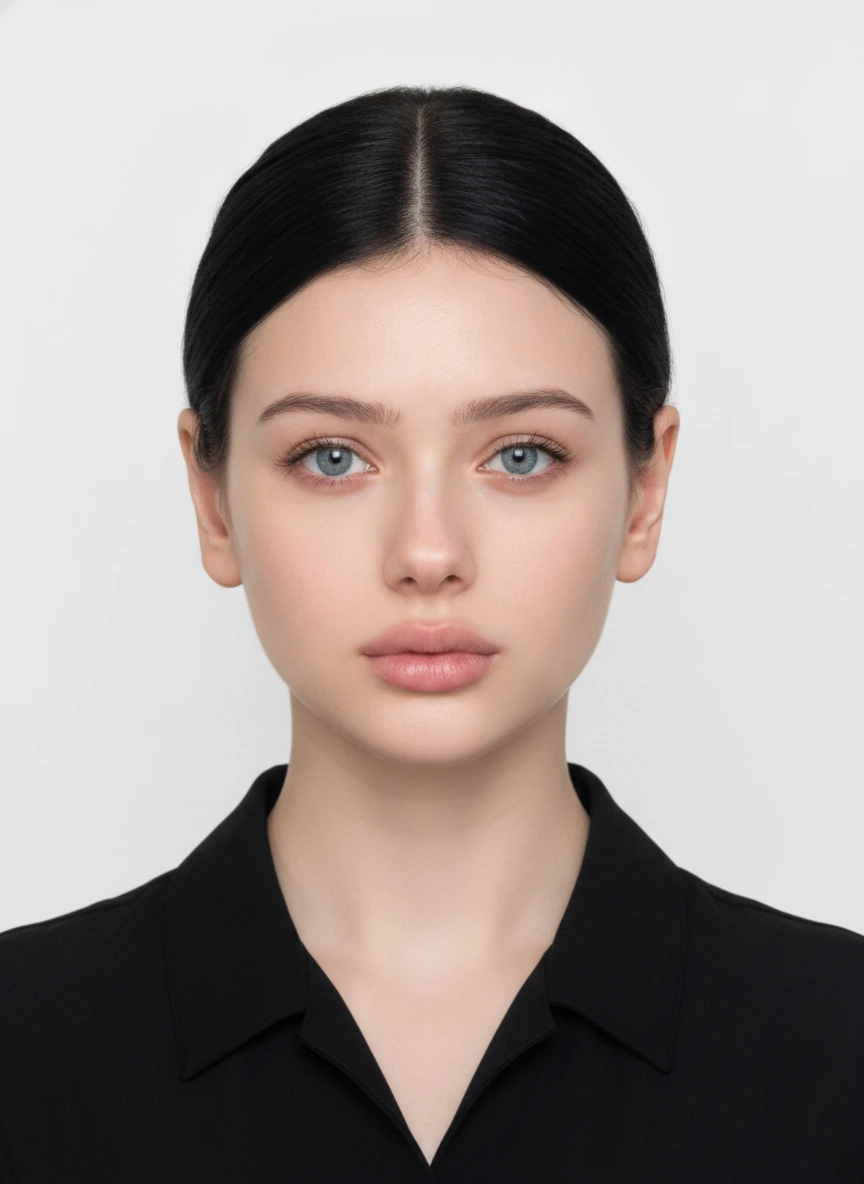
NoteGPT's main advantage is that users can generate two free images per day without creating an account, and the results do not have a watermark. It offers nine styles and has a simple workflow. The generated images looked good in terms of skin, background, and overall finish, without obvious poor-quality edges or major AI distortions. However, some facial features changed, so the final person did not look close enough to the original. This shows that an image can look realistic while still being unsuitable as a professional headshot that needs to represent the person accurately.
Key Information
- Best for: A quick free trial without creating an account
- Starting price: $9.99 per month; annual billing works out to $9 per month
- Photos required: 1
- Generation time: Within seconds
- Free trial: Two free images per day with no sign-up required
Ratings
- Facial likeness: 3/5
- Realism: 5/5
- Value for money: 4.5/5
- Overall rating: 4.1/5
Pros
- No sign-up is required to try it
- Two free images are available each day
- Free results have no watermark and look realistic overall
Cons
- Facial likeness is only average
HeadshotMaster - Best for Trying Different Styles Repeatedly for Free
Overview
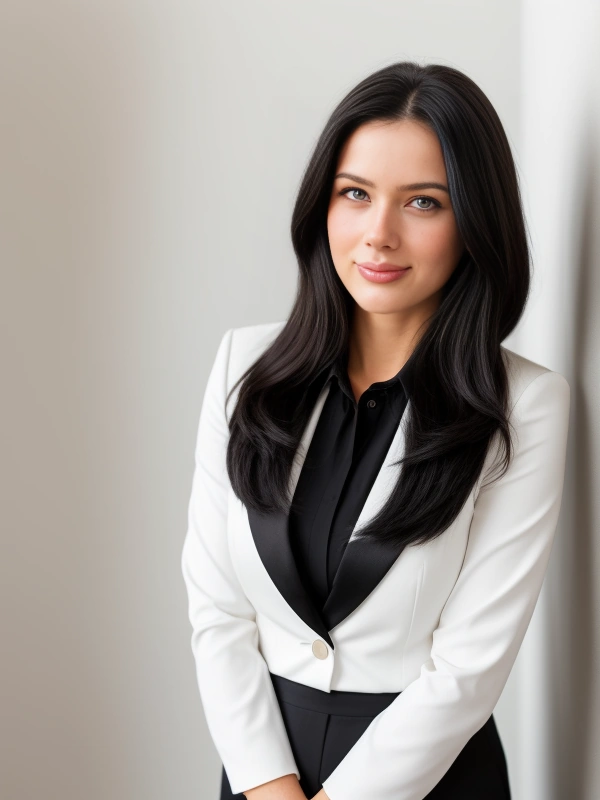
HeadshotMaster's main advantage is that its Standard mode can be used without signing in and allows unlimited free generations, with many styles to choose from. However, the generated face looked clearly different from the original person. The face shape, facial proportions, and overall appearance changed, while the skin, hair, and clothing details looked only average in realism. The Standard mode is best used to try different clothing and background ideas for free rather than to create a final professional headshot.
Key Information
- Best for: Trying many headshot styles for free
- Starting price: $9.99 for 250 credits
- Photos required: 1
- Generation time: Within seconds
- Free trial: Unlimited free generations in Standard mode with no sign-in required
Ratings
- Facial likeness: 2/5
- Realism: 3/5
- Value for money: 4/5
- Overall rating: 2.9/5
Pros
- Unlimited free generations in Standard mode
- No sign-in is required, and free results have no watermark
- Offers many styles
Cons
- Facial likeness is low, and some results show clear signs of AI generation
How to Choose a Suitable AI Headshot Generator
When choosing an AI headshot generator, do not look only at its ranking or official sample images. First decide whether you need a full set of professional headshots or one photo you can use quickly. Then compare facial likeness, realism, cost, and ease of use.
1. Decide Whether You Need a Full Headshot Package or One Quick Image
Start by deciding which type of tool fits your needs.
A professional headshot service is better for users who:
- Want dozens of professional headshots in different styles
- Are willing to upload several selfies
- Can wait from 15 minutes to several hours
- Need headshots with a fairly consistent style for a team
An instant headshot generator is better for users who:
- Need only one or a few headshots
- Do not want to upload many personal photos
- Want to see results quickly
- Want to test the tool for free first
2. Prioritize Facial Likeness Over Appearance
A professional headshot should look like you, not simply make you look more polished. An image may have natural skin, lighting, and background details, but if the facial features change too much, it is not suitable as a photo that represents you. Looking like a real photo and accurately looking like the real person are two different standards.
3. Look for Natural Details, Not Just a Polished Finish
Check whether:
- The skin looks overly smooth
- The hair edges look natural
- The face or body is distorted and the proportions look reasonable
- The lighting on the person matches the background
4. Compare the Cost per Usable Headshot
Do not compare only the package price or the total number of images. Also consider how many results are ready to use. Check:
- The starting price
- The free allowance
- The cost of each generation
- Whether a subscription is required
- The number of results included
- The share of results that are actually usable
Which Type Should You Choose?
Use the following guide for a quick decision:
- Need a full set of professional headshots: Choose a professional headshot service
- Need one quick headshot: Choose an instant headshot generator
- Care most about looking like yourself: Compare facial likeness first
- Care most about a natural result: Focus on realism and small details
- Have a limited budget: Compare free allowances and the cost per usable image
- Need more customization: Choose a tool with prompts or detailed settings
- Want a simple process: Choose a single-photo generator with preset styles
No tool is right for everyone. A suitable AI headshot generator should create an image that still looks like you, appears natural, and works for your intended use, while staying within the number of photos, waiting time, and budget you can accept.
How to Get Better AI Headshot Results
The quality of an AI headshot does not depend only on the tool. It is also affected by the clarity, angle, lighting, and style of the uploaded photo. Even with the same tool, different source images can produce very different results.
Use the following tips to improve the chance of getting a usable headshot:
1. Use a Clear, Well-Lit Photo with a Natural Expression
Choose a recent, clear photo that accurately reflects how you look now:
- Use a front-facing angle
- Make sure your facial features and face shape are fully visible
- Use a relaxed, natural expression, with a slight smile if appropriate
- Avoid heavy skin smoothing, face slimming, or strong filters
2. Keep Multi-Photo Uploads Consistent
Professional batch headshot services use several photos to identify the person's shared features. For multi-photo uploads:
- Use recent photos of the same person
- Keep the overall appearance consistent
- Include front-facing and slightly angled photos
- Use a small amount of natural variation in expression
3. Write Specific but Realistic Prompts
For tools such as Adobe Firefly that support text prompts, a clear description usually produces more consistent results than a broad request. A prompt can include:
- Type of clothing
- Background color or setting
- Lighting direction
- Framing or crop
- Professional mood
4. Avoid Changing Too Many Personal Features
Some tools let users adjust age, hairstyle, hair color, body type, makeup, skin tone, and clothing. However, the goal of a professional headshot is usually not to create a completely new, idealized person. It is to present you in a cleaner and more professional way while keeping you recognizable. Small changes can help the image fit a professional setting, but changing too many personal features at once may result in a headshot that no longer represents you accurately.
5. Inspect the Entire Image Before Using It
Check the result carefully before using it. For formal or professional use, review the full image, including whether the face or body is distorted, the overall proportions look balanced, and the person blends naturally with the background.
Final Verdict
The eight AI headshot generators in this review do not all follow the same product model, so no single tool will suit every user. Start by deciding whether you need a complete set of professional headshots or one image you can use quickly.
For a full headshot package, Aragon was the more balanced professional headshot service in our test. Among the instant headshot generators, GoStudio and MindVideo AI performed well in both facial likeness and realism.
The most suitable tool depends on what you need:
- Need a complete set of professional headshots: Aragon
- Want to create a natural headshot from one photo: MindVideo AI
- Only want to explore styles for free: HeadshotMaster
