Choose AI Baseball Fan Cam Video Effect
Open our Video Effects Center and select the AI Korean Baseball Fan Cam Video Effect. Choose the 4:3 version for a classic broadcast-style frame, or the 9:16 version for TikTok, Reels, and Shorts.
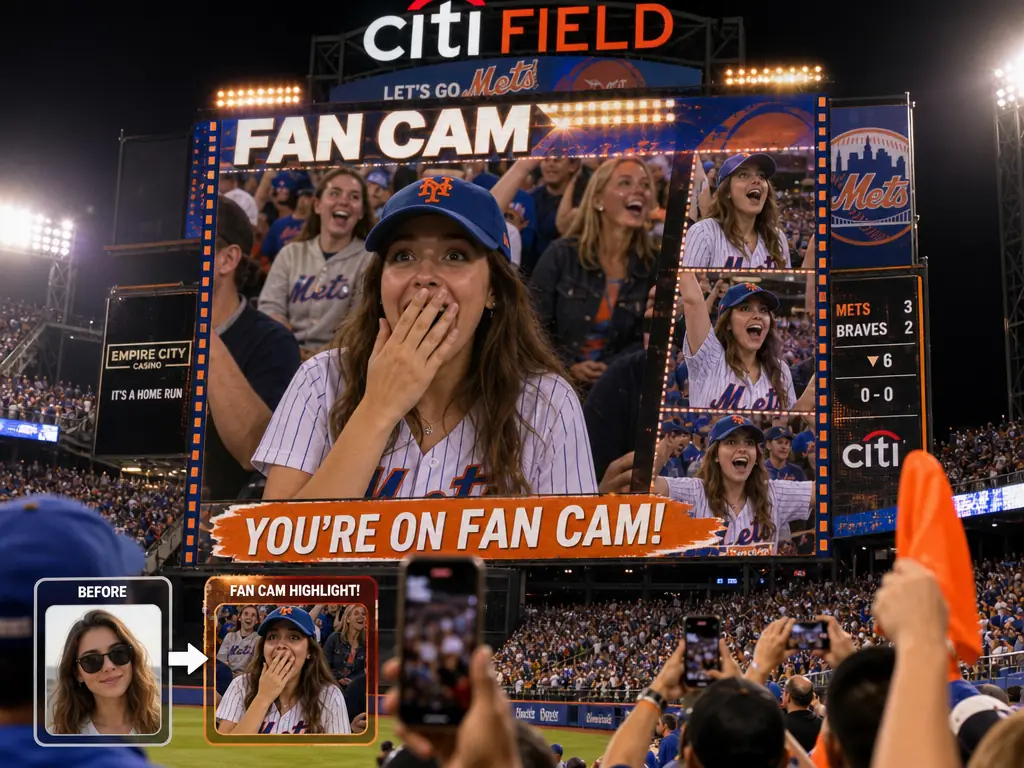
You don't have to be at a real game to feel like you're in the middle of a lively stadium crowd. With MindVideo AI, you can create natural, shareable AI baseball fan cam videos for TikTok, Reels, Shorts, and highlight edits, captured like authentic broadcast moments.
Create AI Baseball Fan Cam VideoResult

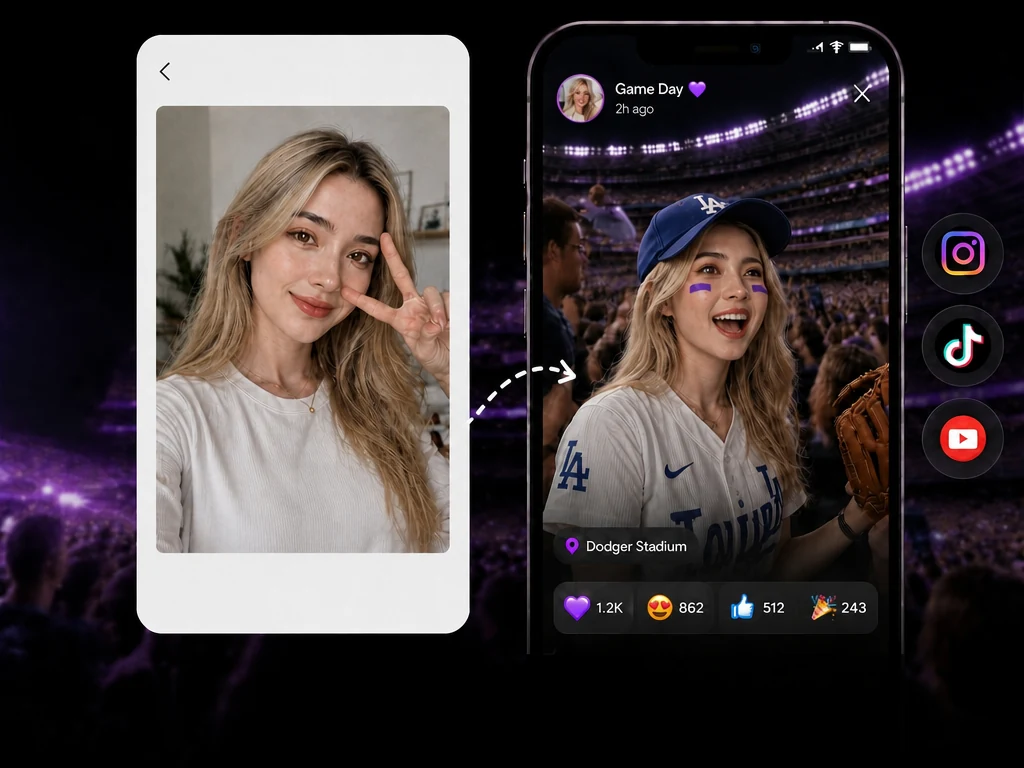
Creating a broadcast-style fan cam video is quick and easy with our AI Baseball Fan Cam Video Effect. Simply upload a selfie, portrait, or everyday photo, and MindVideo AI will turn your image into a lifelike baseball fan cam scene. No stadium background or complicated prompts required.
Open our Video Effects Center and select the AI Korean Baseball Fan Cam Video Effect. Choose the 4:3 version for a classic broadcast-style frame, or the 9:16 version for TikTok, Reels, and Shorts.
Upload a high-resolution photo. For better face consistency, use a front-facing image with good lighting and clearly visible facial features.
Click Generate and MindVideo AI will turn your photo into an AI baseball fan cam video in minutes. Preview and download it for social media, highlight edits, or fan content.
Want more control over your AI baseball fan cam video? Use MindVideo Image to Video with a reference photo and one of the prompt templates below. You can guide the scene, camera movement, facial expression, crowd reaction, and broadcast style while keeping the subject’s identity consistent.
A KBO-style live TV cut-in with score graphics, warm stadium floodlights, and a surprised-to-smiling fan reaction.
Use the reference image as identity verification. Preserve the authenticity of the subject's face, hair, skin texture, and proportions. Do not beautify or stylize. Create a realistic, cinematic [KBO] live broadcast cut-in shot, filmed from the perspective of a stadium audience member: medium-close shot, slightly low angle, shallow depth of field, with the warm floodlights of the field. [Uploaded character] is sitting in the stands wearing a baseball jersey, holding a cheering banner. The head is slightly tilted. Upon noticing being captured by the live TV broadcast camera, they show a slightly surprised expression, then smile and wave at the camera. The camera moves slowly and naturally; in the background, blurred spectators are also wearing baseball jerseys. Overlay [KBO-style] broadcast graphics: [Team A 2 vs Team B 3, bottom of the sixth inning, 0-2 count, batter name, pitcher name, sponsor-style label]. Present a realistic TV broadcast image in 1080p HD quality. Generate appropriate background music and sound effects.
A natural live sports fan cam moment with cheer stick motion, handheld camera shake, and realistic broadcast texture.
Use the reference image as identity verification. Preserve the authenticity of the subject's face, hair, skin texture, and proportions. Do not beautify or stylize. Create a realistic live sports broadcast shot, filmed from the perspective of an audience member in the stadium. Include subtle details such as blinking, breathing, slight posture shifts, shallow depth of field, handheld camera shake, autofocus breathing effect, realistic TV compression artifacts, and natural spectator movement. [Uploaded character] is sitting in the stands wearing a baseball jersey and watching the game, holding a cheer stick and focusing on the match. Then, after noticing being captured by the live TV broadcast camera, the character smiles and waves the cheer stick at the camera, accurately recreating the authenticity of a live sports event broadcast.
A candid KBO stadium clip with a pet, cheering crowd, telephoto compression, and a viral caught-on-camera feel.
A realistic video shot from the perspective of a fan at a [KBO] stadium. Use the reference image for identity verification, preserving the authenticity of the subject's face, hair, skin texture, and proportions. [Uploaded character] is sitting in the stands surrounded by a bustling crowd, holding her/his pet dog in the arms, wearing a baseball jersey, and watching a live [KBO] game. The character is unexpectedly captured by the live TV broadcast camera, with a slightly surprised smile on the face. The LED screen is blurred. Shot with a telephoto lens, shallow depth of field, slight motion blur, and broadcast-level compression to create a cinematic sense of realism. The character blinks gently, breathes naturally, with slight head movement, and the hair subtly moves with the stadium breeze. The surrounding fans are waving cheering towels, the LED scoreboard glows softly, there are visible broadcast compression artifacts, and slight handheld camera shake. The scene authentically captures the "caught-on-camera" moment of this person at the stadium, sparking a viral moment online. No posing or direct eye contact with the camera.
A documentary-like KBO broadcast shot with subtle surprise, natural skin texture, crowd motion, and lower-third score graphics.
Use the reference image as identity verification. Preserve the authenticity of the subject's face, hair, skin texture, and proportions. Do not beautify or stylize. Create a realistic live broadcast scene of the [KBO] league. [Uploaded character] is casually seated in the packed stands of a [Korean] baseball stadium, wearing a [KBO] team jersey. The subject is aware of the camera but is not posing deliberately--capture a natural, slightly surprised expression with lips slightly parted, eyes looking directly at the camera and then brushing the hair back with the hand. Skin texture should appear natural, with a subtle glow under the stadium lights and visible pores. Surrounding fans are slightly blurred, waving cheering sticks, holding drinks and phones, and singing fan songs. Use a telephoto lens compression effect, shallow depth of field, and motion blur of the crowd. The image should show slight TV broadcast noise and grain, with cinematic color grading. Display the real-time [KBO] score graphic on the lower third of the screen--showing team logos, innings, scores, pitch count, base runner indicators, and broadcaster watermark. Strive for a documentary-like realism and a natural, dynamic candid effect.
A classic no-cuts jumbotron fan cam with direct eye contact, victory sign, zoom-in broadcast lens, and cheering crowd energy.
Use the reference image as identity verification. Preserve the authenticity of the subject's face, hair, skin texture, and proportions. Do not beautify or stylize. Background: Crowded stadium seats, cheering fans, bright stadium lights, and slightly blurred LED screens. Output: A single continuous live sports broadcast shot, with no cuts. Subject: [Uploaded character], sitting in the baseball stadium stands watching the game. The character realizes he/she is being filmed, looks directly at the camera, and gives a brilliant, beaming smile. He/She makes eye contact with the camera and enthusiastically raises the hand to make a "V" for victory. The body language is energetic, relaxed, and joyful. The crowd in the background is celebrating and cheering. Environment: A lively and passionate baseball match with an electric atmosphere. The background audience is very active, cheering, clapping, waving team towels or cheer sticks. Plastic seats; surrounding fans wear brightly colored team jerseys. The background is slightly out of focus; realistic stadium lighting; slight haziness in the image due to broadcast compression. Mood: Exciting, joyful, and classic interactive jumbotron fan-cam moment. Full of energy, captured authentically for a live sports broadcast. No cinematic or dramatic effects--pure TV broadcast entertainment. Camera: Telephoto broadcast lens (120-150mm). Zooming in from a distant elevated camera, focused on the subject. Strong image compression and shallow depth of field. Camera is at eye level, tilted slightly upward. Broadcast-grade stabilizer eliminates minor shake. Details: Direct eye contact with the camera. Realistic skin texture, no smoothing. Background crowd is slightly motion-blurred. In the corner, a blurred broadcast score graphic or "LIVE" indicator is visible.
MindVideo AI gives you more than one way to create an AI baseball fan cam video. Start quickly with the ready-made effect, or use Image to Video prompts when you want more control.
Use the AI effect without writing your own prompt, or switch to Image to Video for more control over scenes, camera, and mood.
Multiple advanced AI models deliver smoother motion, better face consistency, and natural broadcast-style results.
Use free credits to create videos with no paid membership required. Earn extra credits through check-ins and referrals.

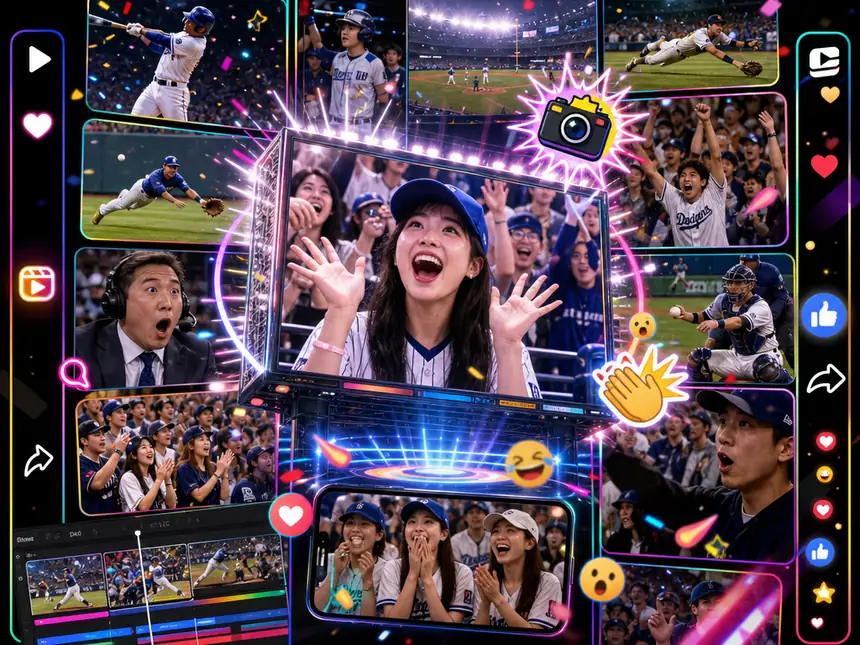
Create AI baseball fan cam videos for TikTok, Instagram Reels, YouTube Shorts, and other short-form platforms. Turn a normal photo into a fun, shareable stadium fan cam moment and join the viral baseball fan cam trend.

Make baseball-themed fan videos, KBO-style edits, game-day posts, and personalized clips for your favorite teams or players. It's a simple way to add a stadium atmosphere to fan content without filming at a real game.

Add a fan cam moment to highlight edits, sports reaction videos, intro clips, or recap content. These short clips can make baseball content more lively and give viewers a quick "caught on camera" moment.
It is an AI-generated video that makes a person look like they were captured by a live baseball broadcast camera in a stadium crowd. The result is a shareable fan cam-style clip for social media, edits, and fan content.
No, not if you use the AI Baseball Fan Cam Video Effect. You can simply upload a photo and generate the video. If you want more control, you can use Image to Video with prompt templates.
A high-resolution, front-facing photo with good lighting and clearly visible facial features usually works best. Clear face details help AI preserve identity more accurately in the final video.
The AI Baseball Fan Cam Video Effect is the fastest option and does not require prompt writing. Image to Video gives you more control over the scene, camera movement, crowd reaction, and broadcast style.
Yes. You can use free credits to create baseball fan cam videos. No paid membership is required to start as long as you have enough credits, and more credits can be earned through activities such as check-ins and referrals.
Choose 4:3 if you want a classic broadcast-style frame. Choose 9:16 if you plan to post your AI baseball fan cam video on TikTok, Instagram Reels, or YouTube Shorts.
Join 8,681+ creators who have used MindVideo AI to make shareable broadcast-style fan cam videos. Upload a photo and create your own in minutes.